← All prebuilt solutions
Practice Tools

Accountancy Practice KPI Dashboard

For accountancy and bookkeeping practices – recurring fees, client numbers, utilisation, realisation, lock-up and deadlines on one page

£20

Secure checkout. Your file is ready in your client portal as soon as payment clears.
Accountancy Practice KPI Dashboard

Overview

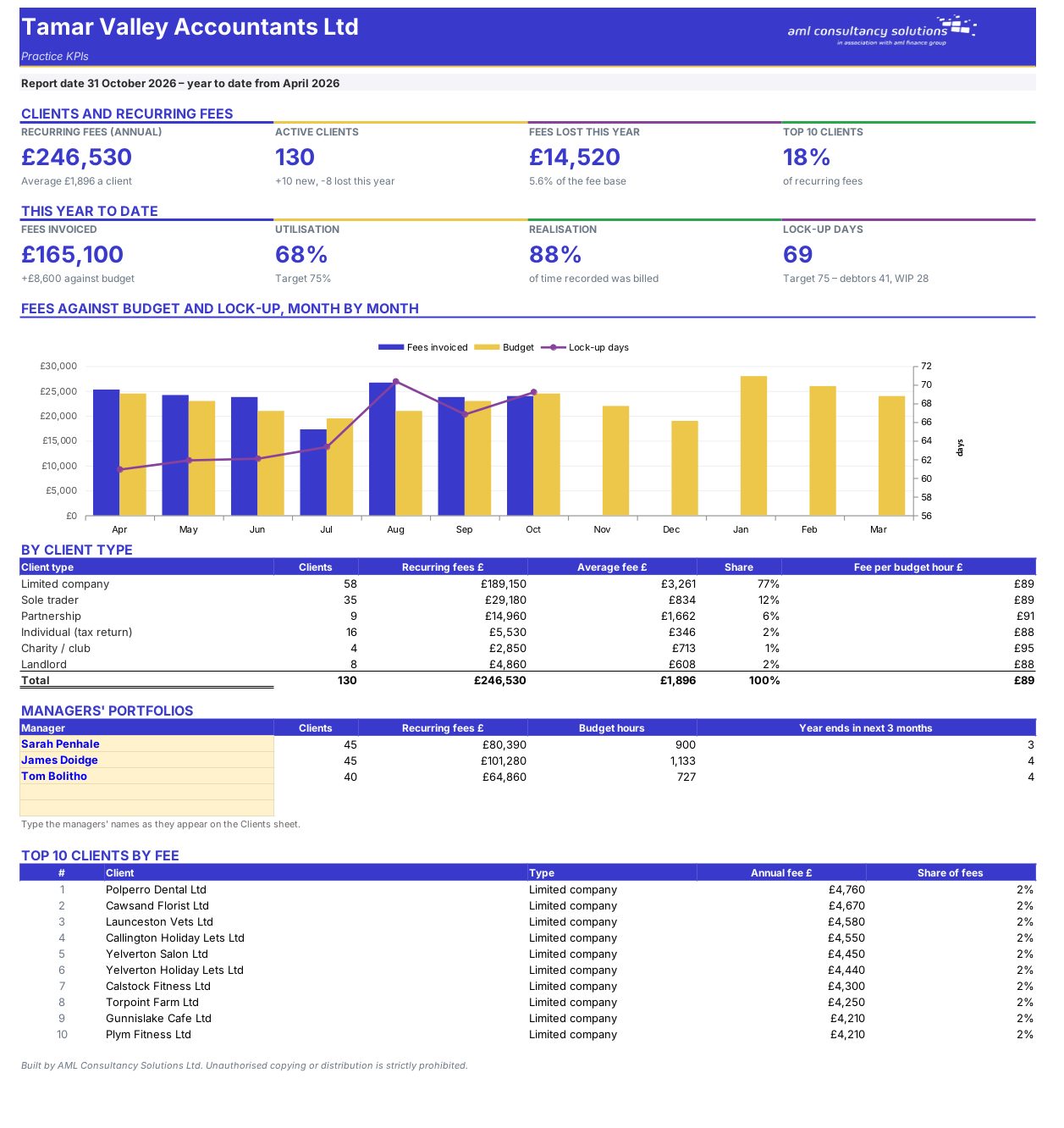
Practice software is good at recording time and fees but rarely shows the whole practice on one page. Keep a simple client list, add each month's fees, WIP, debtors and chargeable hours, and this workbook gives you the KPIs partners and lenders ask about.

Price
£20
Who it’s for
Practice Tools
Works with
Microsoft Excel for Windows and Mac
Buy now

See how it works

A walk through the main sheets

The sheets you will use most, in the order you will use them – shown with the sample data every workbook comes with.

Step 1

Monthly

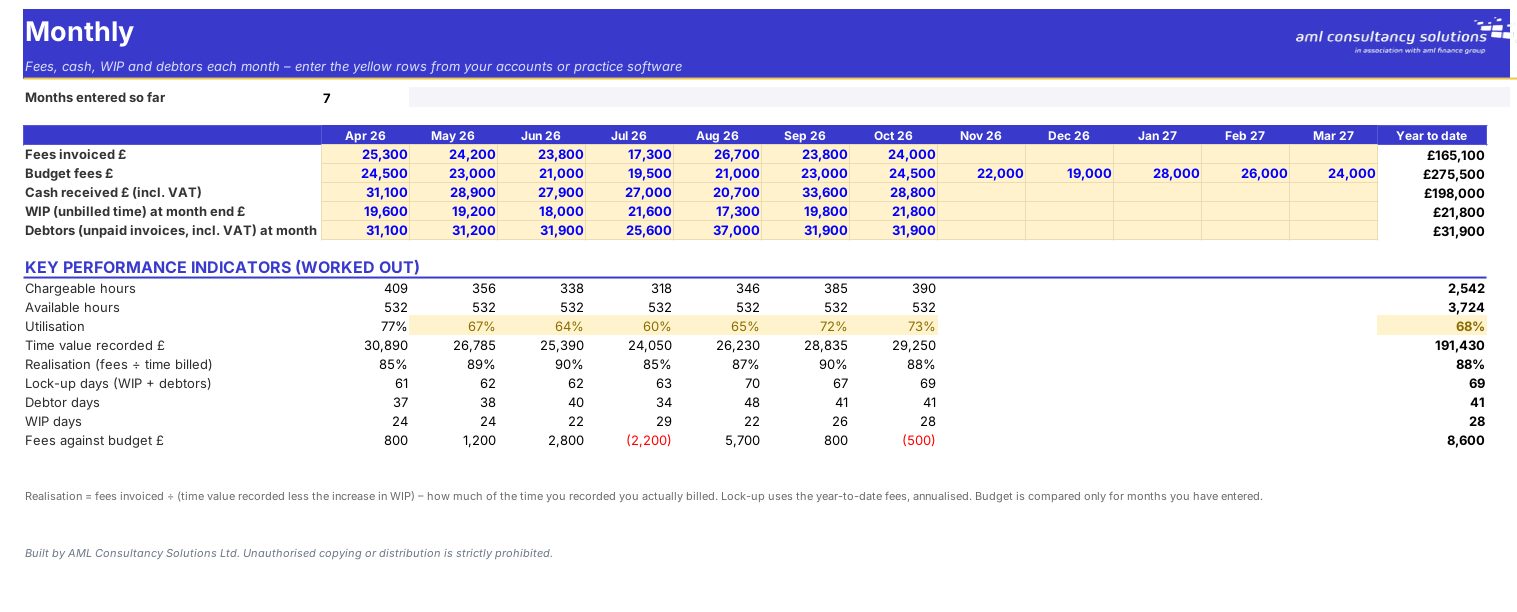
Fees billed, cash received, WIP and debtors month by month. What you do: one line a month.
Monthly
Clients

Step 2

Clients

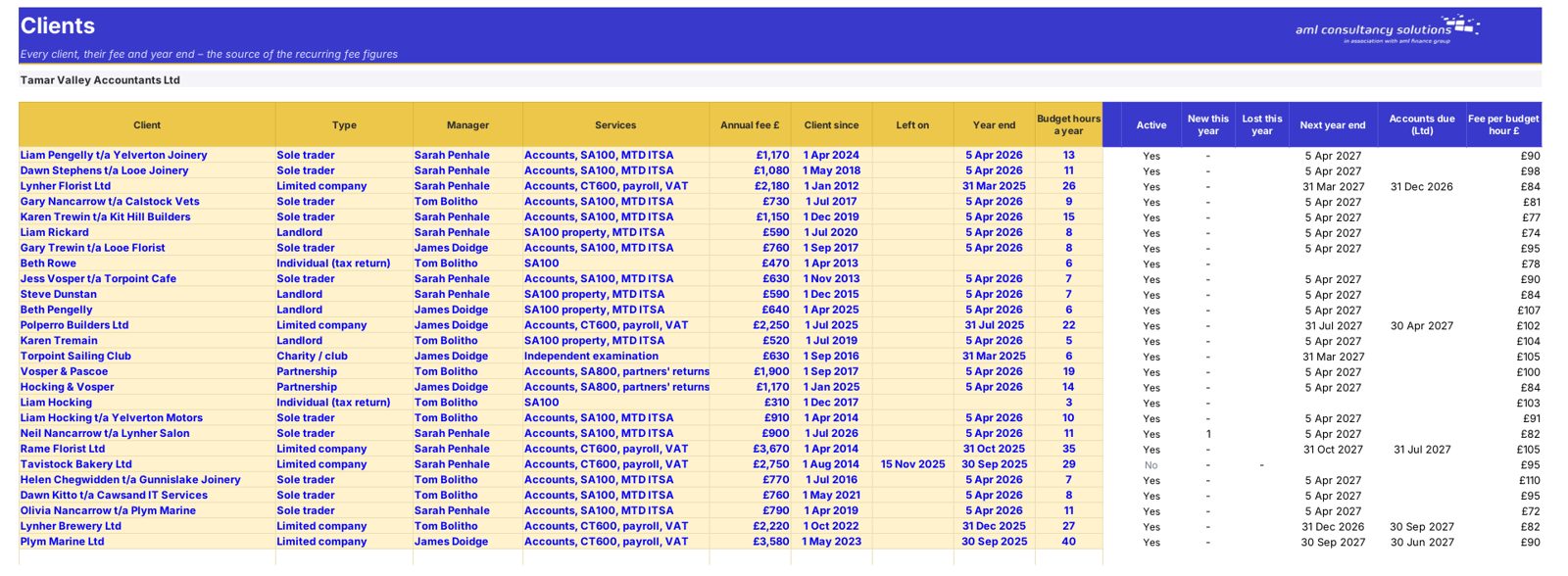
Every client with its recurring fee and services. What you do: one row per client.

Step 3

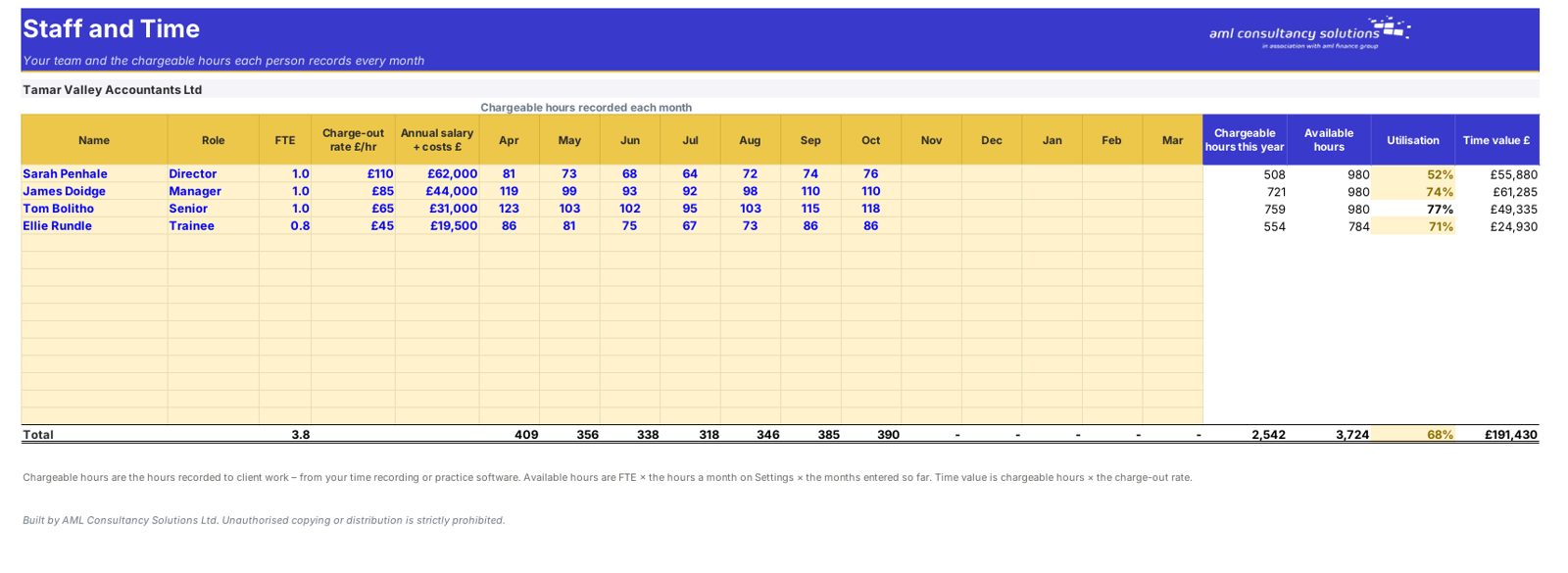
Staff and Time

Hours, chargeable time and utilisation by person. What you do: enter hours each month.
Staff and Time

Step 4

Who it is for

Made for people like you

  • Example – text
  • Accountancy and bookkeeping practices – See the numbers that drive profit every month.
  • Practice owners planning growth or a sale – Track recurring fees and lock-up – what buyers look at.
  • Practice managers – Spot falling utilisation or late work early.

Quick start

Up and running in minutes

  1. Example – text
  1. Settings – Practice name, first month of the year, the report date and your targets.
  2. Clients – One row per client: type, manager, annual fee, start date, year end and budget hours. Put a "Left on" date when a client goes – never delete them, or the lost-fee figures disappear.
  3. Staff and Time – Each person's FTE, charge-out rate and the chargeable hours they recorded each month.
  4. Monthly – Each month: fees invoiced, budget, cash received, and WIP and debtors at the month end.
  5. Dashboard – Change the report date as the year goes on.

Key features

  • The numbers that matter in an accountancy or bookkeeping practice on one page: recurring fees, client numbers, gains and losses, and fee concentration.
  • Utilisation, realisation and lock-up from your chargeable hours, WIP and debtors, against your targets.
  • Managers' portfolios, year ends coming up in the next three months, fees by client type and your top 10 clients.

What’s included

  • Dashboard – Practice KPIs
  • Monthly – Fees, cash, WIP and debtors
  • Clients – Client list and fees
  • Staff and Time – Team and chargeable hours
  • Settings – Year, report date and targets
  • Guide – How to use this workbook

How buying works

Your file is only released to your client portal once payment has cleared.

1

Click Buy now

You are taken to our secure checkout.

2

Pay securely

Checkout takes a minute and you get a receipt by email.

3

Download your file

Your file is ready in your client portal as soon as payment clears, and we email you your invoice with a link to the portal.

Explore the range

Need it tailored to your business?

We can adapt any prebuilt solution or build something bespoke, with a lifetime bug-free guarantee.

Part of AML Finance Group

Need an accountant too?

Our sister firm, AML Accountancy Solutions, is an award-winning accountancy practice helping businesses and individuals across the UK with their accounts, tax, bookkeeping and payroll.

Visit AML Accountancy Solutions