← All prebuilt solutions
Lite & Free

Annual Budget Builder – Lite

A clear 12-month budget – and a simple way to track the year against it

£5

Secure checkout. Your download link is sent as soon as payment clears.
Annual Budget Builder – Lite

Overview

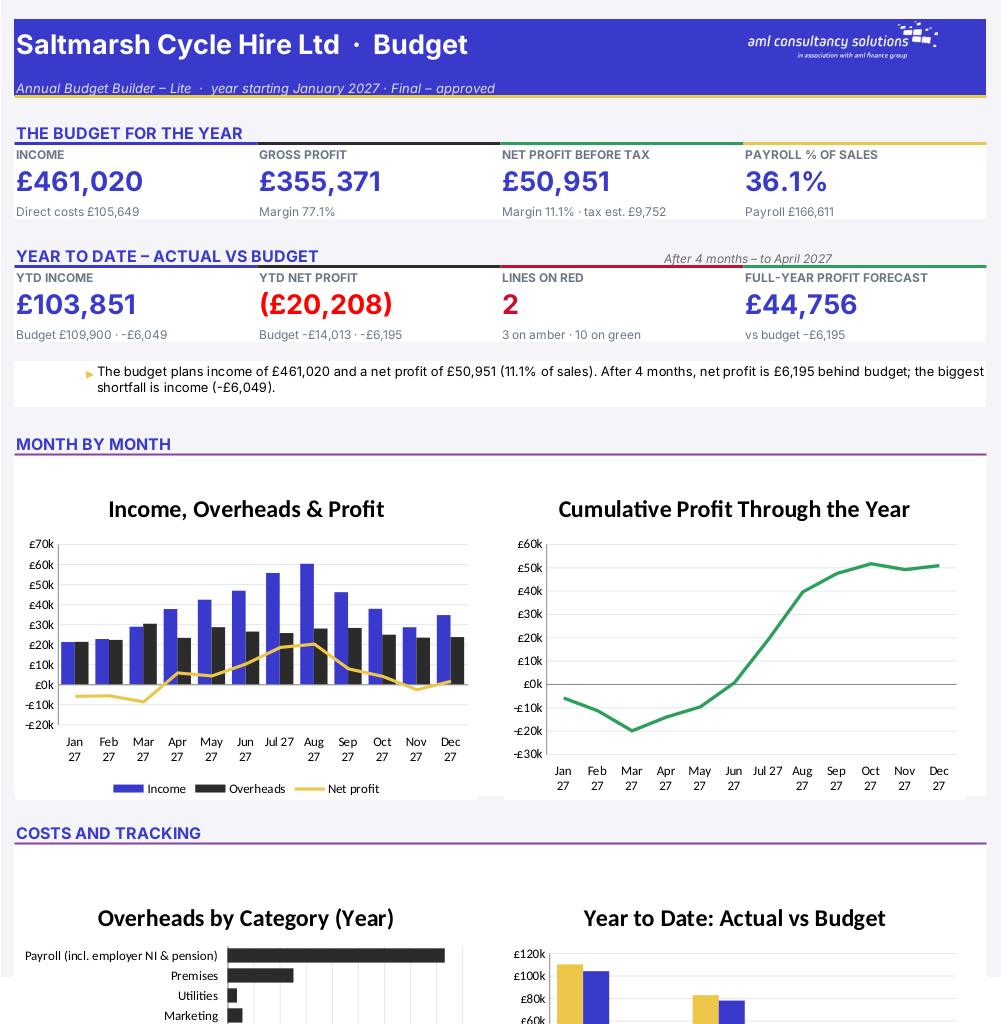
A budget is your plan for the year in numbers: what you expect to sell, what it will cost to deliver, what you'll spend on staff and running costs, and the profit that should be left at the end. This Lite edition builds that budget month by month from a few simple inputs, then lets you type in your actual figures as the year goes on so you can see – line by line, with green, amber and red traffic lights – whether you're on track.

Price
£5
Who it’s for
Lite & Free
Works with
Microsoft Excel for Windows and Mac
Buy now

See how it works

A walk through the main sheets

The sheets you will use most, in the order you will use them – shown with the sample data every workbook comes with.

Step 1

Income

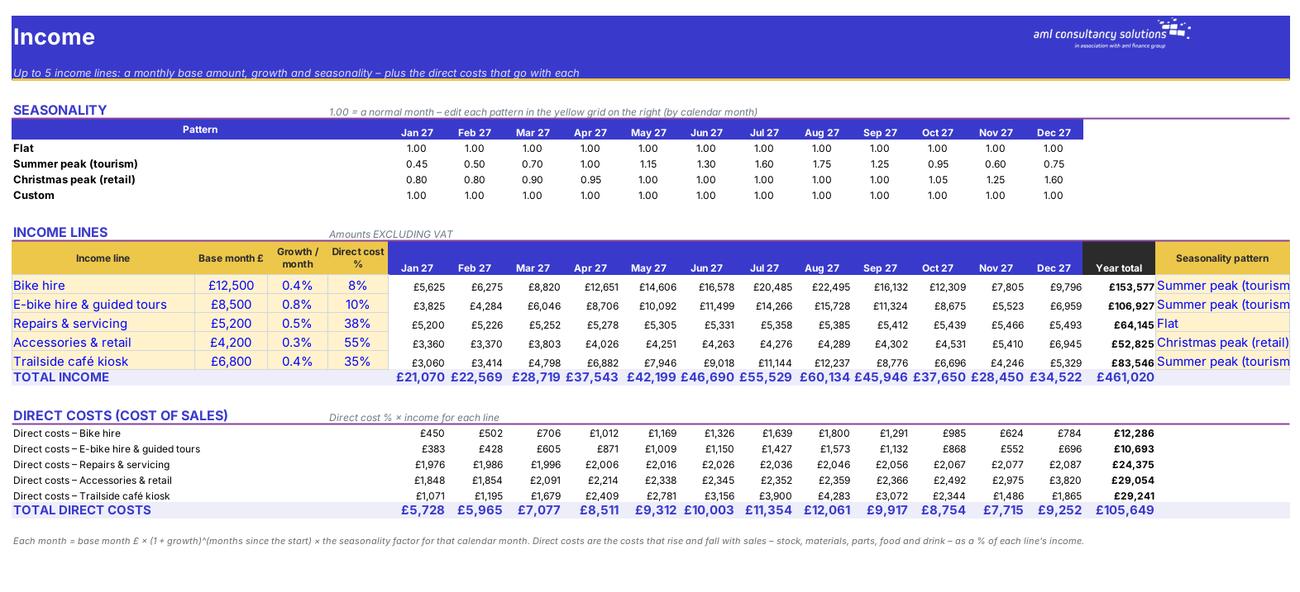
Seasonality patterns, income lines and the direct costs that go with them. What you do: fill in the income lines and check the patterns.
Income
Payroll

Step 2

Payroll

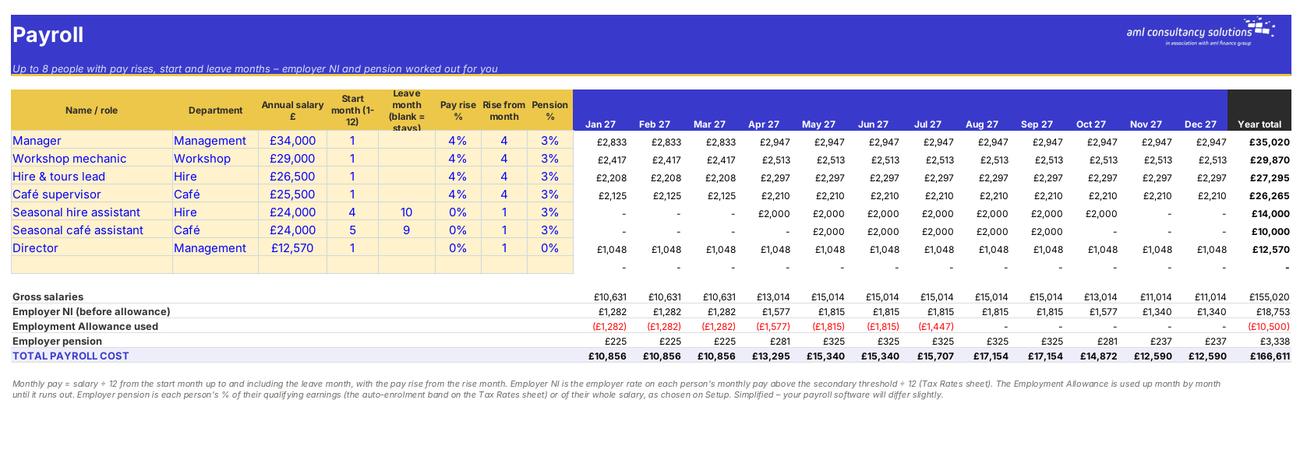
Up to 8 people and the monthly payroll cost including employer NI and pension. What you do: one line per person.

Step 3

Overheads

Up to 25 running costs and when they're paid. What you do: one line per cost.
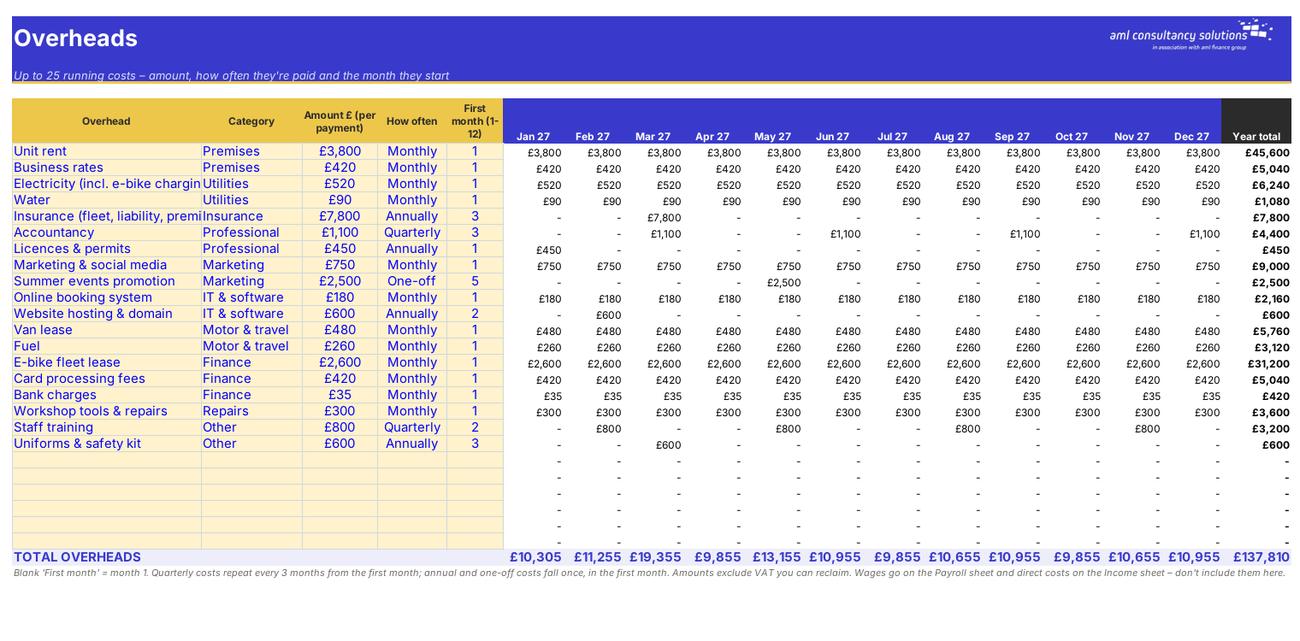
Overheads
Budget P&L

Step 4

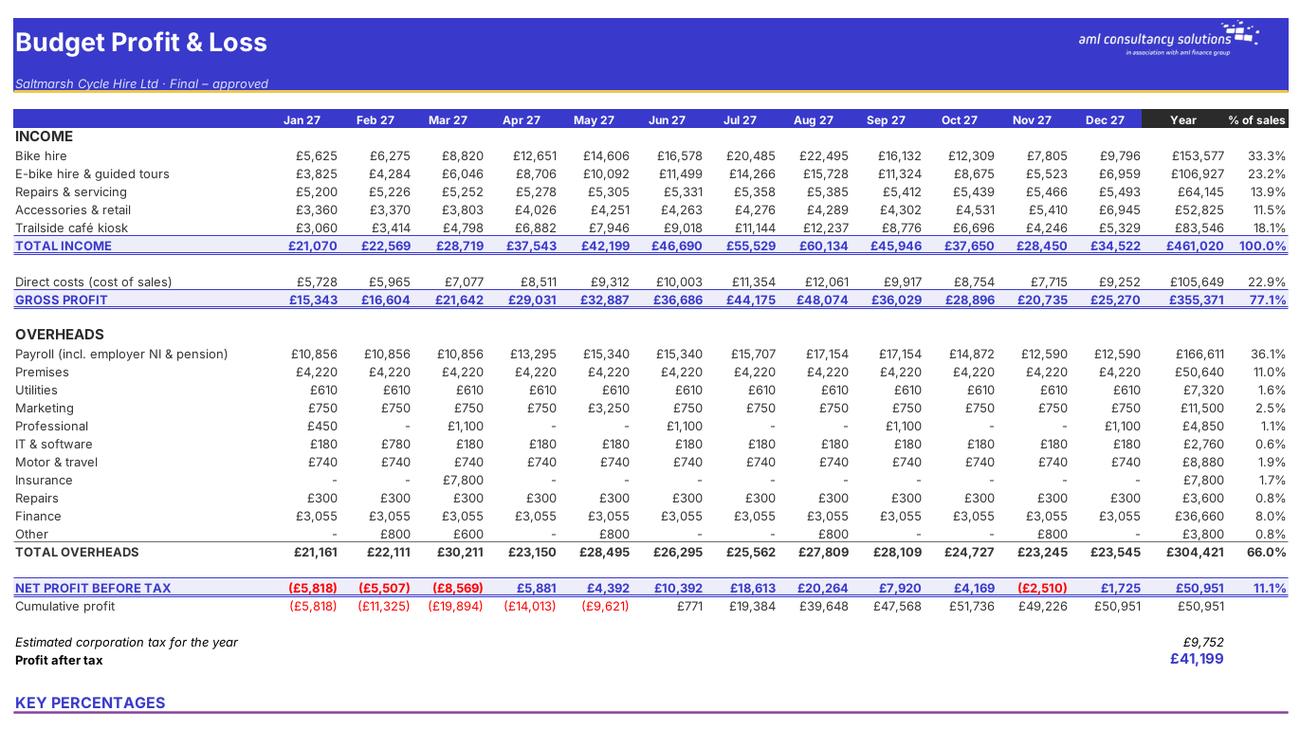
Budget P&L

The monthly budget: income, direct costs, gross profit, payroll and overheads by category, net profit, cumulative profit, corporation tax and key percentages. What you do: nothing – calculated.

Who it is for

Made for people like you

  • Example – text
  • Owner-managed businesses – A monthly budget P&L and a year-to-date comparison with actual results.
  • Seasonal businesses – Seasonality patterns that show the quiet months as well as the busy ones – and when cumulative profit turns positive.
  • Bookkeepers and finance staff – A quick monthly actual vs budget check with traffic lights and a forecast for the full year.
  • Anyone starting out with budgeting – Four short input sheets and a one-page dashboard.
  • TIP – Need capital purchases, loans, a comparison with last year or an export into a management pack? The full Annual Budget Builder adds them – see the panel on the Dashboard.

Quick start

Up and running in minutes

  1. Example – text
  1. Setup – Enter your business name, the first month of the budget year, the tax year for rates, whether you claim the Employment Allowance, associated companies, the pension basis, a version name and your traffic-light limits.
  2. Income – Enter up to 5 income lines with a base month amount, monthly growth and direct cost %, and choose a seasonality pattern for each. Adjust the patterns in the yellow grid on the right if you need to.
  3. Payroll – List each person with their department, salary, start month, any leave month, pay rise and pension %.
  4. Overheads – Add every running cost with its category, amount per payment, how often it's paid and the first month.
  5. Check the budget – Read the Budget P&L and the top half of the Dashboard. Adjust until the budget is realistic and gives the profit you need.
  6. Track the year – Each month, type the actual figures on the Actual vs Budget sheet and set 'Months completed'. The traffic lights and the Dashboard update straight away.

Key features

  • Up to 5 income lines with growth, seasonality and direct costs; up to 8 staff with employer NI, the Employment Allowance and pensions.
  • Up to 25 overheads paid monthly, quarterly, annually or one-off, grouped into ten categories.
  • A monthly budget P&L with key percentages and a corporation tax estimate.
  • Actual vs budget for the year with traffic lights on every line, and a dashboard with four charts.

What’s included

  • Dashboard – Budget and year to date at a glance
  • Setup – Settings, months and traffic-light limits
  • Income – Income lines and direct costs
  • Payroll – Staff costs
  • Overheads – Running costs
  • Budget P&L – Monthly budget
  • Actual vs Budget – Track the year
  • Tax Rates – Payroll and tax rates
  • Guide – How to use this workbook

How buying works

Your file is only released once payment has cleared.

1

Click Buy now

You are taken to our secure checkout.

2

Pay securely

Checkout takes a minute and you get a receipt by email.

3

Download your file

Your download link arrives as soon as payment clears.

Explore the range

Need it tailored to your business?

We can adapt any prebuilt solution or build something bespoke, with a lifetime bug-free guarantee.

Part of AML Finance Group

Need an accountant too?

Our sister firm, AML Accountancy Solutions, is an award-winning accountancy practice helping businesses and individuals across the UK with their accounts, tax, bookkeeping and payroll.

Visit AML Accountancy Solutions