← All prebuilt solutions
Personal Finance

Bank Statement Spending Dashboard

Paste your bank statement – every line sorted into categories automatically, with monthly spending, budgets and where the money goes

£20

Secure checkout. Your file is ready in your client portal as soon as payment clears.
Bank Statement Spending Dashboard

Overview

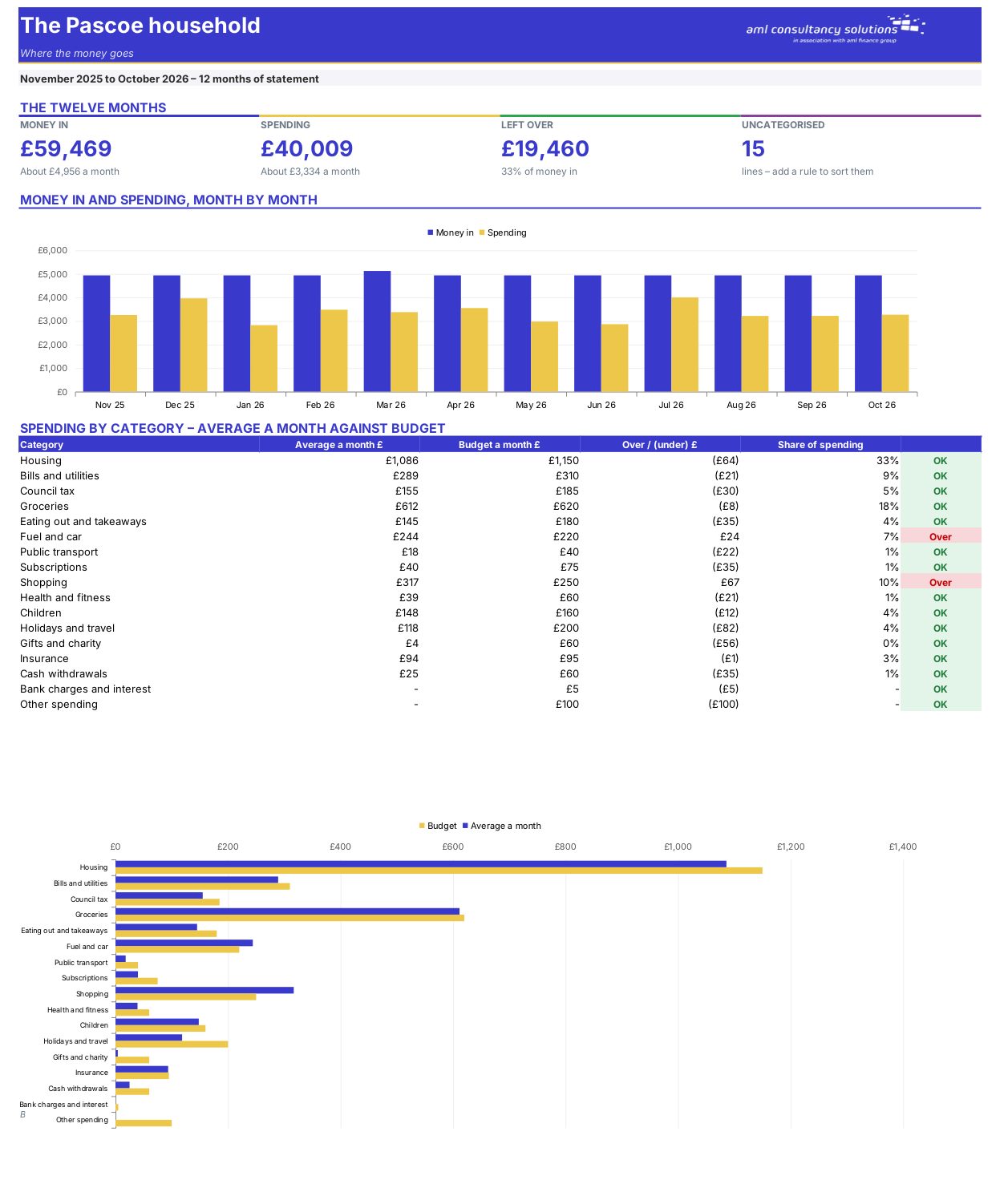
Most banks let you download a statement as a CSV file. Paste it in and this workbook sorts every line into a category, adds it up month by month and compares it with your budget – no typing in transactions.

Price
£20
Who it’s for
Personal Finance
Works with
Microsoft Excel for Windows and Mac
Buy now

See how it works

A walk through the main sheets

The sheets you will use most, in the order you will use them – shown with the sample data every workbook comes with.

Step 1

Statement

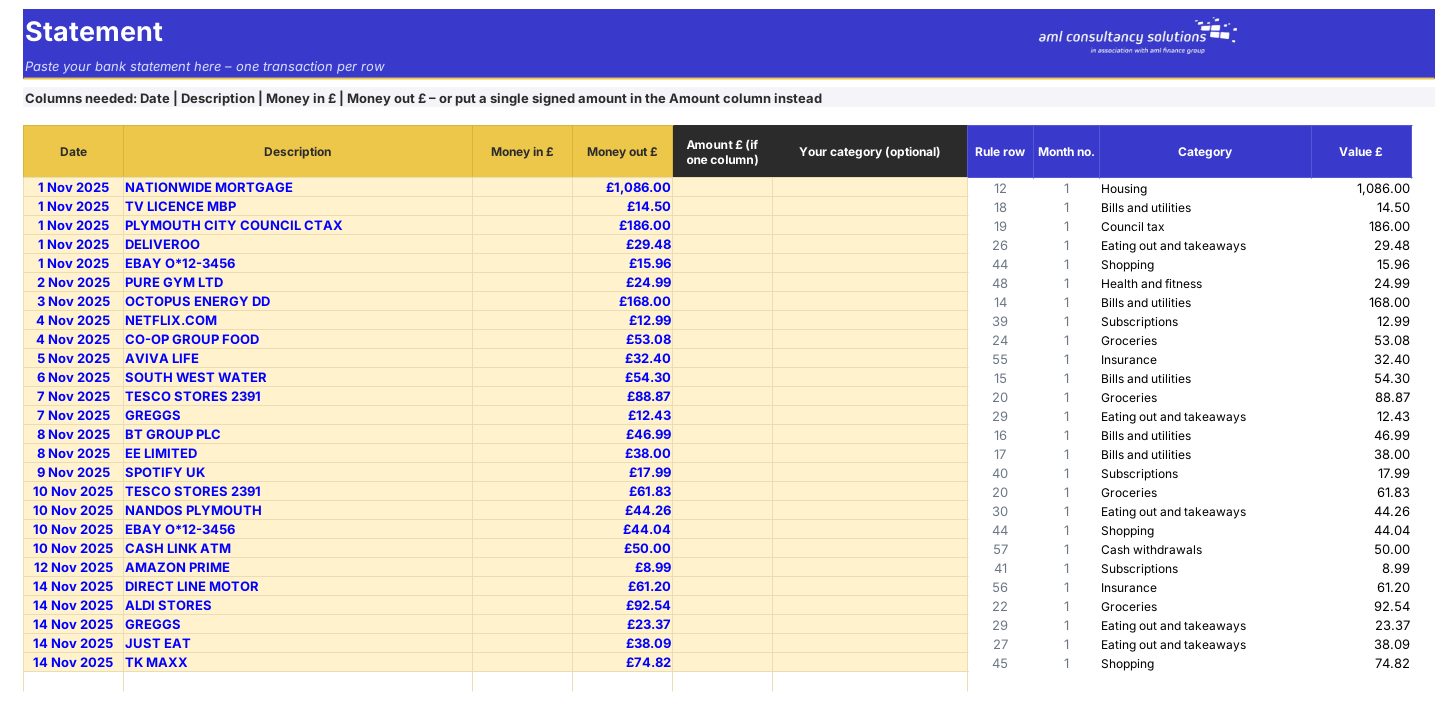
Your pasted bank lines with the category found for each. What you do: paste your statement.
Statement
Rules

Step 2

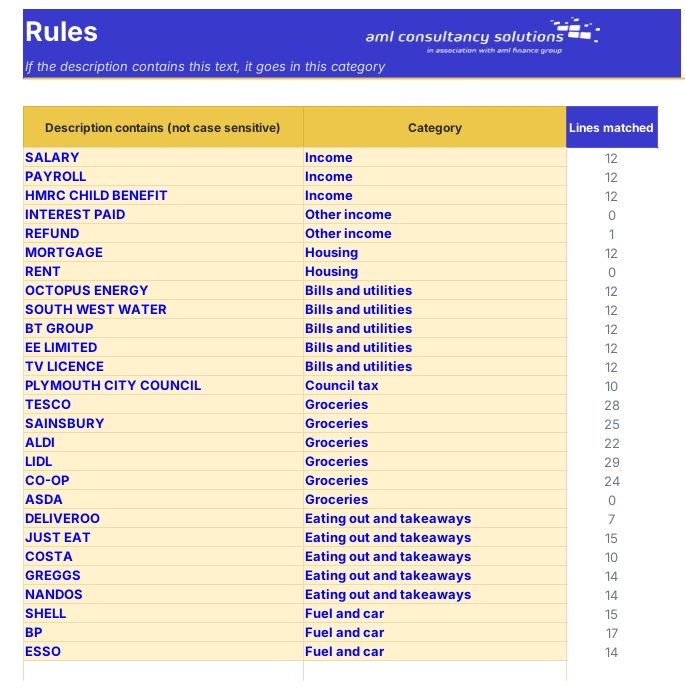
Rules

The words that decide each category. What you do: add rules for your regular payees.

Step 3

Monthly

Spending by category, month by month, against budget. What you do: nothing to enter.
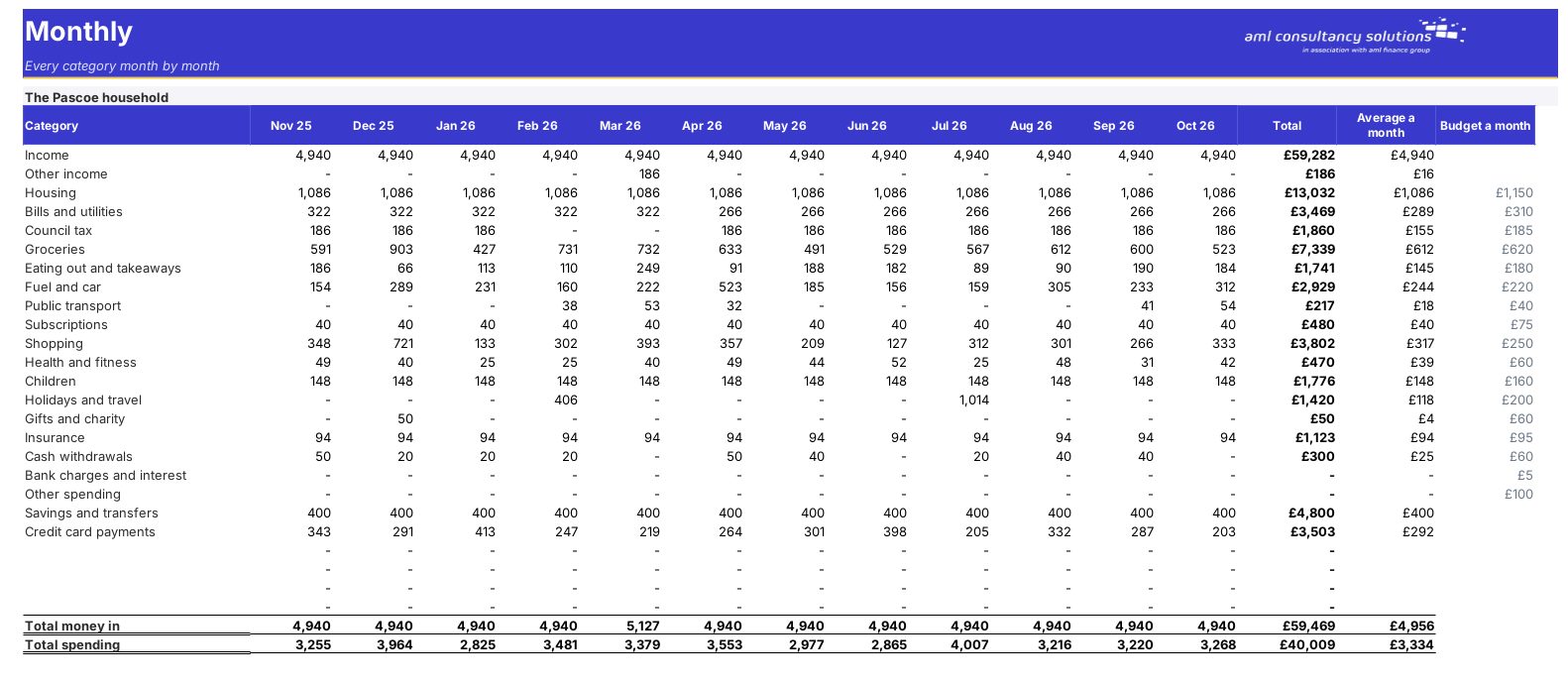
Monthly

Step 4

Who it is for

Made for people like you

  • Example – text
  • Households – See where the money goes without typing every transaction.
  • Sole traders – Split business and personal spending from one account.
  • Anyone preparing a budget – Base your budget on what you actually spend.

Quick start

Up and running in minutes

  1. Example – text
  1. Settings – Your name and the first of the twelve months you want to see.
  2. Download your statement – In online banking choose Statements → Export or Download → CSV (Excel) for the twelve months. Open it in Excel.
  3. Statement – Copy the Date, Description and Money in / Money out columns into the yellow columns (Paste Special → Values). If your bank has one Amount column, paste it in the grey Amount column instead.
  4. Rules – Look at the Uncategorised lines and add a rule for each regular payee – a word from the description and its category. To move a one-off line, type a category in "Your category".
  5. Categories – Rename or add categories, set each as Income, Spending or Exclude, and enter a monthly budget.
  6. Dashboard – Your results.

Key features

  • Paste a bank statement and every line is sorted into a category automatically using simple keyword rules you can change.
  • Shows money in, spending and what is left over for twelve months, month by month and category by category.
  • Set a monthly budget for each category and see where you are over – a clear starting point for a household budget or a sole trader's drawings.

What’s included

  • Dashboard – Where the money goes
  • Monthly – Category by month
  • Statement – Paste your statement here
  • Rules – Keyword → category
  • Categories – Categories and budgets
  • Settings – Name and first month
  • Guide – How to use this workbook

How buying works

Your file is only released to your client portal once payment has cleared.

1

Click Buy now

You are taken to our secure checkout.

2

Pay securely

Checkout takes a minute and you get a receipt by email.

3

Download your file

Your file is ready in your client portal as soon as payment clears, and we email you your invoice with a link to the portal.

Explore the range

Need it tailored to your business?

We can adapt any prebuilt solution or build something bespoke, with a lifetime bug-free guarantee.

Part of AML Finance Group

Need an accountant too?

Our sister firm, AML Accountancy Solutions, is an award-winning accountancy practice helping businesses and individuals across the UK with their accounts, tax, bookkeeping and payroll.

Visit AML Accountancy Solutions