← All prebuilt solutions
Bookkeeping & Compliance

Charity Trustees' Dashboard

For trustees of small charities – income and spending against budget, every fund, reserves against your policy, Gift Aid and key dates on one page

£20

Secure checkout. Your file is ready in your client portal as soon as payment clears.
Charity Trustees' Dashboard

Overview

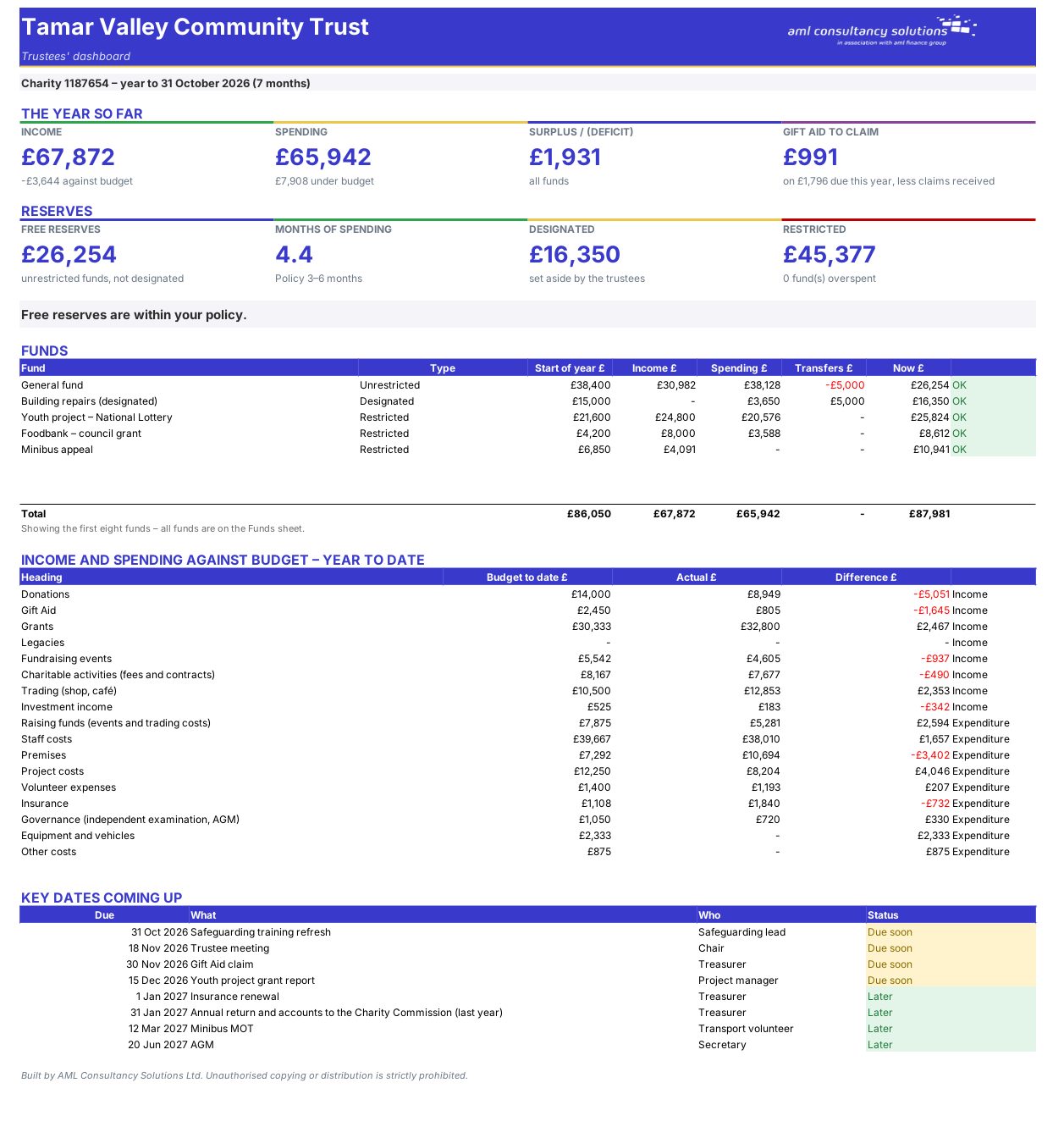
Trustees are responsible for the charity's money but often see only a bank balance. This workbook turns the cash book into the figures trustees need: performance against budget, each fund's balance, reserves against policy and deadlines – ready to print for a trustee meeting.

Price
£20
Who it’s for
Bookkeeping & Compliance
Works with
Microsoft Excel for Windows and Mac
Buy now

See how it works

A walk through the main sheets

The sheets you will use most, in the order you will use them – shown with the sample data every workbook comes with.

Step 1

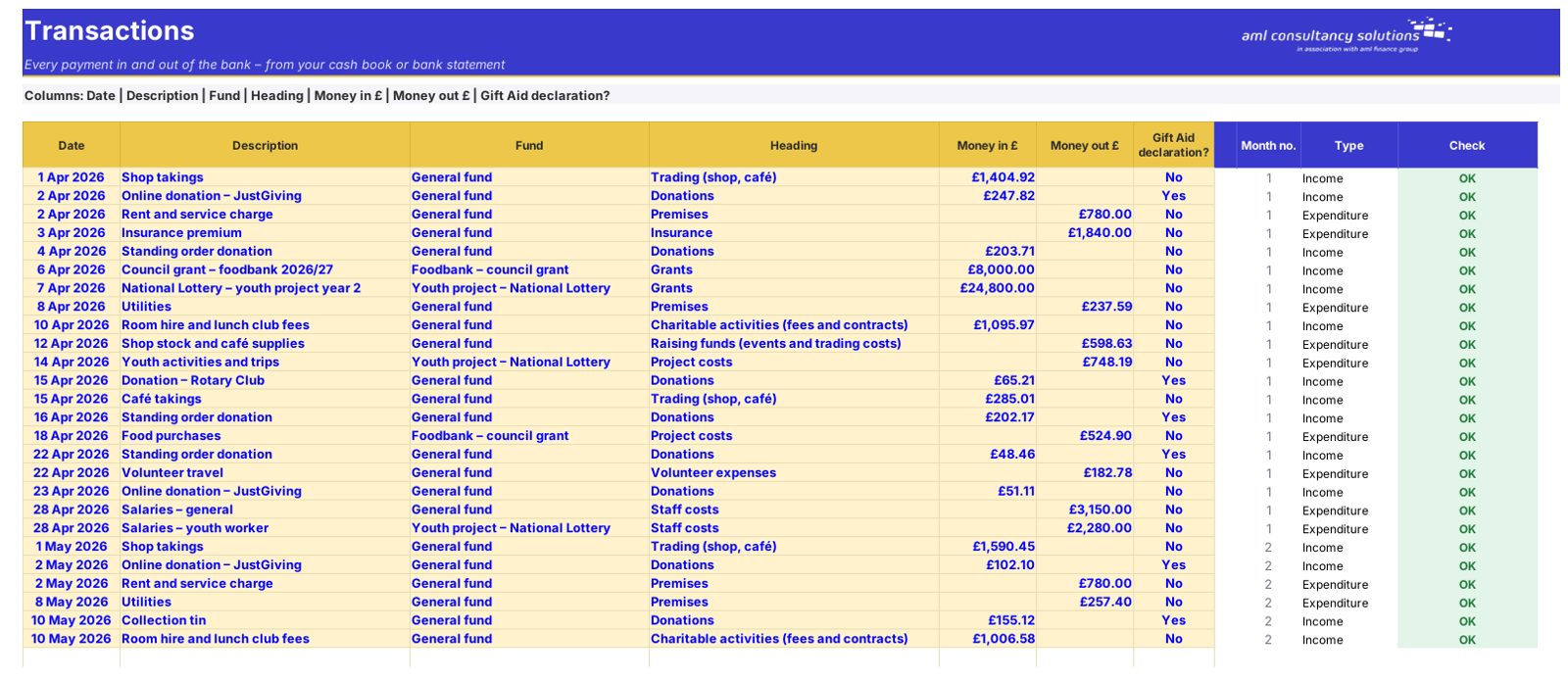
Transactions

Every receipt and payment with its fund and category. What you do: one line per transaction.
Transactions
Funds

Step 2

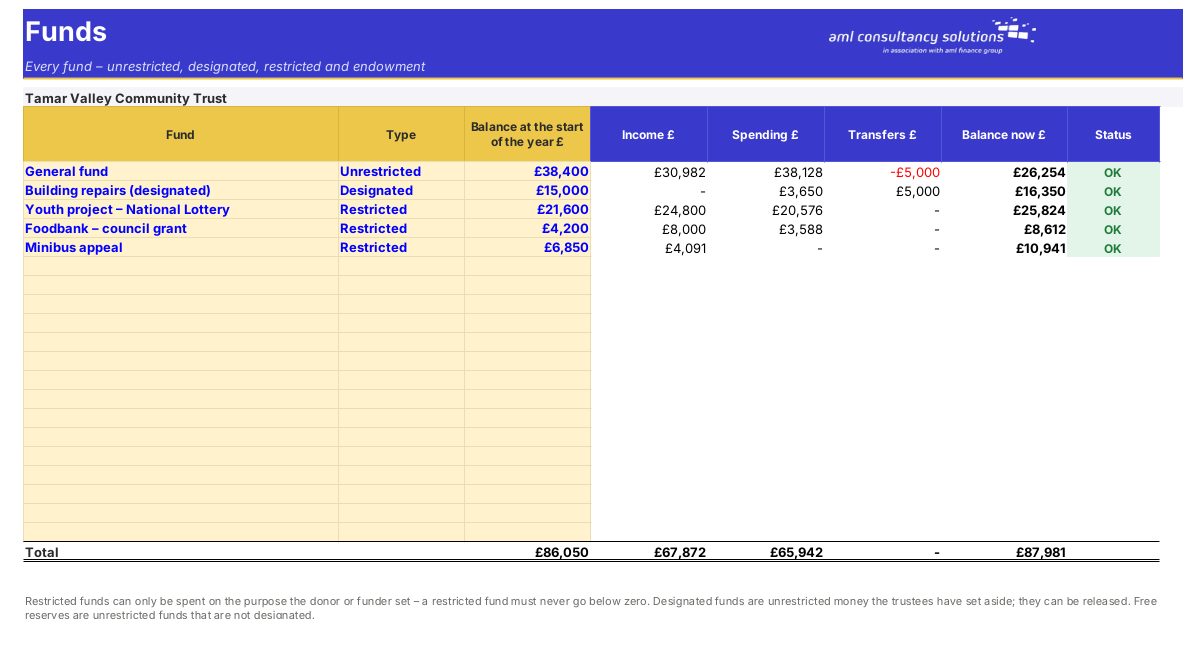
Funds

Restricted, designated and unrestricted funds with balances. What you do: set up your funds.

Step 3

Budget

The year's budget by category. What you do: enter once a year.

Budget

Step 4

Who it is for

Made for people like you

  • Example – text
  • Trustees of small charities – Understand the finances at every trustee meeting.
  • Charity treasurers – Produce a clear report from your transactions.
  • Independent examiners and accountants – See restricted funds and reserves at a glance.

Quick start

Up and running in minutes

  1. Example – text
  1. Settings – Charity name and number, the first day of the financial year, the report date and your reserves policy.
  2. Funds – Each fund with its type and balance at the start of the year (from last year's accounts).
  3. Budget – Your income and spending headings with the budget approved by the trustees.
  4. Transactions – Every payment in and out: date, description, fund, heading and amount. Tick Gift Aid declarations on donations.
  5. Key Dates – Meetings, renewals, funder reports and training.
  6. Dashboard – Print it for each trustee meeting.

Key features

  • Everything trustees need at a meeting on one page: income and spending against budget, the surplus or deficit, and Gift Aid still to claim.
  • Every fund – unrestricted, designated, restricted and endowment – with overspent restricted funds flagged, and free reserves measured against your reserves policy.
  • Charity Commission deadline, funder reports, renewals and meetings coming up.

What’s included

  • Dashboard – Trustees' dashboard
  • Transactions – Payments in and out
  • Funds – Fund balances
  • Budget – Headings and budget
  • Key Dates – Deadlines and renewals
  • Settings – Year and reserves policy
  • Guide – How to use this workbook

How buying works

Your file is only released to your client portal once payment has cleared.

1

Click Buy now

You are taken to our secure checkout.

2

Pay securely

Checkout takes a minute and you get a receipt by email.

3

Download your file

Your file is ready in your client portal as soon as payment clears, and we email you your invoice with a link to the portal.

Explore the range

Need it tailored to your business?

We can adapt any prebuilt solution or build something bespoke, with a lifetime bug-free guarantee.

Part of AML Finance Group

Need an accountant too?

Our sister firm, AML Accountancy Solutions, is an award-winning accountancy practice helping businesses and individuals across the UK with their accounts, tax, bookkeeping and payroll.

Visit AML Accountancy Solutions