← All prebuilt solutions
Bookkeeping & Compliance

CIS Tracker

The Construction Industry Scheme – organised, on time and fully reconciled

£20

Secure checkout. Your download link is sent as soon as payment clears.
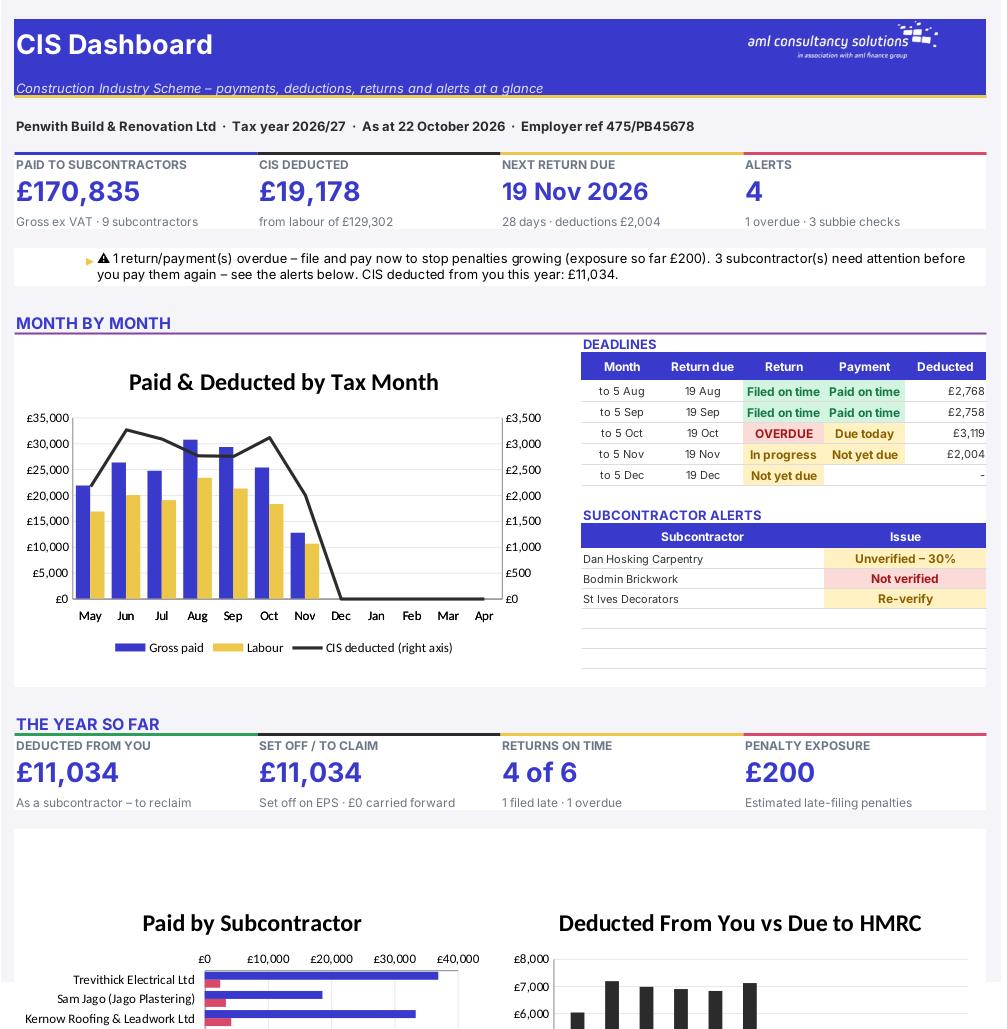
CIS Tracker

Overview

The Construction Industry Scheme (CIS) makes contractors in the construction industry deduct tax from the labour element of payments to subcontractors and pass it to HMRC every month. Get it wrong and you pay the tax yourself, plus penalties for every late monthly return. This workbook keeps everything in one place: a register of your subcontractors and their verification, a log of every payment that works out the deduction for you, the figures and deadlines for each monthly CIS300 return, a printable payment and deduction statement, and – if other contractors deduct CIS from you – a tracker showing how to get that money back.

Price
£20
Who it’s for
Bookkeeping & Compliance
Works with
Microsoft Excel for Windows and Mac
Buy now

See how it works

A walk through the main sheets

The sheets you will use most, in the order you will use them – shown with the sample data every workbook comes with.

Step 1

Subcontractors

The register: UTR, verification, CIS status, rate and this year's totals, with a Check column. What you do: add each subcontractor in the yellow columns.
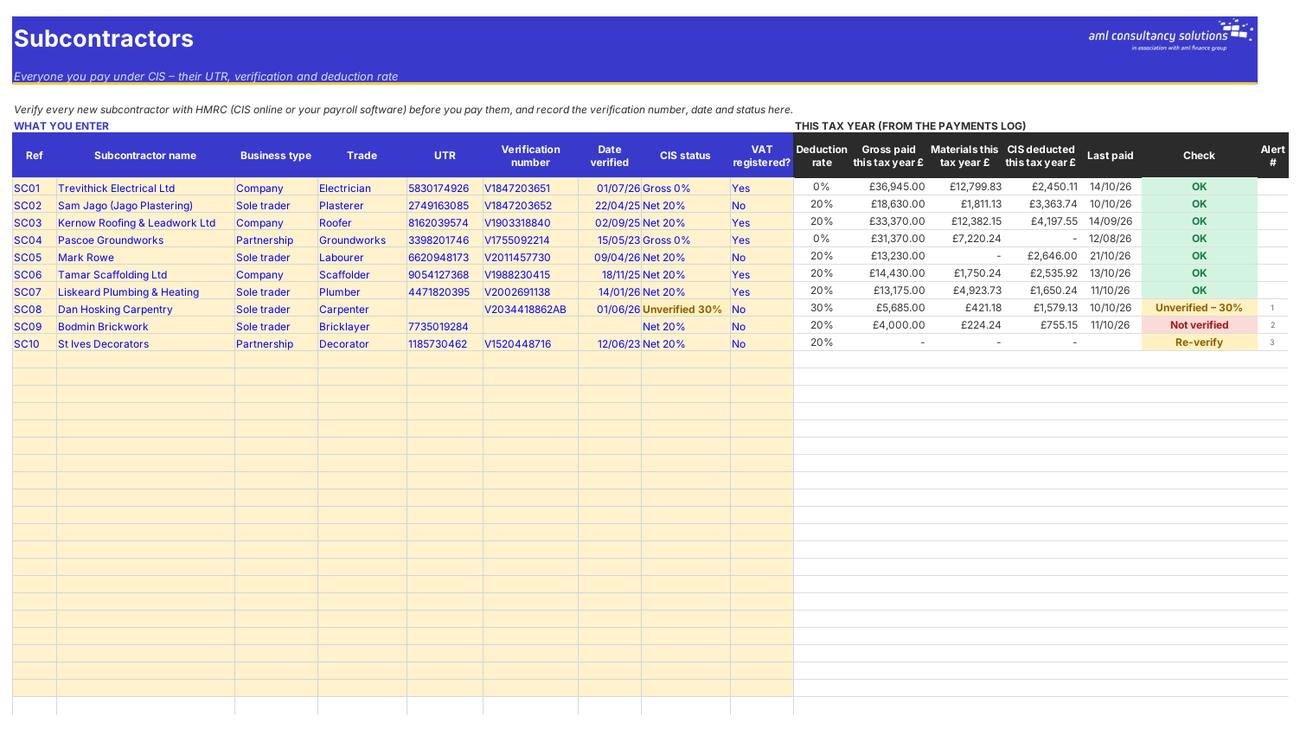
Subcontractors
Payments

Step 2

Payments

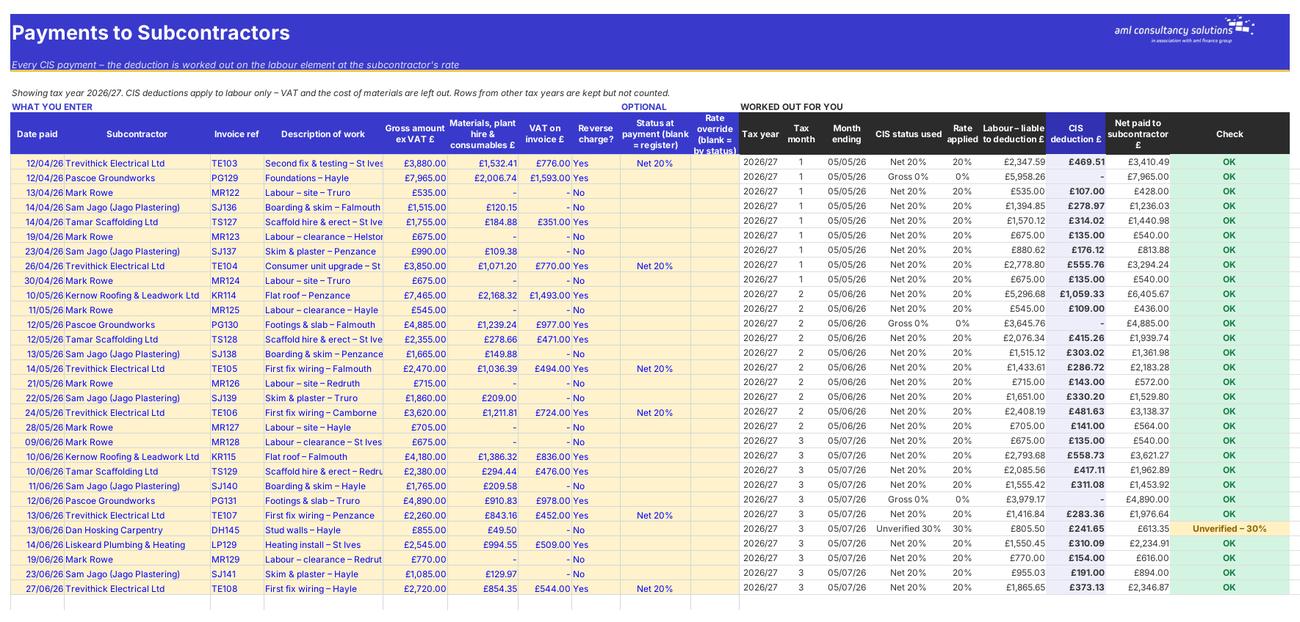
The log of every payment, with the deduction and net amount worked out. What you do: one line per payment in the yellow columns.

Step 3

Monthly Returns

The CIS300 figures for each tax month, due dates, filing and payment status and penalty exposure. What you do: enter the date you filed each return and paid the deductions.
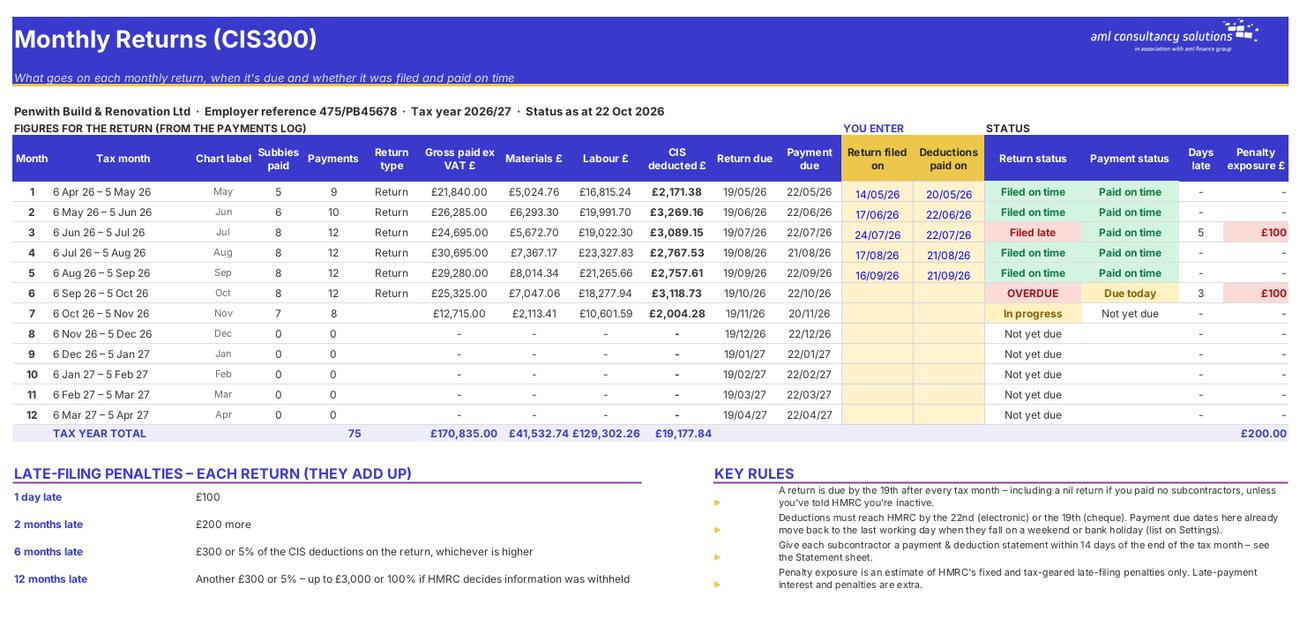
Monthly Returns
Statement

Step 4

Statement

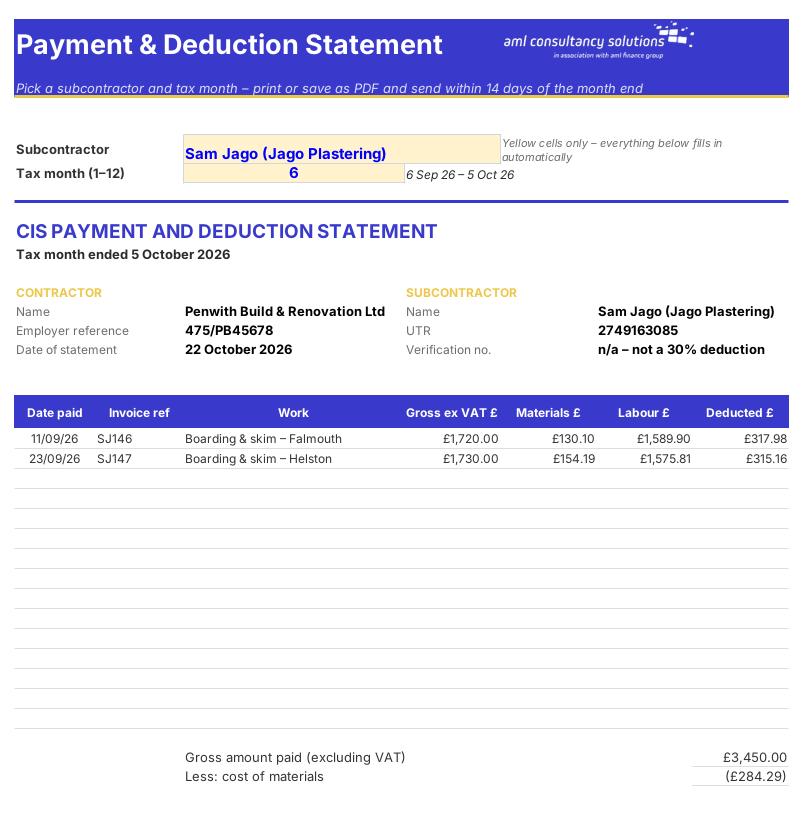
A printable payment and deduction statement. What you do: pick a subcontractor and tax month.

Who it is for

Made for people like you

  • Example – text
  • Builders and main contractors – Correct deductions at 0%, 20% or 30%, monthly return figures, deadlines and statements for every subcontractor.
  • Trades who use a few subcontractors – A simple, auditable record that stands up to an HMRC CIS check.
  • Businesses that are both contractor and subcontractor – Deductions suffered tracked alongside deductions made – and, for companies, offset against what you owe HMRC each month.
  • Sole trader and partnership subcontractors – A running total of CIS deducted from you to claim on your Self Assessment return.
  • WATCH OUT – This workbook prepares the figures – it doesn't talk to HMRC. You still verify subcontractors and file each monthly return through HMRC's CIS online service or your payroll / CIS software, or ask your accountant or bookkeeper to do it for you.

Quick start

Up and running in minutes

  1. Example – text
  1. Settings – Enter your business name and type, your employer (PAYE) reference, Accounts Office reference and UTR. Pick the tax year and how you pay HMRC. Leave the report date blank so statuses are worked out as at today.
  2. Subcontractors – Add each subcontractor. Verify them with HMRC before you pay them for the first time and record the verification number, date and the status HMRC gives you.
  3. Payments – Every time you pay a subcontractor, add a line: date paid, subcontractor, invoice reference, gross amount excluding VAT, materials and any VAT on the invoice.
  4. Monthly Returns – After the 5th of each month, use that month's line for your CIS300 return. File by the 19th, pay by the 22nd, then type the dates you filed and paid. Starting part-way through the tax year? Type the dates you filed the earlier returns too – otherwise those months show as overdue nil returns.
  5. Statements – On the Statement sheet pick each subcontractor you paid and the tax month, then print or save it as a PDF and send it within 14 days of the month end.
  6. Deductions Suffered – If other contractors pay you under CIS, copy each payment and deduction statement you receive into the log. Companies also enter their monthly PAYE and NI bill.
  7. Dashboard – Check the alerts, the next deadline and anything overdue every week.

Key features

  • Subcontractor register with UTR, verification number, CIS status and automatic checks for anyone unverified, missing a verification or due to be re-verified.
  • Payments log that strips out VAT and materials and works out the deduction at each subcontractor's rate – 0%, 20% or 30%.
  • Monthly CIS300 figures by tax month (6th to 5th), with return and payment due dates, filing status and late-penalty exposure.
  • Printable payment & deduction statements, plus a tracker for CIS deducted from you – reclaimed through EPS or Self Assessment.

What’s included

  • Dashboard – Totals, deadlines and alerts
  • Settings – Your details, tax year and rates
  • Subcontractors – Register and verification
  • Payments – Every payment and deduction
  • Monthly Returns – CIS300 figures and deadlines
  • Statement – Payment & deduction statements
  • Deductions Suffered – CIS deducted from you
  • Guide – How to use this workbook

How buying works

Your file is only released once payment has cleared.

1

Click Buy now

You are taken to our secure checkout.

2

Pay securely

Checkout takes a minute and you get a receipt by email.

3

Download your file

Your download link arrives as soon as payment clears.

Explore the range

Need it tailored to your business?

We can adapt any prebuilt solution or build something bespoke, with a lifetime bug-free guarantee.

Part of AML Finance Group

Need an accountant too?

Our sister firm, AML Accountancy Solutions, is an award-winning accountancy practice helping businesses and individuals across the UK with their accounts, tax, bookkeeping and payroll.

Visit AML Accountancy Solutions

