← All prebuilt solutions
Tax & Company

EMI Share Option Tracker

Keep every Enterprise Management Incentive option qualifying – and every deadline met

£20

Secure checkout. Your download link is sent as soon as payment clears.
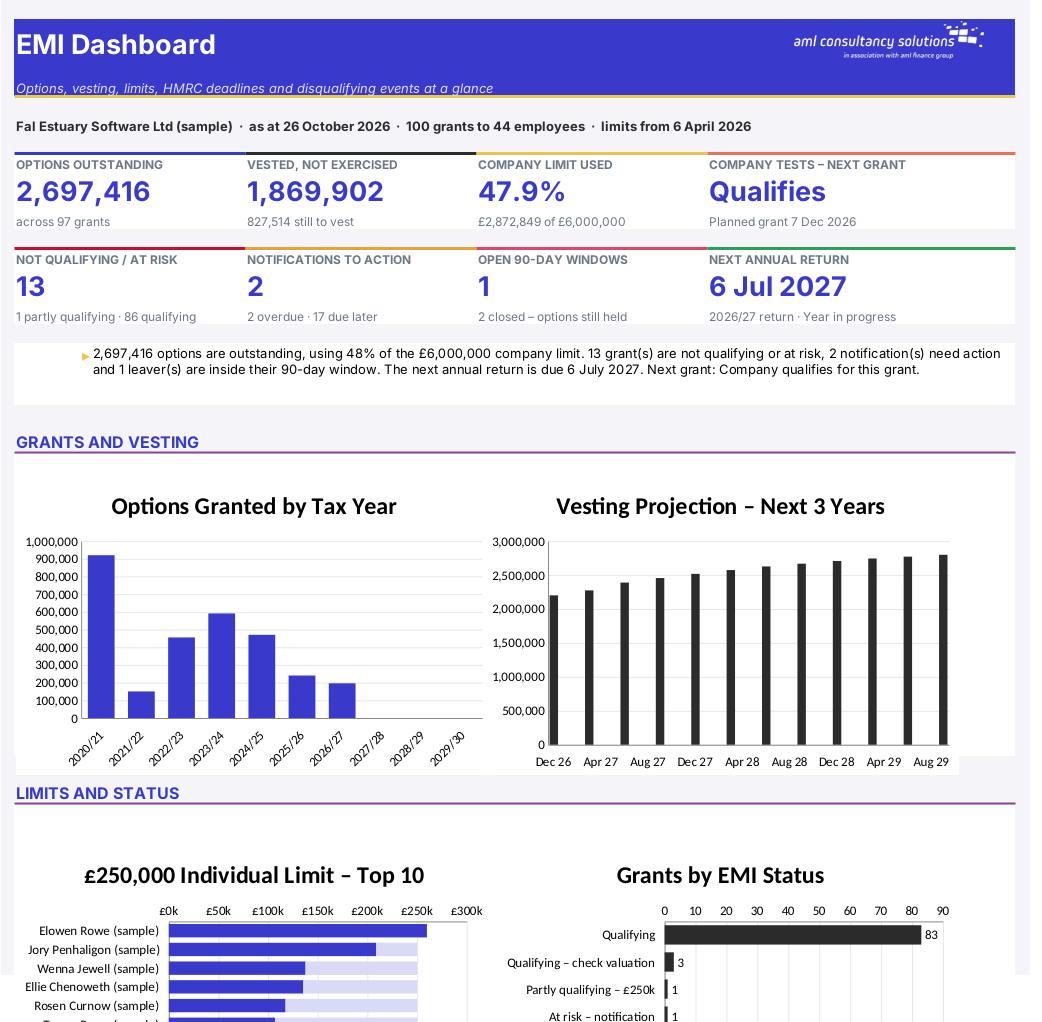
EMI Share Option Tracker

Overview

Enterprise Management Incentives (EMI) are the most tax-efficient way for a smaller UK company to give employees share options. If an option is granted at the market value agreed with HMRC, there is normally no income tax or National Insurance when it is exercised, and the gain on sale can qualify for Business Asset Disposal Relief (BADR). But the relief depends on a long list of conditions – company size limits, the £250,000 individual limit, the company limit, working time, material interest, valuations, notifying HMRC, annual returns and what happens when someone leaves. Miss one and the option can lose its EMI status. This workbook tracks all of it in one place and shows what each employee would pay on exercise and sale compared with an ordinary (unapproved) option.

Price
£20
Who it’s for
Tax & Company
Works with
Microsoft Excel for Windows and Mac
Buy now

See how it works

A walk through the main sheets

The sheets you will use most, in the order you will use them – shown with the sample data every workbook comes with.

Step 1

Company

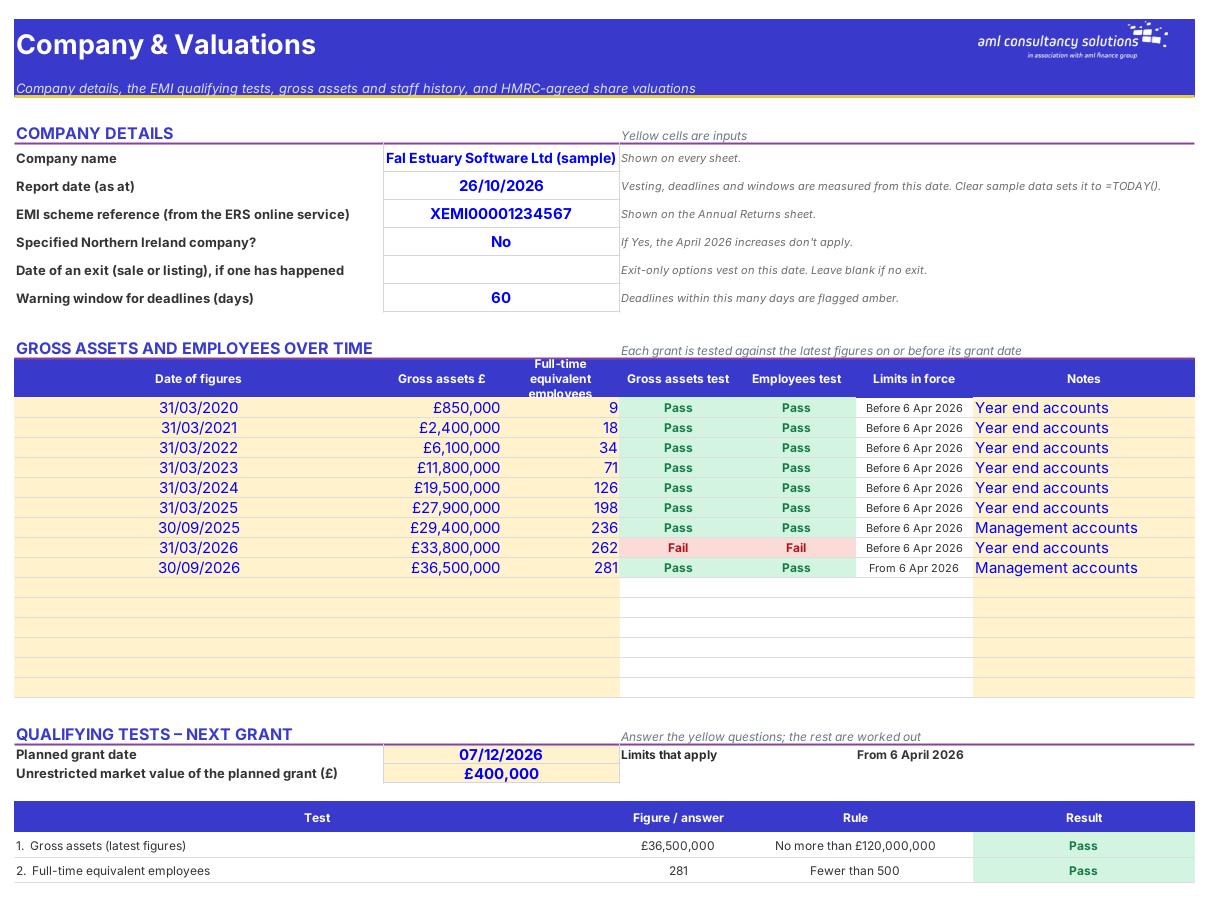
Company details, gross assets and employee history, the qualifying tests for the next grant and HMRC-agreed valuations. What you do: keep the history and valuations up to date; answer the test questions.
Company
Employees

Step 2

Employees

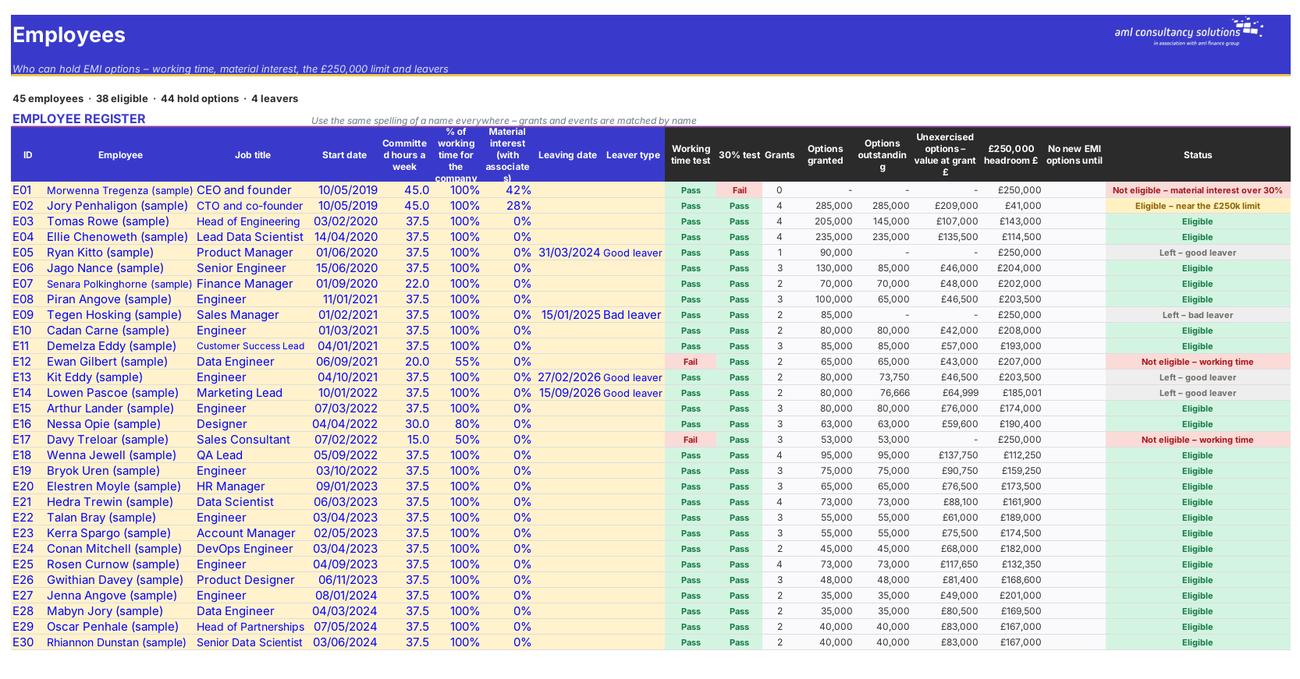
Eligibility tests, options held, £250,000 headroom and status for each employee. What you do: add each employee; update hours and leaving dates.

Step 3

Option Grants

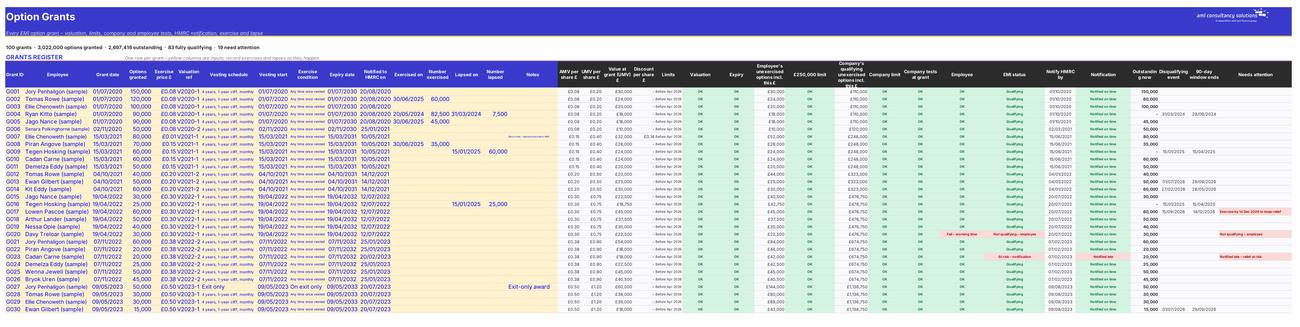
Every grant with its checks, EMI status, notification and next action. What you do: add each grant; record notifications, exercises and lapses.
Option Grants
Vesting

Step 4

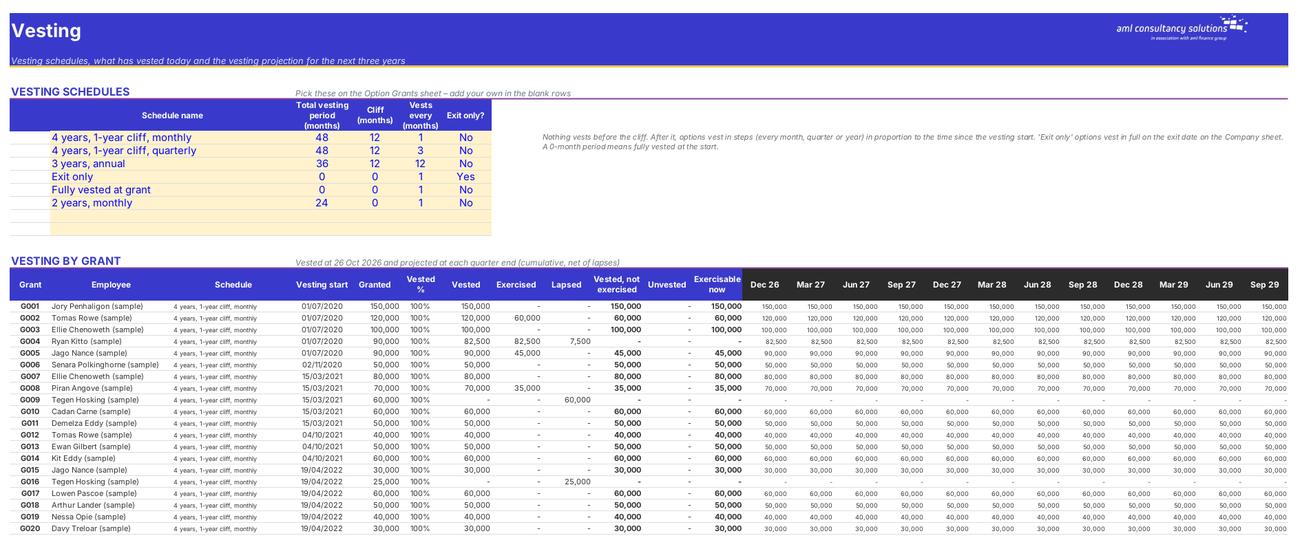
Vesting

Vesting schedules, vested today and the 3-year projection. What you do: add your own schedules if needed.

Who it is for

Made for people like you

  • Example – text
  • Founders and finance directors – A register of every grant with its EMI status, the limits used and every HMRC deadline in one place.
  • HR and company secretaries – Employee eligibility, vesting, leavers and the 90-day exercise windows, with clear next actions.
  • Accountants and payroll – Annual return figures by tax year and the income tax and NIC due on exercise.
  • Employees (with you) – A clear illustration of the tax on exercise and sale – EMI against an unapproved option.

Quick start

Up and running in minutes

  1. Example – text
  1. Company – Enter the company name, report date and EMI scheme reference. Add your gross assets and full-time equivalent employee numbers at each year end (and any other dates you have figures for), then add each HMRC-agreed valuation.
  2. Scheme Rules – Check the limits and deadlines. They are correct for grants up to the date of this version, including the 6 April 2026 increases.
  3. Employees – Add everyone who holds or may receive options, with their committed hours, the share of their working time spent on the company and any material interest.
  4. Vesting – Check the vesting schedules and add any of your own.
  5. Option Grants – Add each grant: employee, grant date, number, exercise price, valuation, vesting schedule and start, exercise condition and expiry. Record the date you notified HMRC (grants before 6 April 2027).
  6. Keep it up to date – Record exercises and lapses on Option Grants, add every leaver and other disqualifying event to Leavers & Events, and enter the date each annual return is filed.
  7. Review – Check the Dashboard regularly – especially 'Grants needing attention' and 'Leavers and disqualifying events' – and run the Company qualifying tests before every new grant.

Key features

  • Company qualifying tests with the limits in force at each grant date – including the Finance Act 2026 increases from 6 April 2026 (£120m gross assets, 500 employees, £6m company limit, 15-year options).
  • An employee register with the working-time and 30% material interest tests, and a grants register for 300 grants with HMRC-agreed valuations, the £250,000 and company limits and HMRC notification deadlines.
  • A vesting tracker with cliffs, steps and exit-only awards, a leavers and disqualifying events log with the 90-day exercise window, and annual return deadlines by tax year.
  • An exercise modeller comparing EMI with an unapproved option – income tax, NIC and CGT with Business Asset Disposal Relief – and a dashboard.

What’s included

  • Dashboard – Options, limits, deadlines and events
  • Company – Details, qualifying tests and valuations
  • Employees – Eligibility and the £250,000 limit
  • Option Grants – Every grant and its EMI status
  • Vesting – Vested today and the projection
  • Leavers & Events – Disqualifying events and 90-day windows
  • Annual Returns – Returns due by 6 July
  • Exercise Modeller – Tax on exercise and sale – EMI vs unapproved
  • Scheme Rules – EMI limits and deadlines
  • Tax Rates – Income tax, NIC and CGT rates
  • Guide – How to use this workbook

How buying works

Your file is only released once payment has cleared.

1

Click Buy now

You are taken to our secure checkout.

2

Pay securely

Checkout takes a minute and you get a receipt by email.

3

Download your file

Your download link arrives as soon as payment clears.

Explore the range

Need it tailored to your business?

We can adapt any prebuilt solution or build something bespoke, with a lifetime bug-free guarantee.

Part of AML Finance Group

Need an accountant too?

Our sister firm, AML Accountancy Solutions, is an award-winning accountancy practice helping businesses and individuals across the UK with their accounts, tax, bookkeeping and payroll.

Visit AML Accountancy Solutions

