← All prebuilt solutions
Bookkeeping & Compliance

Expense Claim Form

Staff expenses and mileage – logged, checked against policy and ready to sign

£20

Secure checkout. Your download link is sent as soon as payment clears.
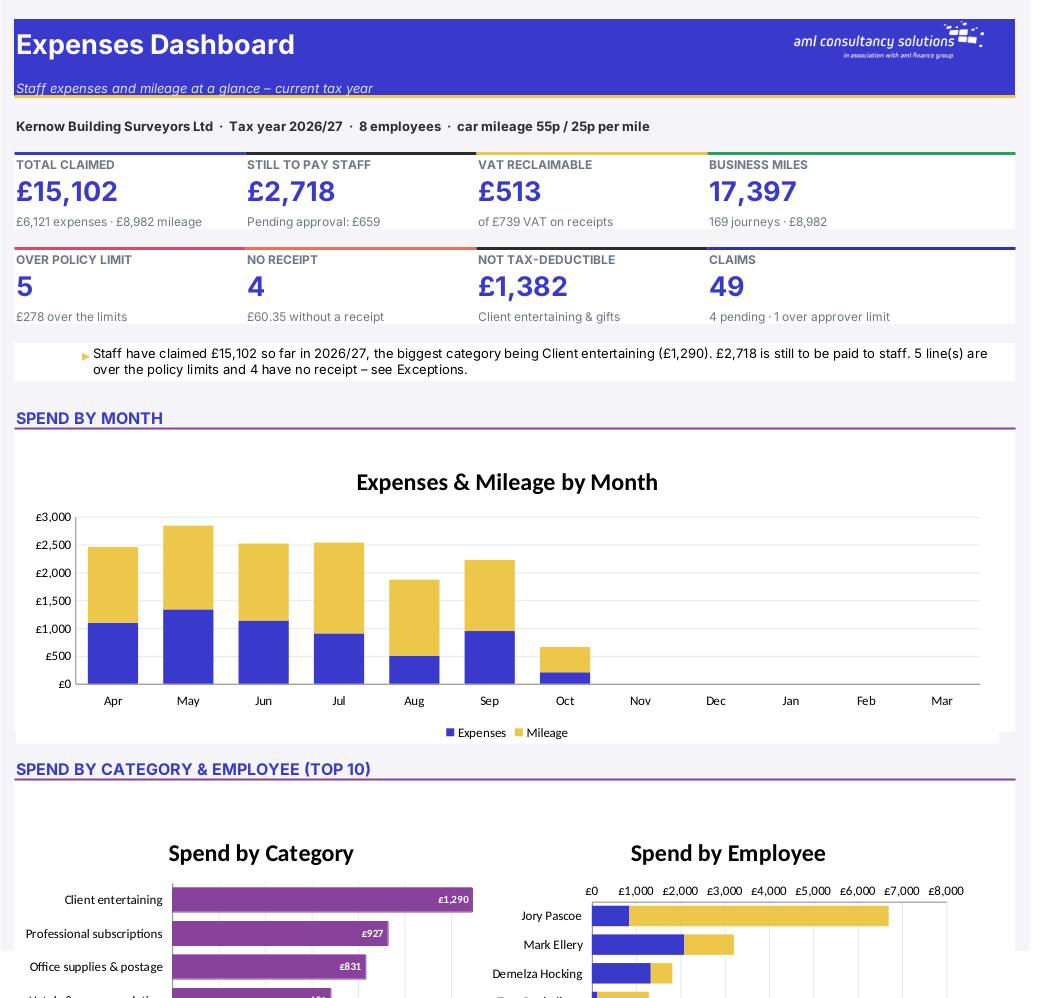
Expense Claim Form

Overview

Paying staff back for business expenses sounds simple until you're juggling paper receipts, guessing which mileage rate applies, and finding out at year end that half the entertaining wasn't tax-deductible. This workbook keeps every expense line and every business journey in one place, checks each one against your own expense policy, works out mileage at HMRC's approved rates (including the switch to the lower rate after 10,000 miles), shows how much VAT you can reclaim, and prints a tidy one-page claim form ready for signatures. A dashboard and summaries show where the money goes, who is owed what, and which items need following up.

Price
£20
Who it’s for
Bookkeeping & Compliance
Works with
Microsoft Excel for Windows and Mac
Buy now

See how it works

A walk through the main sheets

The sheets you will use most, in the order you will use them – shown with the sample data every workbook comes with.

Step 1

Employees

Everyone who claims, with department, approver, usual vehicle and any miles brought forward. What you do: add or update staff.
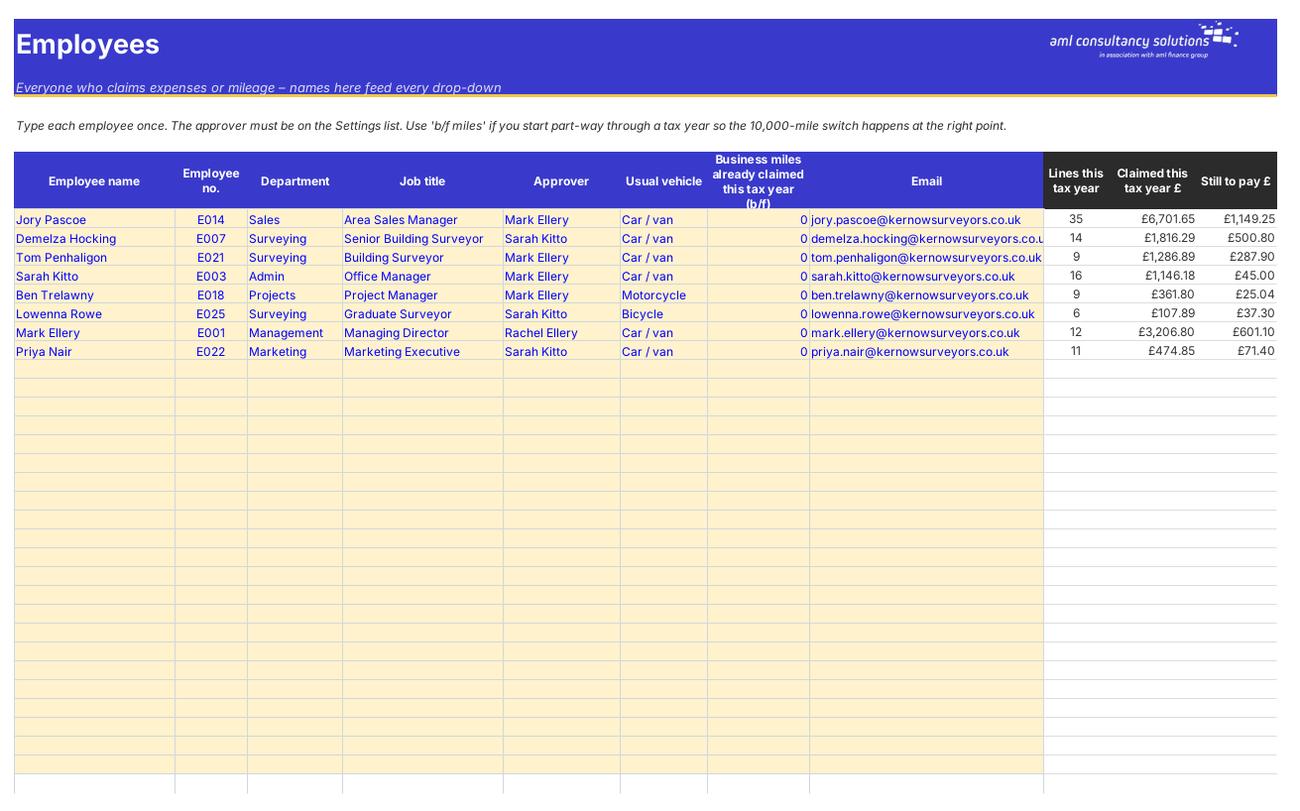
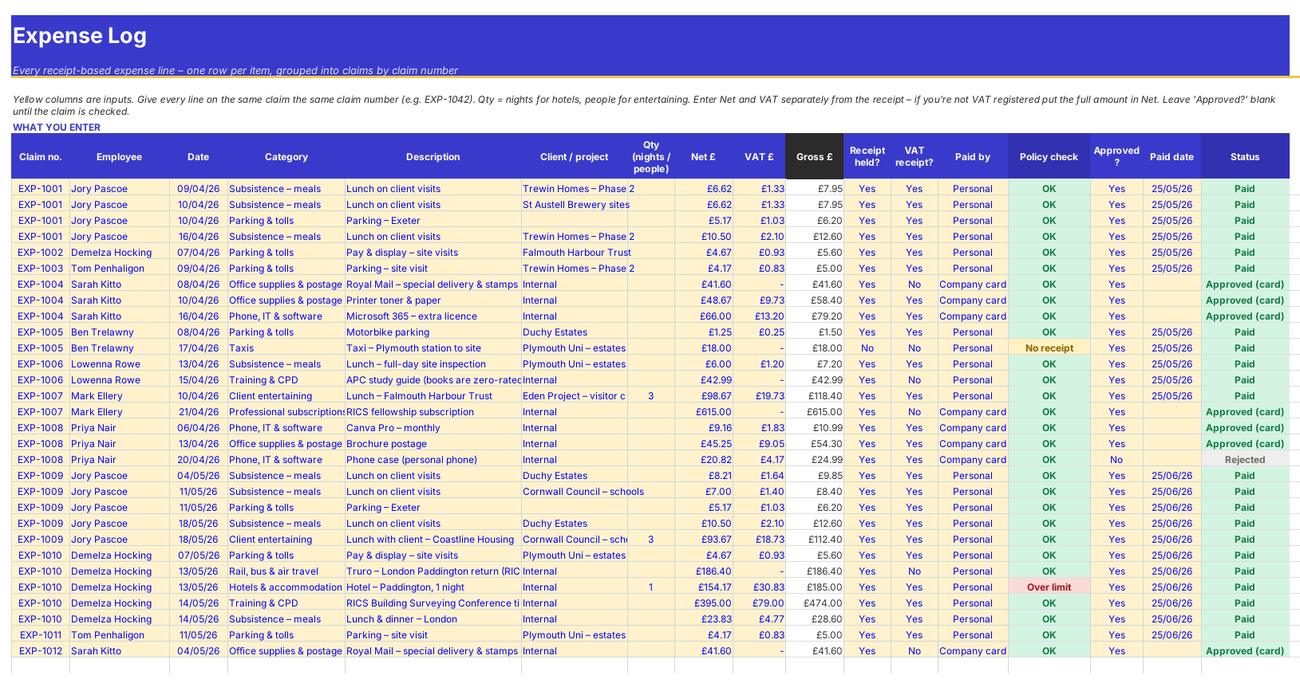
Employees
Expense Log

Step 2

Expense Log

Every receipt line with automatic policy, VAT and status columns. What you do: enter the yellow columns; set Approved? and Paid date.

Step 3

Mileage Log

Every business journey with the HMRC rate tier, amount, taxable excess and relief. What you do: enter the yellow columns; set Approved? and Paid date.
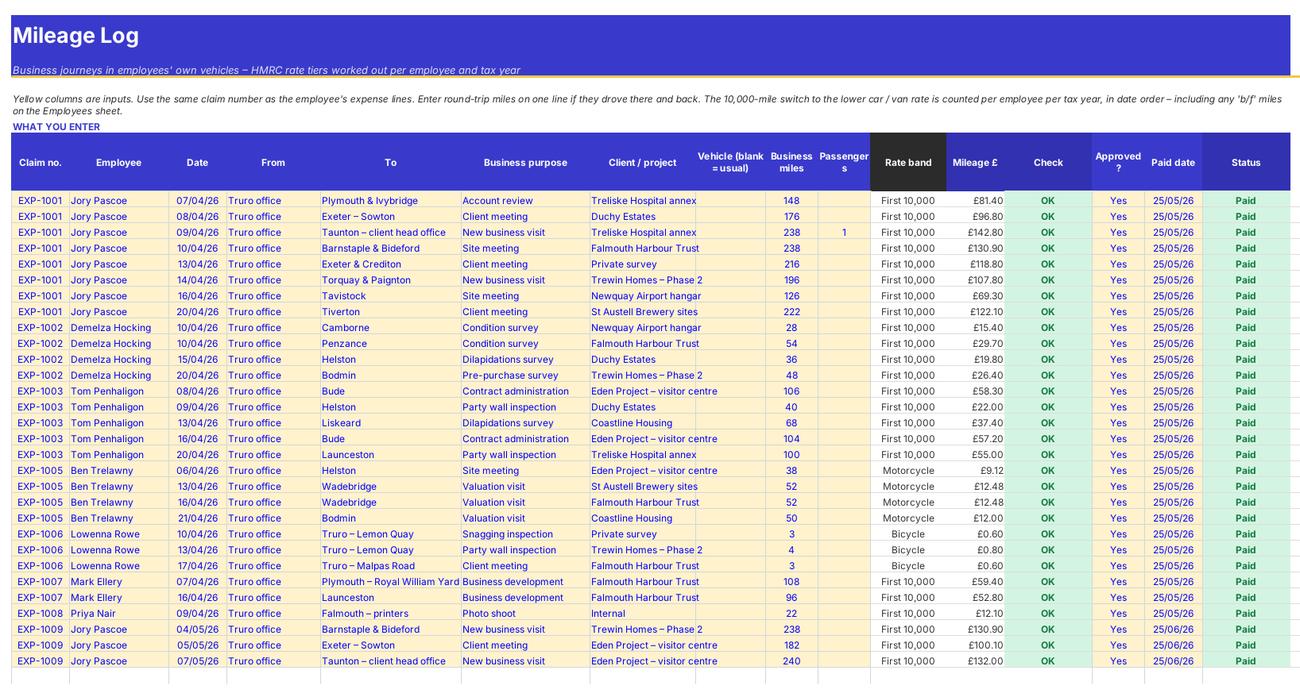
Mileage Log
Claims

Step 4

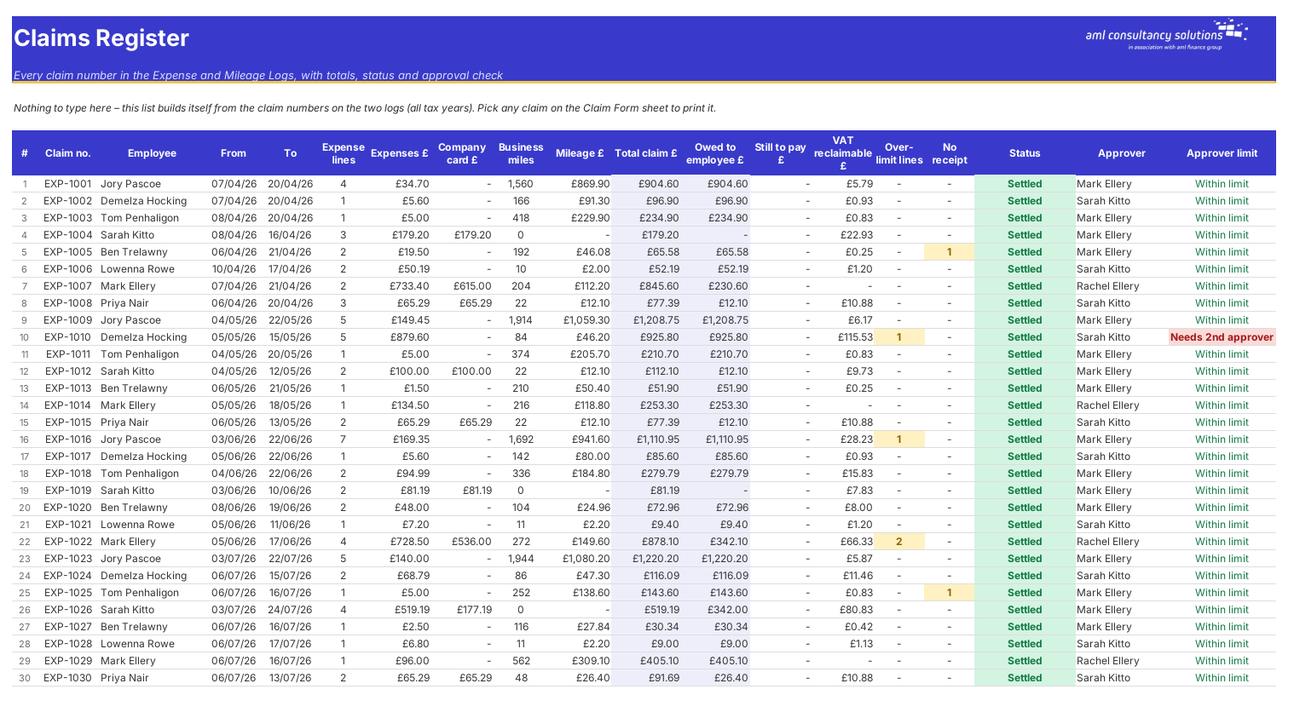
Claims

A register of every claim number from both logs with totals, status and the approver limit check. What you do: nothing to enter.

Who it is for

Made for people like you

  • Example – text
  • Small and growing businesses with staff who travel – One log for every receipt and journey, with the amount owed to each person and what's still to pay.
  • Office managers and bookkeepers – Automatic policy checks, missing-receipt lists and a claim form that totals itself – no more calculators and highlighters.
  • Directors signing off claims – Each claim shows policy breaches, missing receipts and whether it's within the approver's sign-off limit.
  • VAT-registered businesses – VAT reclaimable is worked out line by line – only where you hold a proper VAT receipt and the category allows it.
  • Anyone paying mileage – HMRC approved rates by tax year, the 10,000-mile switch per employee, passenger payments, and any taxable excess or relief due.

Quick start

Up and running in minutes

  1. Example – text
  1. Settings – company and policy – Enter the company name, whether you're VAT registered and the current tax year. Check the approvers and their sign-off limits, then review the expense categories, limits and how each limit applies.
  2. Settings – mileage rates – Leave 'Rate you pay' blank to pay HMRC's approved rates. Only fill it in if your business pays a different rate.
  3. Employees – List everyone who claims, with their approver and usual vehicle. If you start part-way through a tax year, enter the business miles they've already been paid for this year.
  4. Expense Log – Add one row per receipt: claim number, employee, date, category, description, net and VAT, whether there's a receipt and VAT receipt, and how it was paid.
  5. Mileage Log – Add one row per journey with the same claim number: date, from, to, business purpose and miles. The rate and amount work themselves out.
  6. Check and approve – Look at the Policy check and Check columns and the Exceptions sheet. Mark each line Approved? Yes or No.
  7. Print the claim form – On Claim Form, pick the claim number, print it on one A4 page and get it signed.
  8. Record payment – When you pay the employee, enter the Paid date on their lines. The Dashboard, Claims and Summary update straight away.

Key features

  • Expense log for up to 500 receipt lines with automatic policy checks: per item, per day, per night and per person limits, receipts and VAT receipts.
  • Mileage log for up to 300 journeys using HMRC approved rates – the 10,000-mile switch is counted per employee per tax year, with taxable excess and relief shown.
  • Printable one-page claim form for any claim number or employee and month, with category totals, VAT reclaimable, amount owed and signature boxes.
  • Claims register, summaries by employee, category and month, an exceptions list and a dashboard with spend by category and month.

What’s included

  • Dashboard – Spend, outstanding payments and policy health
  • Settings – Company, approvers, policy limits, mileage rates
  • Employees – Claimants and approvers
  • Expense Log – Every receipt line
  • Mileage Log – Every business journey
  • Claims – Register of claim numbers
  • Claim Form – Print a claim on one A4 page
  • Summary – By employee, category and month
  • Exceptions – Over limit, no receipt, mileage to check
  • Tax Rates – HMRC mileage and other rates
  • Guide – How to use this workbook

How buying works

Your file is only released once payment has cleared.

1

Click Buy now

You are taken to our secure checkout.

2

Pay securely

Checkout takes a minute and you get a receipt by email.

3

Download your file

Your download link arrives as soon as payment clears.

Explore the range

Need it tailored to your business?

We can adapt any prebuilt solution or build something bespoke, with a lifetime bug-free guarantee.

Part of AML Finance Group

Need an accountant too?

Our sister firm, AML Accountancy Solutions, is an award-winning accountancy practice helping businesses and individuals across the UK with their accounts, tax, bookkeeping and payroll.

Visit AML Accountancy Solutions

