Paste your FreeAgent transactions export – get a monthly profit and loss, year-on-year comparison and charts
Secure checkout. Your file is ready in your client portal as soon as payment clears.
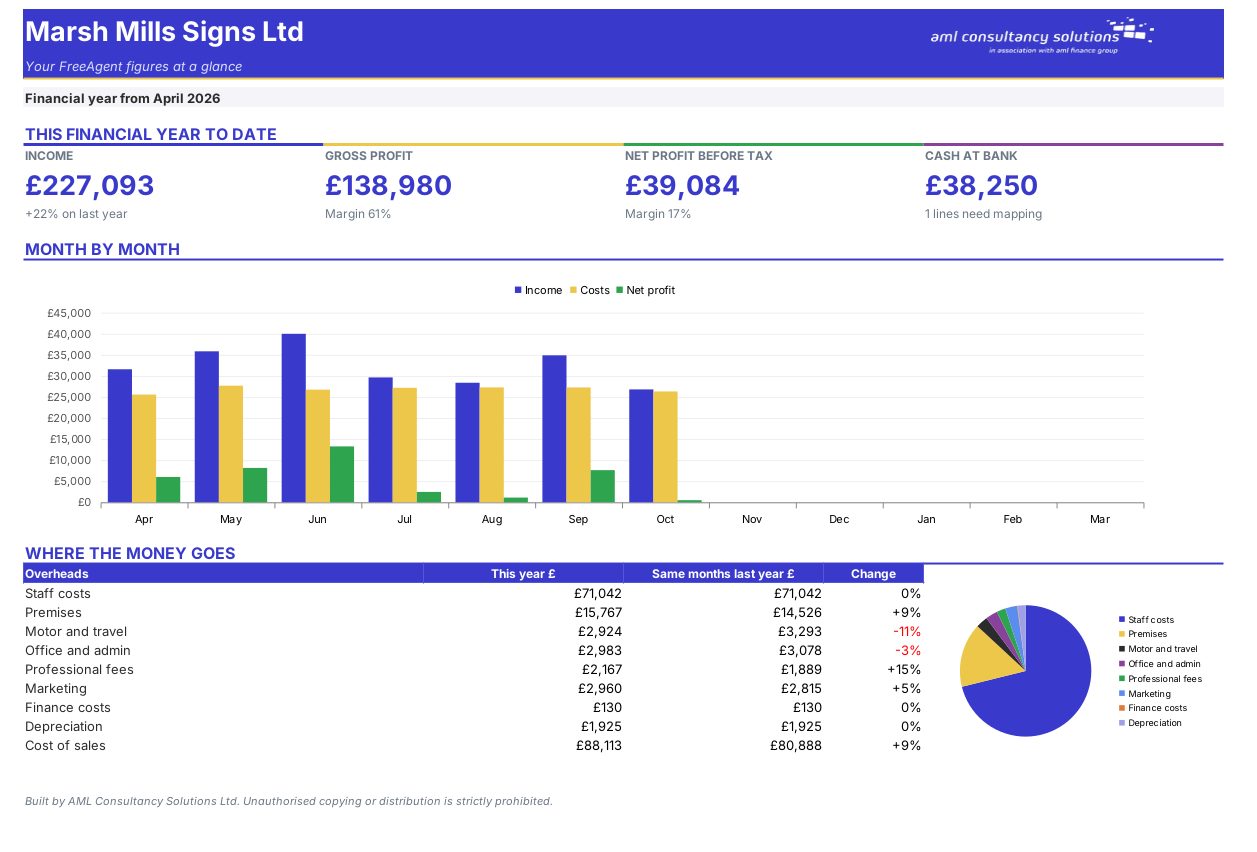
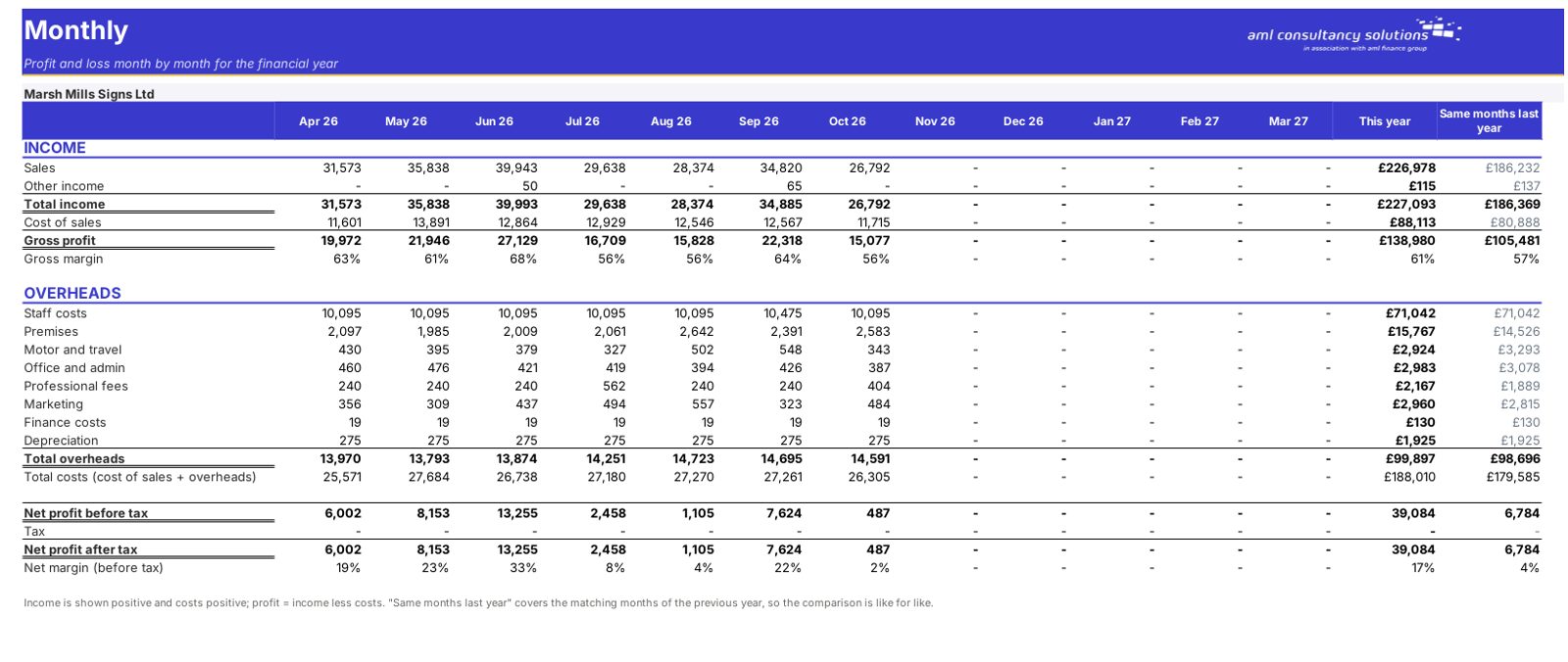
FreeAgent is great for bookkeeping but its reports are one period at a time. This workbook takes an export of your transactions and builds a monthly profit and loss for the whole year, compares it with last year, and charts it – ready for a board pack, a bank or your own review.
See how it works
The sheets you will use most, in the order you will use them – shown with the sample data every workbook comes with.
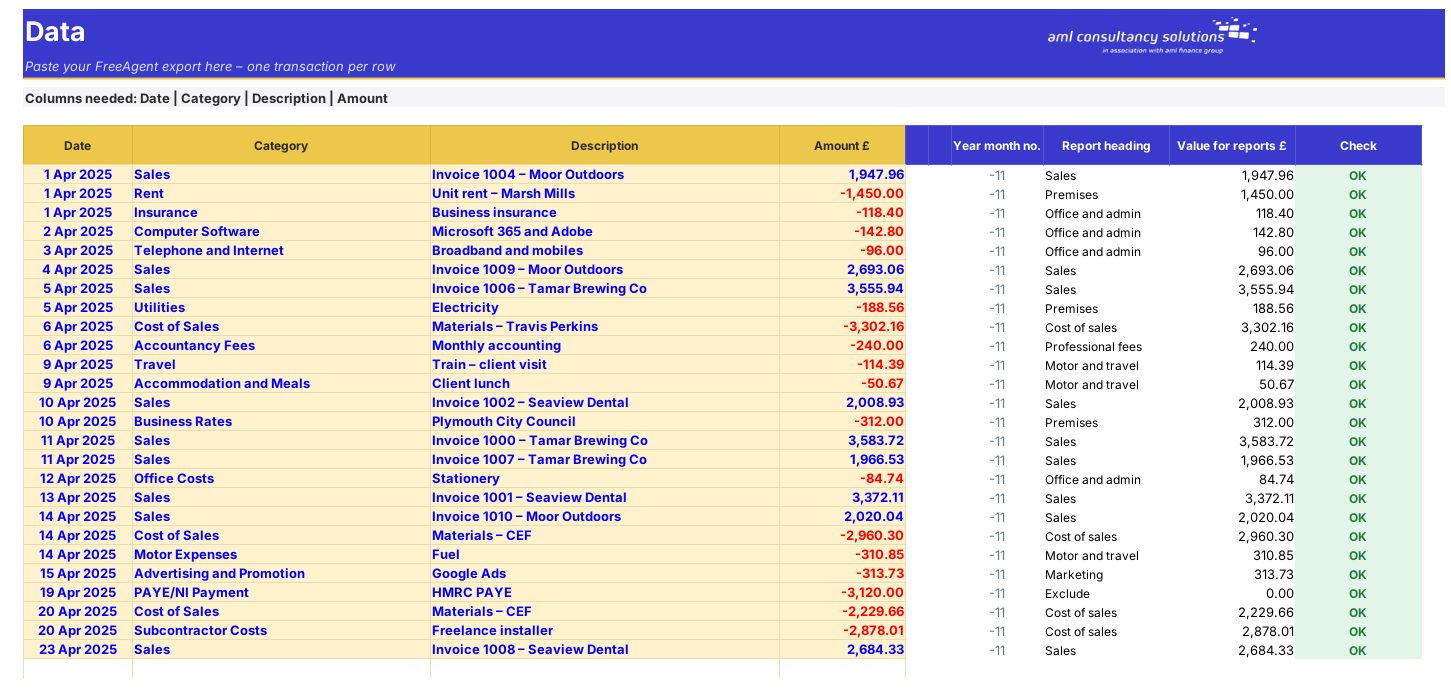
Step 1
Your pasted FreeAgent export. What you do: paste each month.
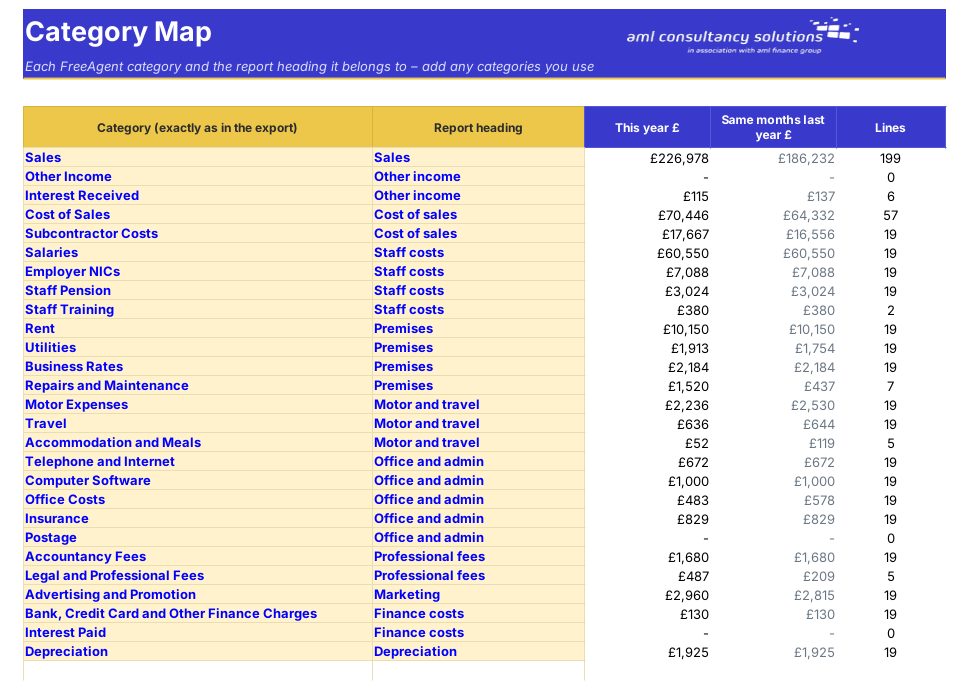
Step 2
How each FreeAgent category is reported. What you do: check the mapping once.
Step 3
Profit and loss month by month. What you do: nothing to enter.
Step 4
Who it is for
Quick start
Your file is only released to your client portal once payment has cleared.
You are taken to our secure checkout.
Checkout takes a minute and you get a receipt by email.
Your file is ready in your client portal as soon as payment clears, and we email you your invoice with a link to the portal.
We can adapt any prebuilt solution or build something bespoke, with a lifetime bug-free guarantee.
Part of AML Finance Group
Our sister firm, AML Accountancy Solutions, is an award-winning accountancy practice helping businesses and individuals across the UK with their accounts, tax, bookkeeping and payroll.
Visit AML Accountancy Solutions