← All prebuilt solutions
Payroll & HR

Holiday Entitlement Planner

Staff holiday, absence and cover – worked out properly, all in one place

£20

Secure checkout. Your download link is sent as soon as payment clears.
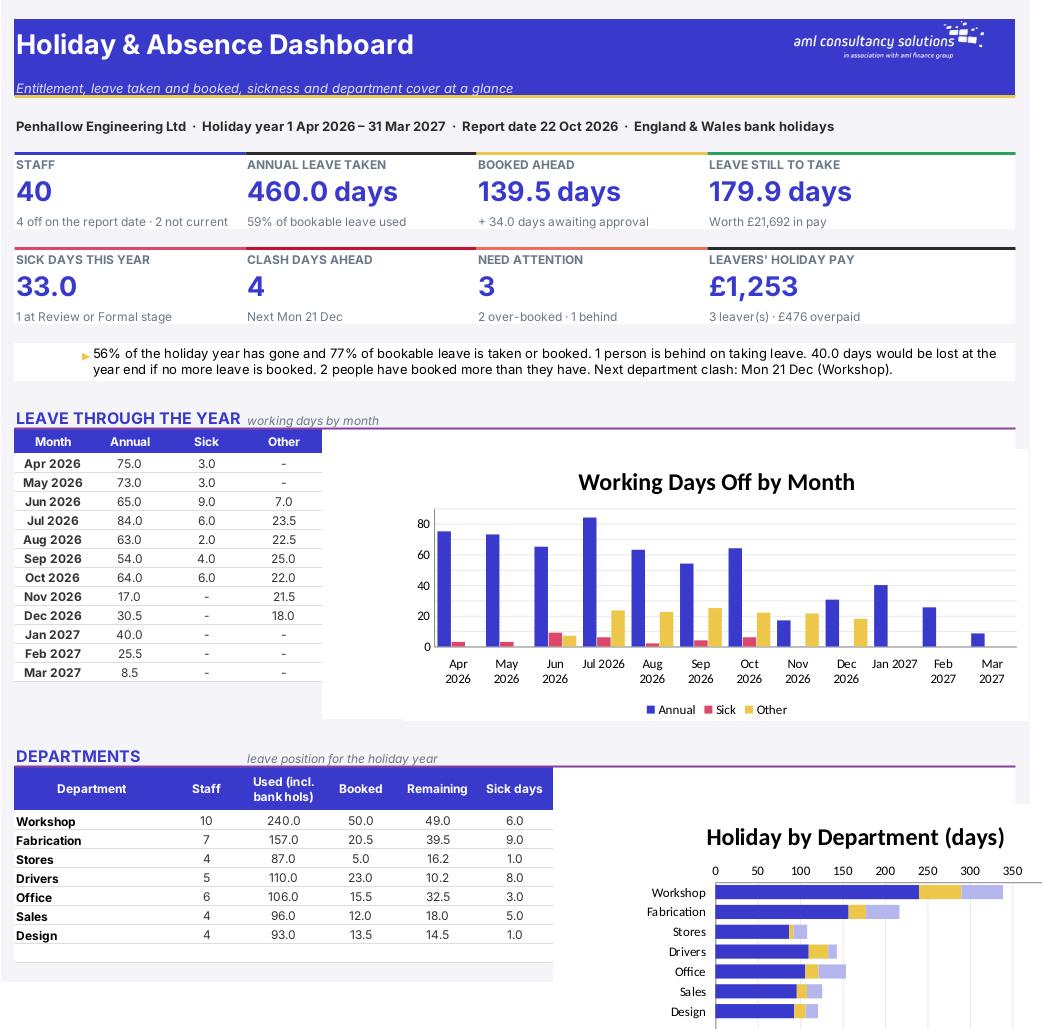
Holiday Entitlement Planner

Overview

Holiday looks simple until you have part-timers on different days, someone starting in June, a casual worker on irregular hours, a Christmas shutdown and a holiday year that happens to contain two Easters. This workbook works out each person's entitlement under the Working Time Regulations and your own contract terms, counts every booking in working days from that person's own pattern (skipping bank holidays and closure days), keeps live balances, shows a colour-coded wall planner, warns you when too many people in one department are off at once, calculates leavers' holiday pay and gives a Bradford factor for sickness.

Price
£20
Who it’s for
Payroll & HR
Works with
Microsoft Excel for Windows and Mac
Buy now

See how it works

A walk through the main sheets

The sheets you will use most, in the order you will use them – shown with the sample data every workbook comes with.

Step 1

Bank Holidays

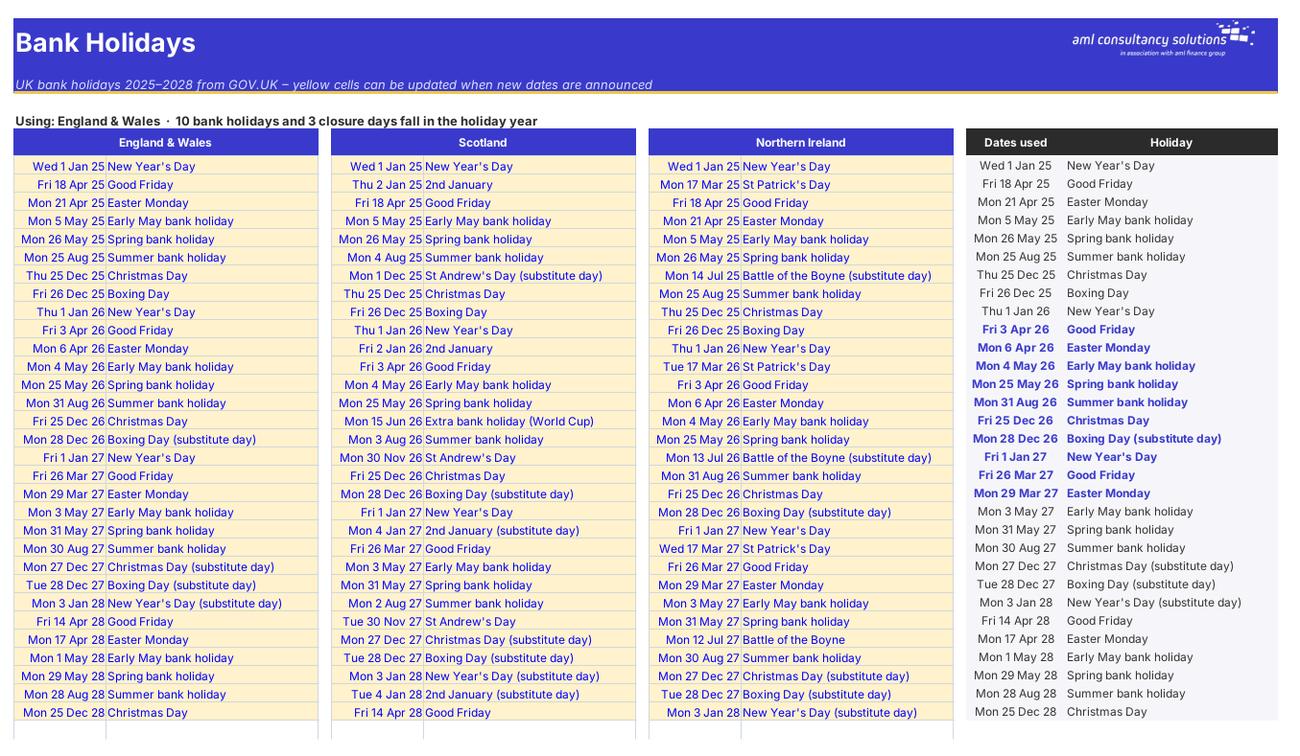
GOV.UK bank holidays 2025–2028 for each UK nation, and the list actually used in the calculations. What you do: add new years' dates when they're announced.
Bank Holidays
Staff

Step 2

Staff

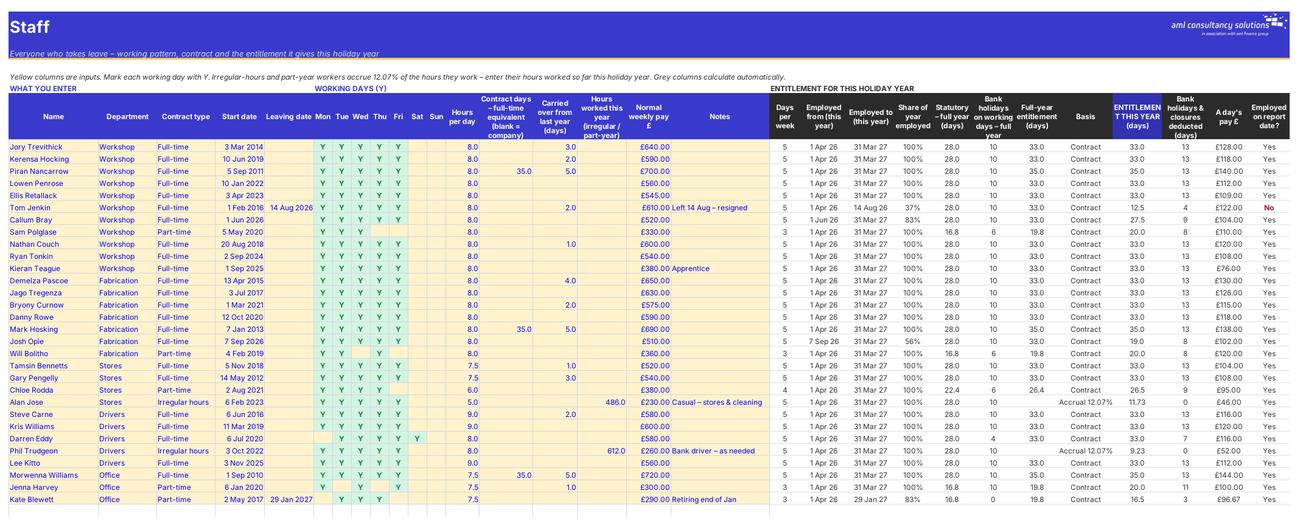
Everyone who takes leave, their working pattern and contract – and the entitlement that gives them this year. What you do: add or update staff.

Step 3

Leave Log

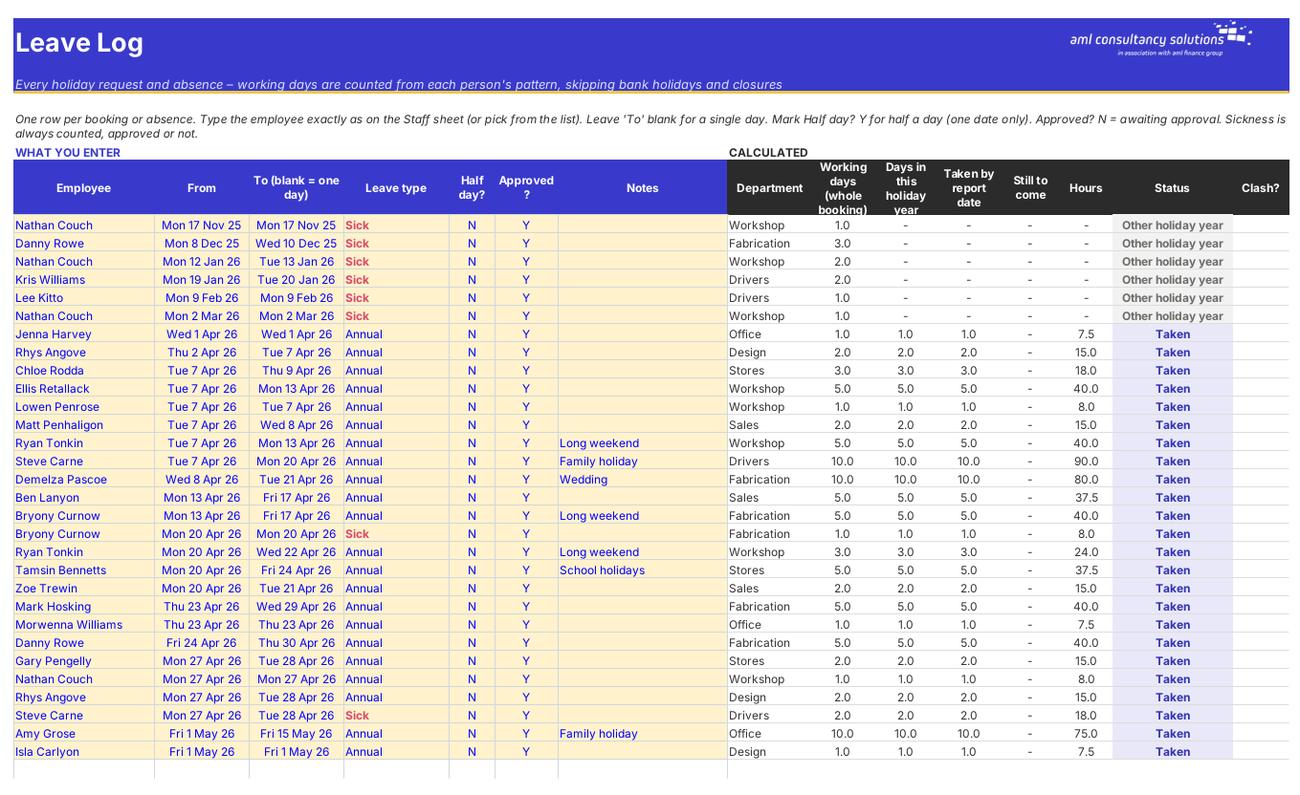
Every booking and absence, with working days counted automatically, status and clash warnings. What you do: add one row per booking.
Leave Log
Balances

Step 4

Balances

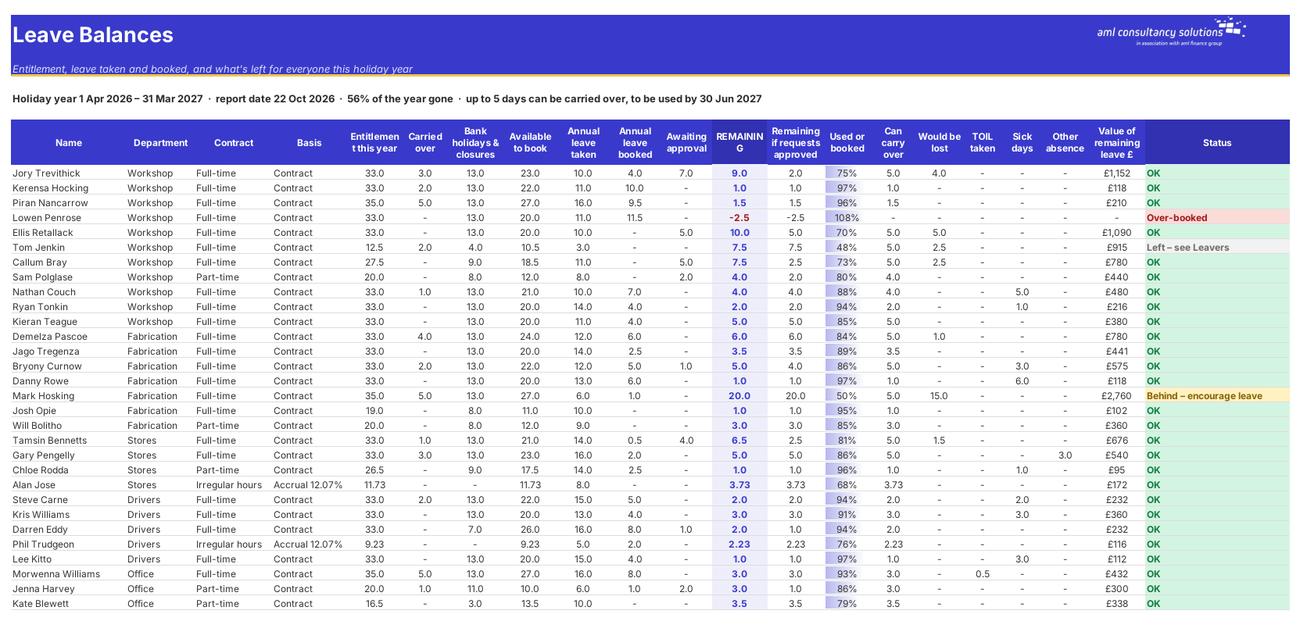
Entitlement, carried over, bank holidays and closures, taken, booked, awaiting approval and remaining for each person, with a status. What you do: nothing to enter – read and act on the Status.

Who it is for

Made for people like you

  • Example – text
  • Owners and managers of small businesses – One place for every holiday request and absence, with balances that are always up to date.
  • Office managers and HR / payroll staff – Statutory and contractual entitlement worked out for full-time, part-time, irregular-hours and part-year staff, including starters and leavers.
  • Team leaders signing off holiday – A wall planner and department clash check, so you can see the effect of a request before you approve it.
  • Anyone paying a leaver – Holiday earned to the leaving date against holiday taken, with the pay due (or overpaid) in pounds.

Quick start

Up and running in minutes

  1. Example – text
  1. Settings – Enter your company name and the first day of your holiday year. Choose which bank holidays apply (England & Wales, Scotland or Northern Ireland) and whether bank holidays are part of the entitlement. Enter the full-time entitlement in your contracts, your carry-over limit and any closure days.
  2. Departments – Still on Settings, list your departments and the most people each one can have off at once.
  3. Staff – Add one row per person: department, contract type, start date (and leaving date if known), a Y under each day they normally work, hours per day, any carried-over days and their normal weekly pay. For irregular-hours and part-year workers, also enter the hours they've worked so far this holiday year.
  4. Leave Log – Record every holiday request and absence: employee, from, to, leave type, half day and approved. Leave 'To' blank for a single day.
  5. Check before you approve – Look at the Clash? column on the Leave Log, the Wall Planner and the Clash Check sheet. If it's fine, change Approved? to Y.
  6. Read the results – Balances shows what everyone has left; the Dashboard gives the overall picture. Use Leavers when someone hands in their notice.

Key features

  • Statutory and contractual entitlement for every employee: 5.6 weeks capped at 28 days, pro-rated for part-time staff, starters and leavers, with 12.07% accrual for irregular-hours and part-year workers.
  • A leave log for up to 1,000 bookings that counts working days from each person's own pattern, skipping bank holidays (England & Wales, Scotland or Northern Ireland) and closure days.
  • Live balances, a colour-coded wall planner for any month, department clash warnings and a Bradford factor for sickness.
  • Leavers' holiday pay worked out to the leaving date, plus a dashboard with eight headline figures and four charts.

What’s included

  • Dashboard – Holiday and absence at a glance
  • Settings – Holiday year, rules, departments, closures
  • Bank Holidays – UK bank holidays 2025–2028
  • Staff – Patterns, contracts and entitlement
  • Leave Log – Every booking and absence
  • Balances – Taken, booked and remaining
  • Wall Planner – Who's off – month by month
  • Clash Check – Department cover day by day
  • Leavers – Holiday pay on leaving
  • Sickness – Bradford factor
  • Guide – How to use this workbook

How buying works

Your file is only released once payment has cleared.

1

Click Buy now

You are taken to our secure checkout.

2

Pay securely

Checkout takes a minute and you get a receipt by email.

3

Download your file

Your download link arrives as soon as payment clears.

Explore the range

Need it tailored to your business?

We can adapt any prebuilt solution or build something bespoke, with a lifetime bug-free guarantee.

Part of AML Finance Group

Need an accountant too?

Our sister firm, AML Accountancy Solutions, is an award-winning accountancy practice helping businesses and individuals across the UK with their accounts, tax, bookkeeping and payroll.

Visit AML Accountancy Solutions

