← All prebuilt solutions
Property

Holiday Let Tracker

Bookings, occupancy, channels, profit and tax for up to 10 holiday lets

£20

Secure checkout. Your download link is sent as soon as payment clears.
Holiday Let Tracker

Overview

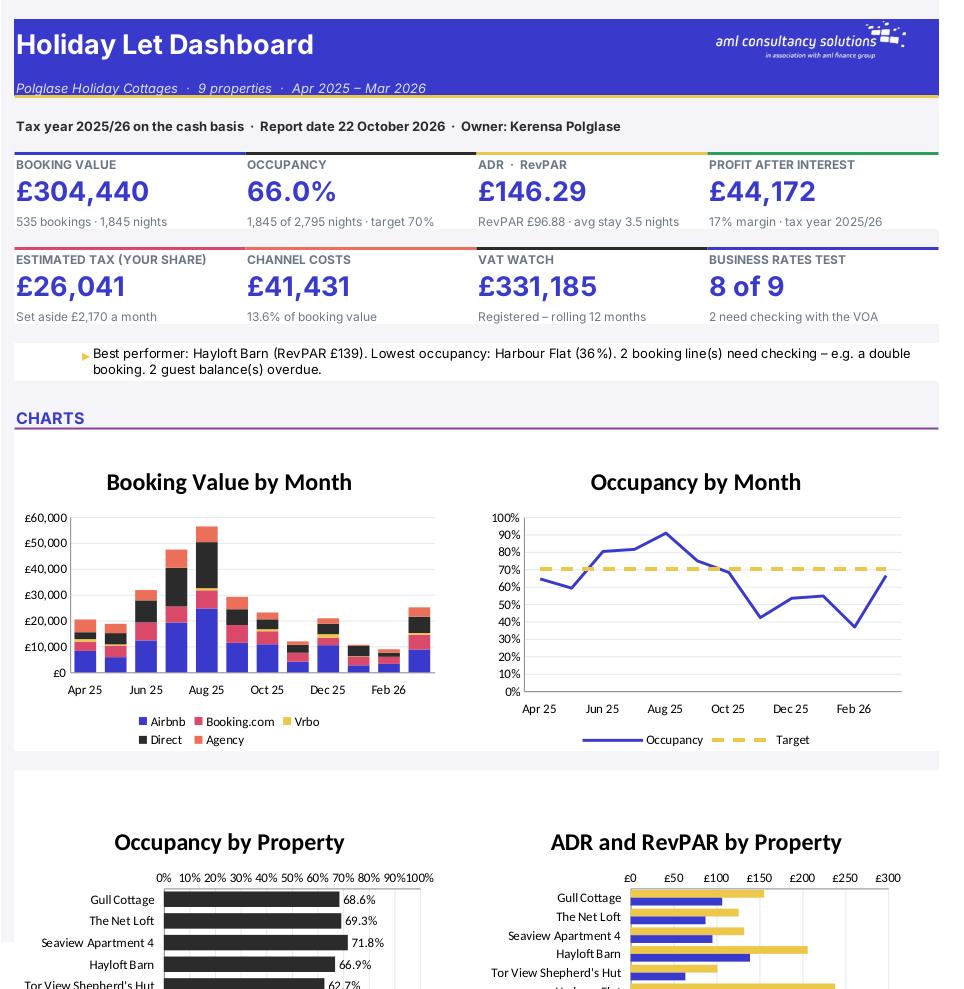
Running holiday lets means juggling bookings from several websites, deposits and balances, changeovers, owner stays, VAT, business rates and – since April 2025 – a very different tax position. This workbook brings it all together. You log each booking, cost, clean and owner stay once, and it works out occupancy, average nightly rate (ADR), revenue per available night (RevPAR), what every booking channel really costs you, profit property by property, whether each property passes the business-rates test, how close you are to the VAT threshold, and an estimate of the income tax on your share of the profit.

Price
£20
Who it’s for
Property
Works with
Microsoft Excel for Windows and Mac
Buy now

See how it works

A walk through the main sheets

The sheets you will use most, in the order you will use them – shown with the sample data every workbook comes with.

Step 1

Properties

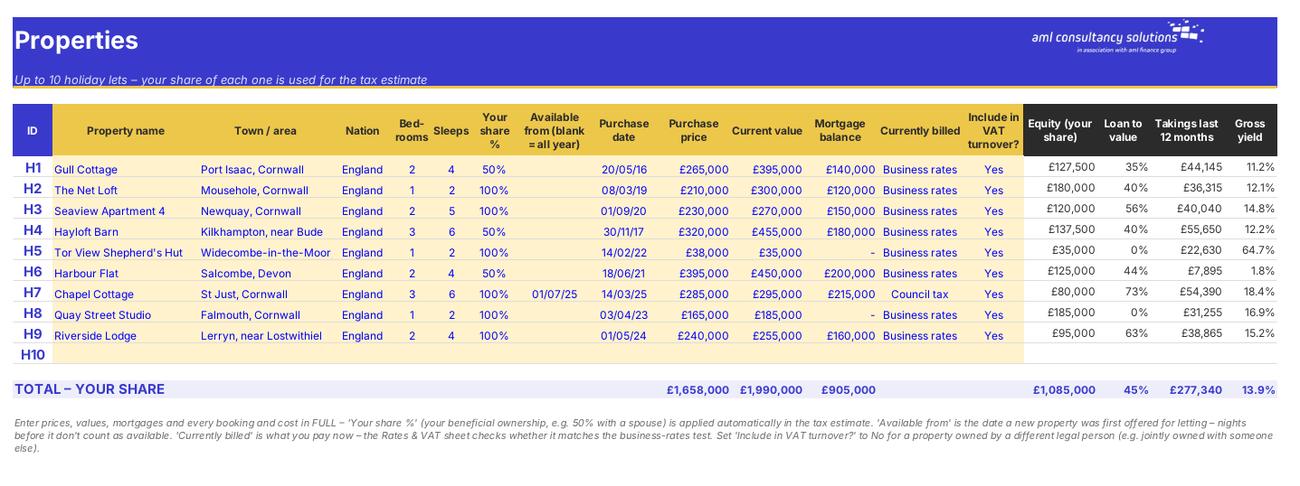
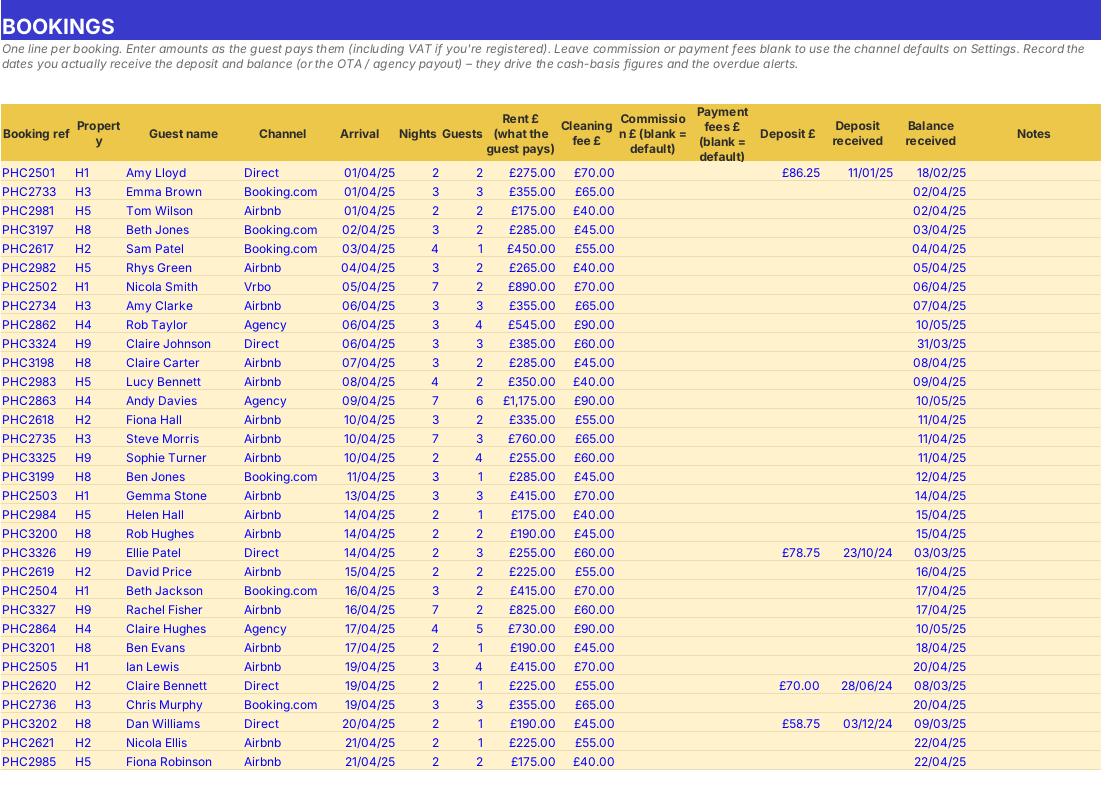
Up to 10 lets with ID H1–H10, ownership share, values, mortgage and rates status. What you do: one row per property.
Properties
Bookings

Step 2

Bookings

Every stay, with calculated value, commission, fees, VAT, net to you, balance, due date and check. What you do: one line per booking.

Step 3

Expenses

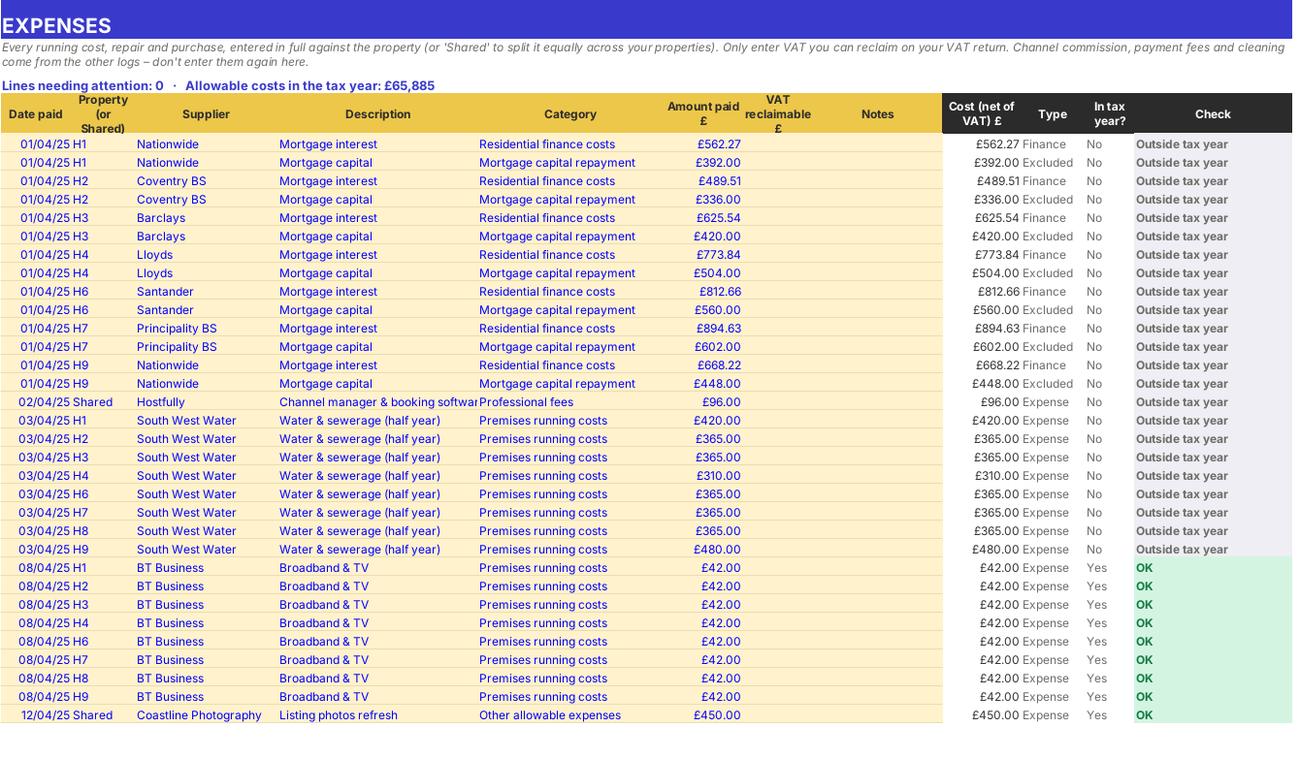
Running costs, repairs, mortgage interest, replacements and capital spending. What you do: one line per payment.
Expenses
Cleaning

Step 4

Cleaning

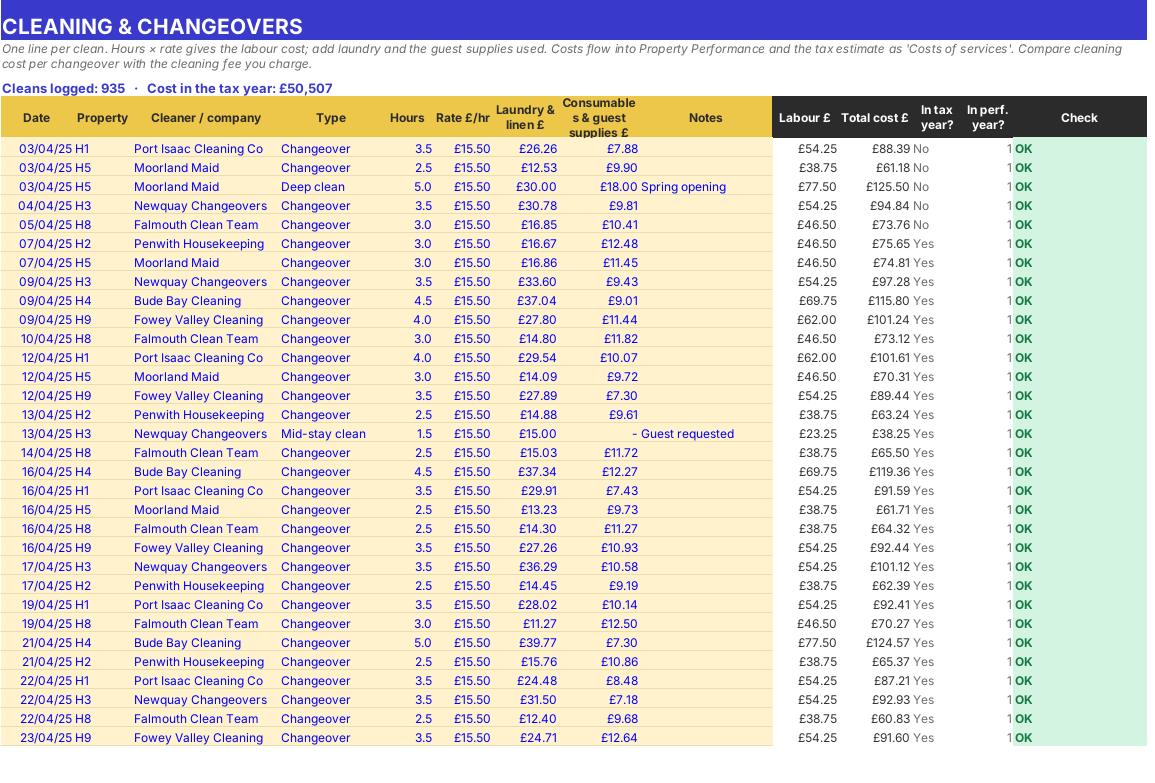
Changeovers, mid-stay and deep cleans with labour, laundry and supplies. What you do: one line per clean.

Who it is for

Made for people like you

  • Example – text
  • Owners of 1–10 holiday cottages, flats, lodges or huts – Occupancy, ADR, RevPAR and profit for each property and for the portfolio.
  • Owners using Airbnb, Booking.com, Vrbo, an agency and direct bookings – Commission and payment fees worked out automatically, and a side-by-side comparison of each channel.
  • Couples and joint owners – Enter everything in full once – your ownership share is applied in the tax estimate.
  • Former FHL owners – A tax estimate that follows the post-April 2025 rules: 20% mortgage interest credit, replacement of domestic items relief and the 2027/28 property rates.
  • WATCH OUT – This workbook doesn't cover holiday lets owned through a limited company (corporation tax), overseas property, non-resident landlords, capital gains on a sale or serviced accommodation run as a trade (e.g. a B&B with substantial services). It prepares figures – it doesn't file anything with HMRC.

Quick start

Up and running in minutes

  1. Example – text
  1. Settings – Enter your name, trading name and tax year. Leave the report date blank so it uses today. Choose cash basis or accruals, enter your other income and the PAYE tax already paid on it, and anything brought forward (losses, mortgage interest, the old FHL capital allowances pool). If you're VAT registered, enter the date.
  2. Booking channels – Check the commission %, payment fee % and balance due days for each channel against your own statements – these are used whenever a booking leaves commission or fees blank.
  3. Properties – One row per property: name, area, nation (England, Wales or Scotland), bedrooms, sleeps, YOUR share, the date it was first let if it's new, purchase price, value, mortgage, what you're billed now (business rates or council tax) and whether it counts towards your VAT turnover.
  4. Bookings – One line per stay. Enter the property ID, guest, channel, arrival date, nights, guests, rent and cleaning fee as the guest pays them. Add the deposit and the dates you actually received the deposit and the balance or payout.
  5. Expenses, Cleaning and Owner Use & Closures – Log every cost, every clean and every night a property isn't available to paying guests.
  6. Read the results – Start on the Dashboard, then Property Performance, Channels, Rates & VAT, Arrivals and the Tax Estimate. Fix any line whose Check column starts 'Check:'.

Key features

  • A bookings log for up to 2,000 stays with automatic commission, payment fees, VAT, balances due and a double-booking check.
  • Occupancy, ADR and RevPAR by property and by month, revenue by channel, and the true cost of every booking channel.
  • Profit by property with expenses in the SA105 categories, cleaning costs per changeover and your share of jointly owned lets.
  • Tax estimate under the post-April 2025 rules (FHL abolished), 2027/28 property rates, Scottish option, business rates vs council tax test and a VAT watch.

What’s included

  • Dashboard – Results at a glance
  • Settings – Tax year, channels, levy and test thresholds
  • Properties – Your lets and ownership share
  • Bookings – Every stay
  • Expenses – Running costs and purchases
  • Cleaning – Changeovers and laundry
  • Owner Use & Closures – Nights not available
  • Property Performance – Occupancy, ADR, RevPAR and profit
  • Monthly Figures – Month-by-month figures
  • Channels – Commission analysis
  • Rates & VAT – Business rates test and VAT watch
  • Arrivals – Upcoming guests and balances
  • Tax Estimate – Income tax on your share
  • Categories – Expense categories and SA105
  • Tax Rates – Rates and allowances
  • Guide – How to use this workbook

How buying works

Your file is only released once payment has cleared.

1

Click Buy now

You are taken to our secure checkout.

2

Pay securely

Checkout takes a minute and you get a receipt by email.

3

Download your file

Your download link arrives as soon as payment clears.

Explore the range

Need it tailored to your business?

We can adapt any prebuilt solution or build something bespoke, with a lifetime bug-free guarantee.

Part of AML Finance Group

Need an accountant too?

Our sister firm, AML Accountancy Solutions, is an award-winning accountancy practice helping businesses and individuals across the UK with their accounts, tax, bookkeeping and payroll.

Visit AML Accountancy Solutions

