← All prebuilt solutions
Planning & Finance

Job & Project Costing

Quote vs actual for every job – margins, overruns, WIP and cash

£20

Secure checkout. Your download link is sent as soon as payment clears.
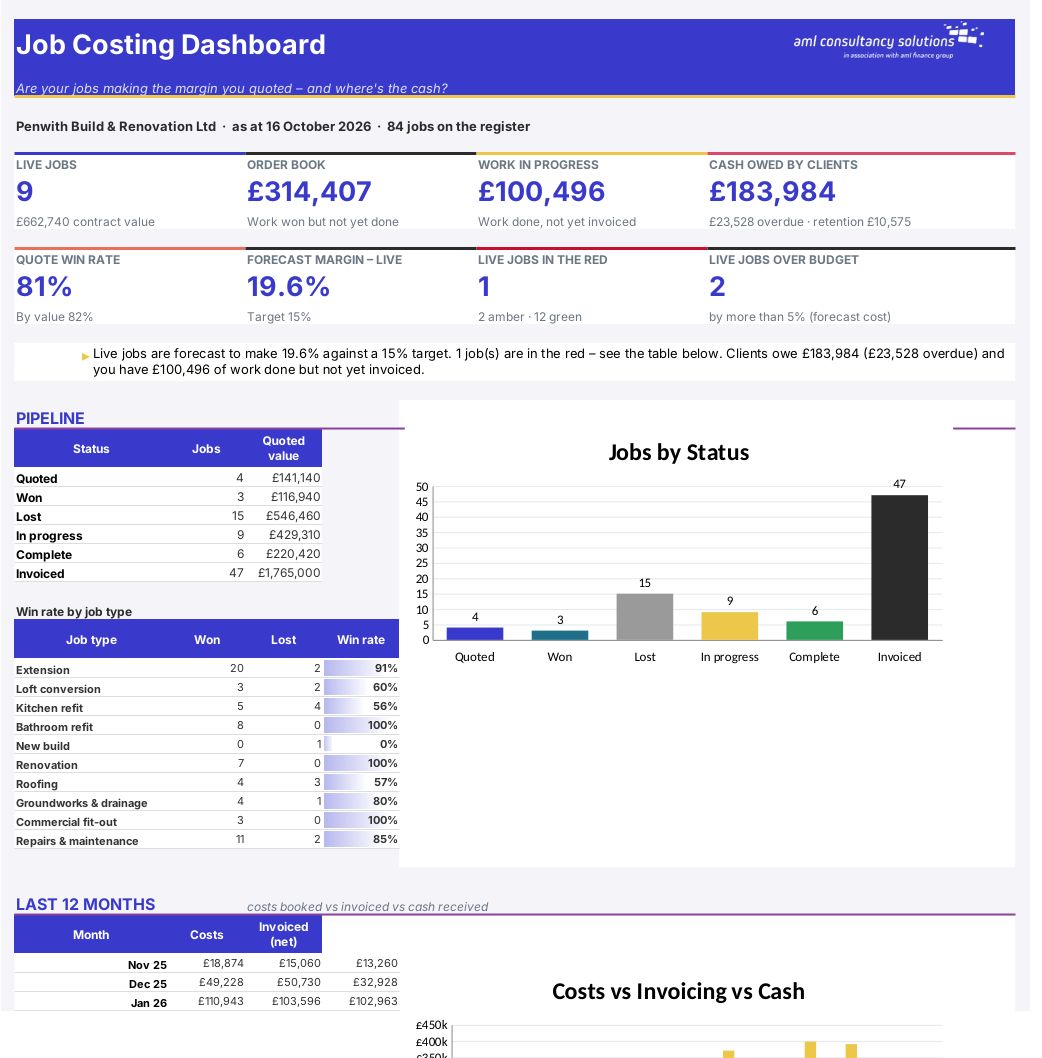
Job & Project Costing

Overview

Builders, trades and project businesses usually know what they quoted, but rarely know until it's too late whether a job is actually making that margin. This workbook keeps every quote, every cost booked to a job, every variation and every invoice in one place, and turns them into a live picture of each job: what it was quoted at, what it has cost so far, what it will cost by the end, the margin it will really make, how much work has been done but not invoiced, and how much the client owes. It also tracks how many quotes you win, and shows the whole business on one dashboard.

Price
£20
Who it’s for
Planning & Finance
Works with
Microsoft Excel for Windows and Mac
Buy now

See how it works

A walk through the main sheets

The sheets you will use most, in the order you will use them – shown with the sample data every workbook comes with.

Step 1

Jobs

The quotes and jobs register, with labour cost, contingency, overheads, budget cost, suggested price and quoted margin. What you do: one row per quote.
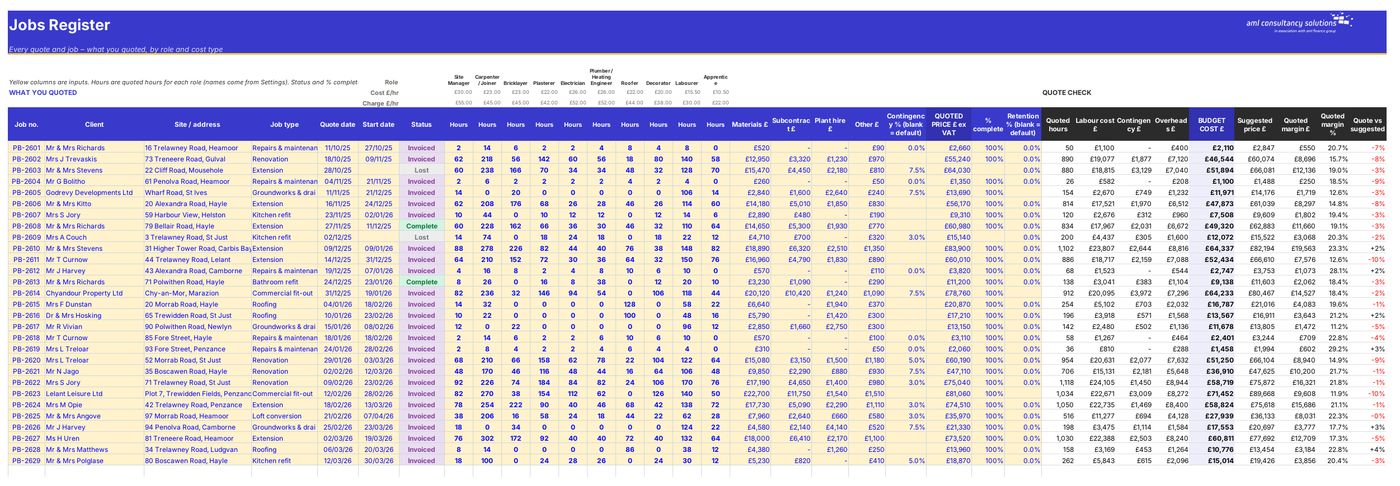
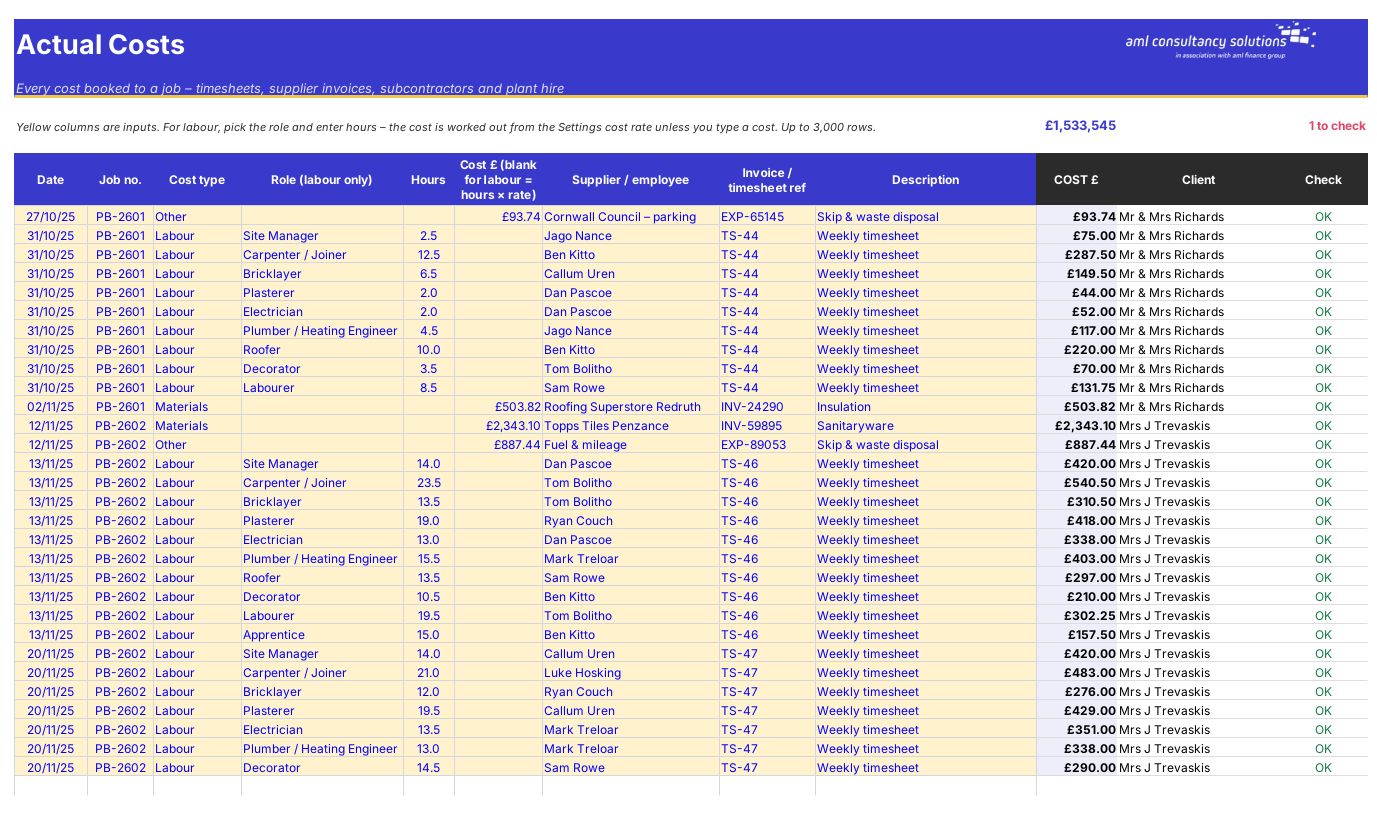
Jobs
Actual Costs

Step 2

Actual Costs

Every timesheet, supplier invoice, subcontractor, plant hire and other cost booked to a job. What you do: add rows as costs come in.

Step 3

Variations

Extra work and changes, with value, estimated cost and approval. What you do: add a row per variation.
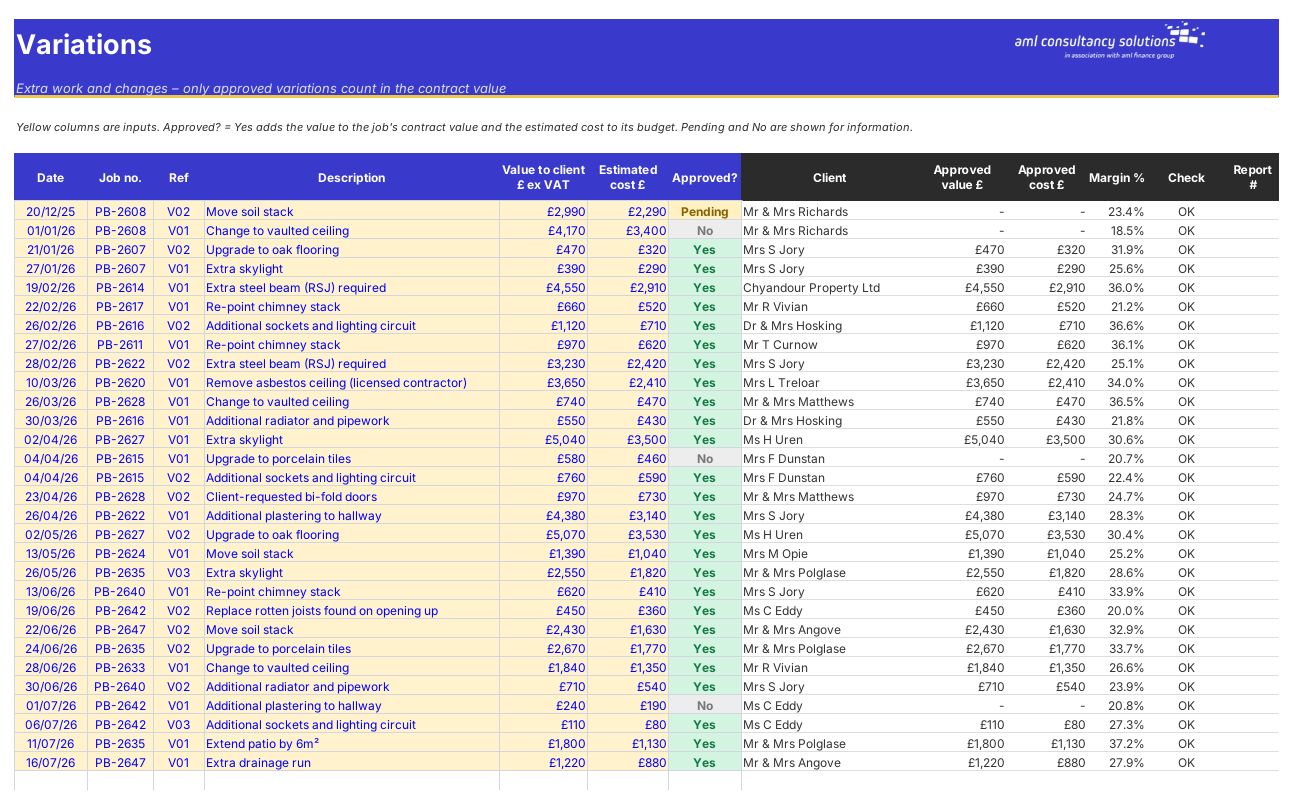
Variations
Invoicing

Step 4

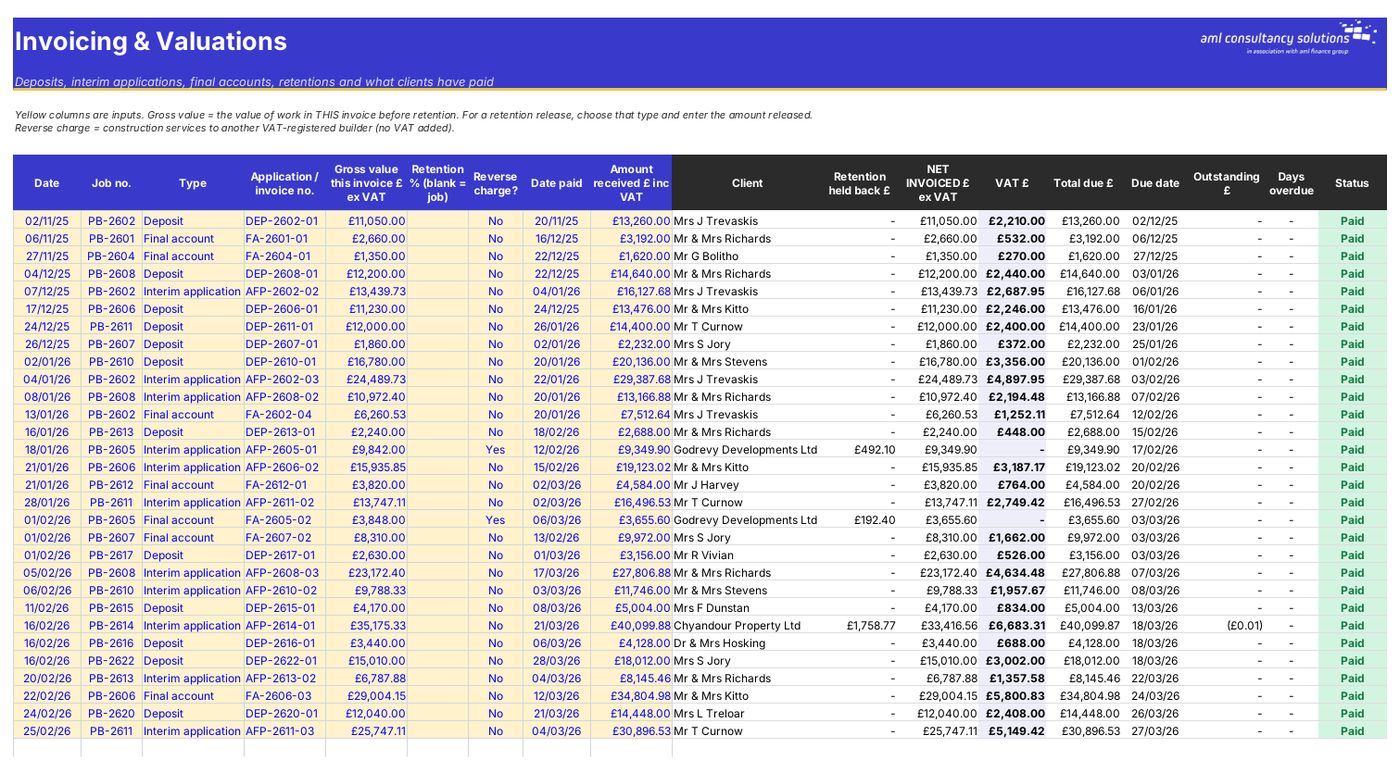
Invoicing

Deposits, interim applications, final accounts, retentions, VAT, due dates, payments and what's overdue. What you do: add a row per invoice; fill in payments.

Who it is for

Made for people like you

  • Example – text
  • Builders and renovation firms – Quote vs actual by labour, materials, subcontract, plant and other costs for every job.
  • Electricians, plumbers, roofers and other trades – Labour hours by role, quoted vs actual, and a margin forecast while the job is still running.
  • Contractors on commercial work – Interim applications, retentions, retention releases and reverse-charge VAT.
  • Any project-based business – Earned value, cost to complete, WIP for your accounts and a quote win rate.

Quick start

Up and running in minutes

  1. Example – text
  1. Settings – Enter your business name, report date, VAT, payment terms and default retention. Set how overheads are recovered, your markups and contingency, and the traffic-light rules. Enter a cost and charge-out rate for each labour role and rename the job types.
  2. Jobs – Click 'Clear sample data', then add one row per quote: job number, client, site, type, dates, status, quoted hours for each role, materials, subcontract, plant, other costs, contingency and the price you quoted.
  3. Actual Costs – Book every timesheet and supplier invoice to a job number as it comes in. For labour, pick the role and enter hours – the cost is worked out for you.
  4. Variations – Record extra work and changes. Mark them Approved = Yes when the client agrees.
  5. Invoicing – Record deposits, interim applications, final accounts and retention releases, and the date and amount each is paid.
  6. Keep status and % complete up to date – Change the status as jobs move from Quoted to Won, In progress, Complete and Invoiced, and update % complete for live jobs at least once a month.
  7. Read the reports – Job Report for one job, Profitability for every job, Dashboard for the business.

Key features

  • Jobs register for up to 200 quotes and jobs: quoted labour hours by role, materials, subcontract, plant, contingency, overheads and quoted margin.
  • Actual costs log for up to 3,000 timesheet and invoice lines, plus variations and a full invoicing log with retentions, VAT and payments.
  • Job report: quote vs actual by cost type, earned value, cost to complete, forecast final margin, WIP and cash owed for any job.
  • Profitability table with traffic lights, quote win rate and a dashboard of pipeline, margins, overruns, WIP and cash.

What’s included

  • Dashboard – Your jobs at a glance
  • Settings – Rates, overheads and traffic-light rules
  • Jobs – Quotes and jobs register
  • Actual Costs – Timesheets and supplier invoices
  • Variations – Extra work and changes
  • Invoicing – Applications, retentions and payments
  • Job Report – One job in detail
  • Profitability – Every job's margin, WIP and cash
  • Guide – How to use this workbook

How buying works

Your file is only released once payment has cleared.

1

Click Buy now

You are taken to our secure checkout.

2

Pay securely

Checkout takes a minute and you get a receipt by email.

3

Download your file

Your download link arrives as soon as payment clears.

Explore the range

Need it tailored to your business?

We can adapt any prebuilt solution or build something bespoke, with a lifetime bug-free guarantee.

Part of AML Finance Group

Need an accountant too?

Our sister firm, AML Accountancy Solutions, is an award-winning accountancy practice helping businesses and individuals across the UK with their accounts, tax, bookkeeping and payroll.

Visit AML Accountancy Solutions

