← All prebuilt solutions
Bookkeeping & Compliance

MTD Quarterly Tracker – Sole Traders

Making Tax Digital for Income Tax, made simple

£20

Secure checkout. Your download link is sent as soon as payment clears.
MTD Quarterly Tracker – Sole Traders

Overview

Making Tax Digital (MTD) for Income Tax means sole traders above the income threshold must keep digital records and send HMRC a summary of their income and expenses every quarter, followed by a final declaration after the year end. This workbook is where you keep those records. You enter each payment and receipt once, choose HMRC's category from a list, and the workbook builds the cumulative figures for each quarterly update, tracks your deadlines, works out your year-end adjustments and gives you a running estimate of the tax and National Insurance you'll owe.

Price
£20
Who it’s for
Bookkeeping & Compliance
Works with
Microsoft Excel for Windows and Mac
Buy now

See how it works

A walk through the main sheets

The sheets you will use most, in the order you will use them – shown with the sample data every workbook comes with.

Step 1

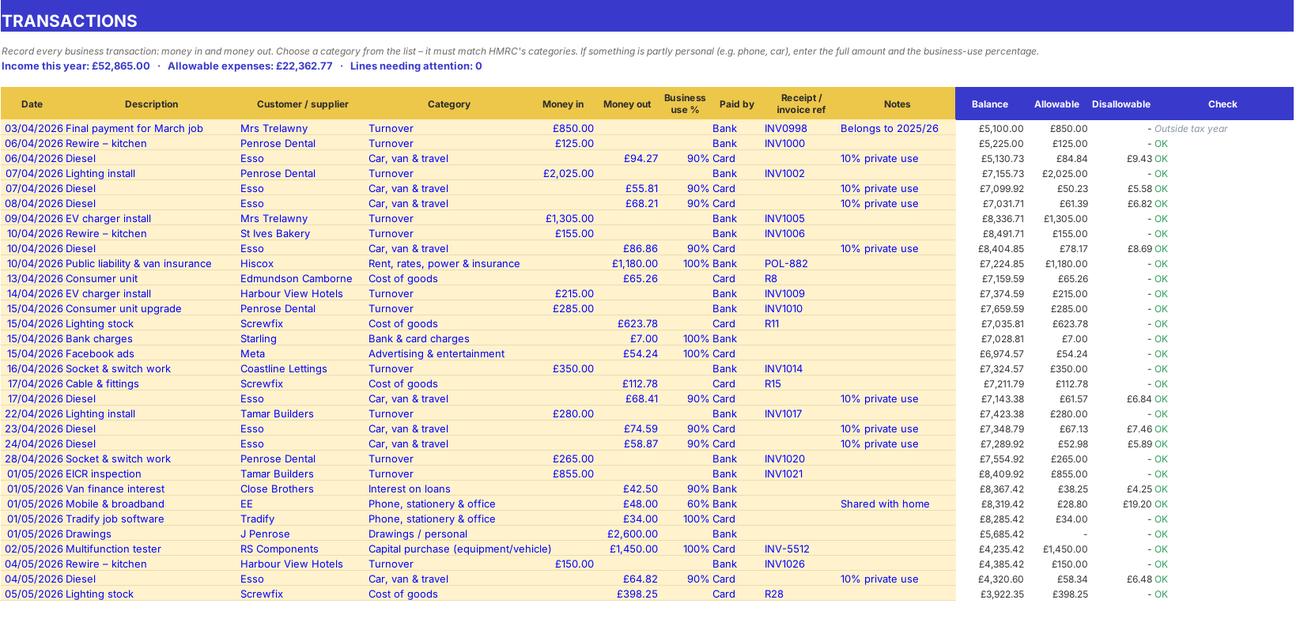
Transactions

The record of every business payment and receipt. What you do: add one line per transaction in the yellow columns.
Transactions
Quarterly Updates

Step 2

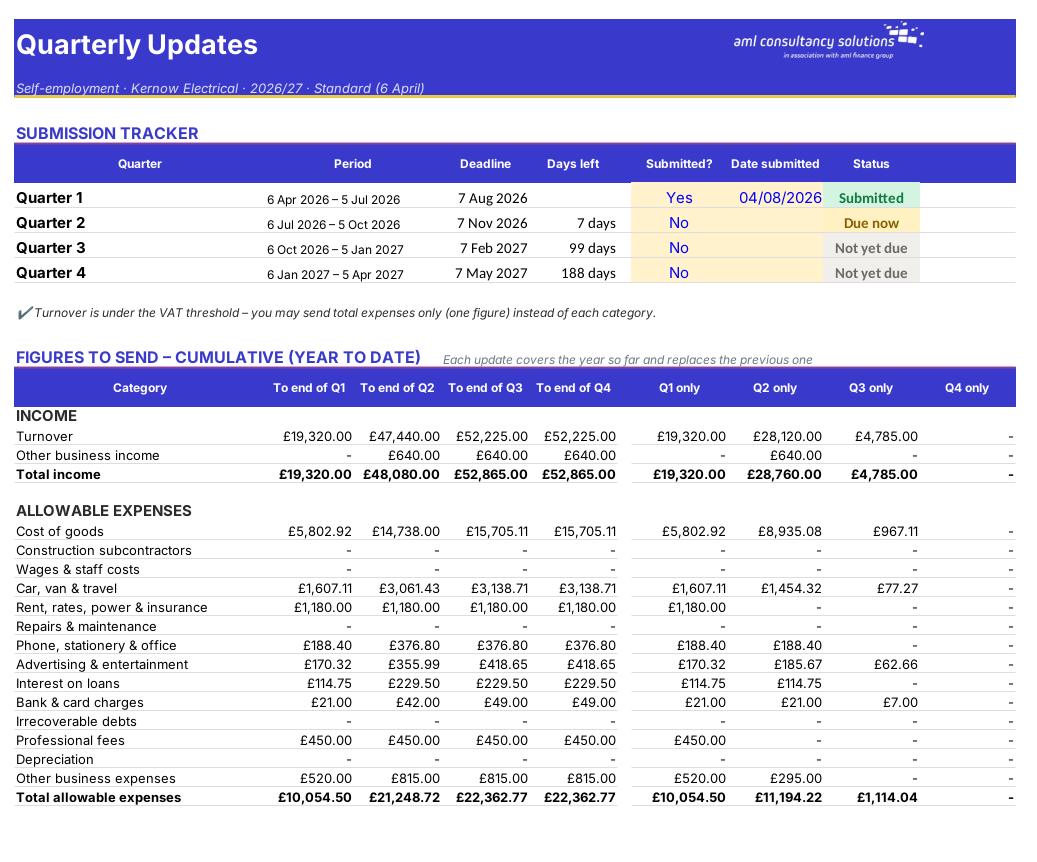
Quarterly Updates

Submission tracker plus the cumulative figures to send for each quarter. What you do: mark each quarter 'Yes' and enter the date when you've submitted it.

Step 3

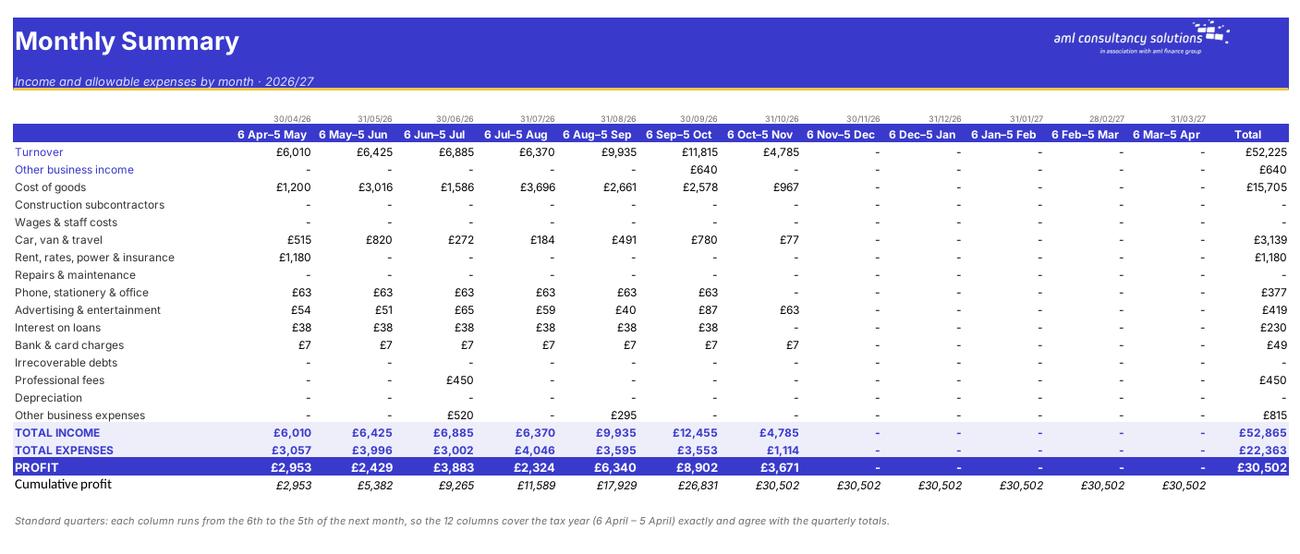
Monthly Summary

Income and allowable expenses by HMRC category for each month, with profit and cumulative profit. What you do: nothing to enter.
Monthly Summary
Year End & Tax

Step 4

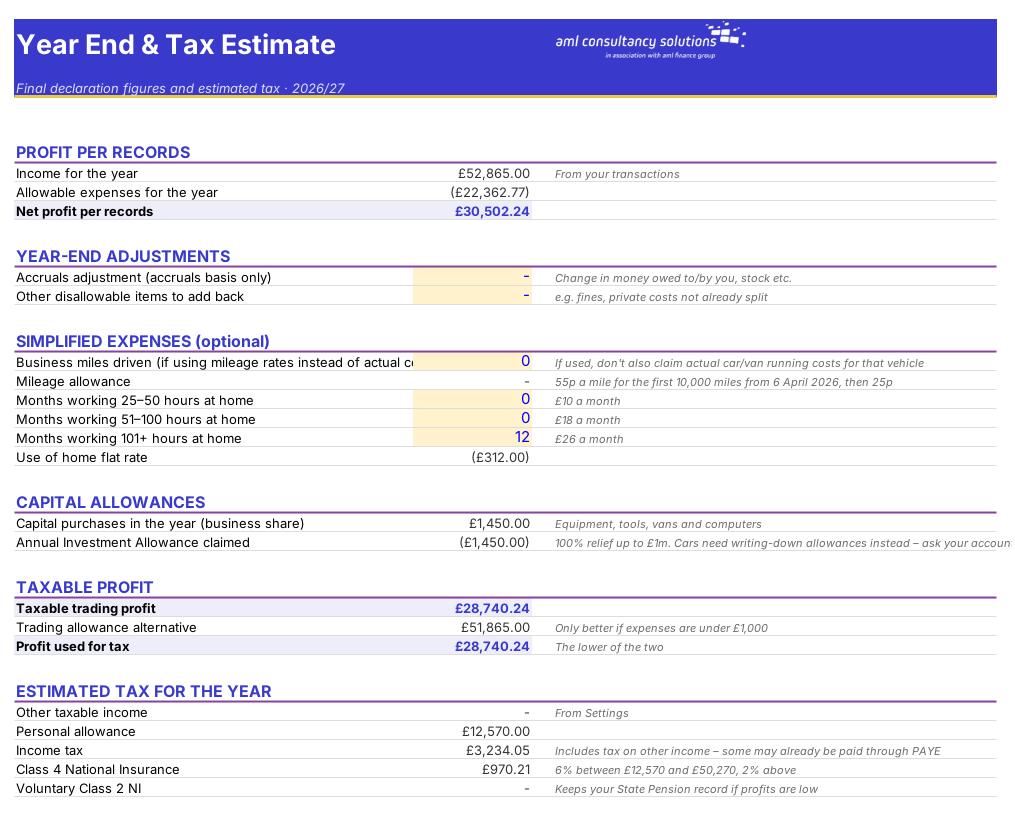
Year End & Tax

Year-end adjustments, simplified expenses, capital allowances, taxable profit, tax estimate and payment planning. What you do: fill in the yellow adjustment cells at the year end (or earlier to see the effect).

Who it is for

Made for people like you

  • Example – text
  • Sole traders already in MTD – The exact cumulative figures to type into your MTD software each quarter, category by category, plus a deadline tracker.
  • Sole traders joining MTD in 2027 or 2028 – A year or two of practice keeping records the MTD way before it becomes compulsory.
  • Anyone self-employed – Tidy records in the same categories as the tax return, a monthly profit picture and a tax set-aside figure.
  • WATCH OUT – This workbook prepares the figures – it does not send anything to HMRC. You still submit each quarterly update and the final declaration through HMRC-recognised MTD software (or bridging software), or ask your accountant or bookkeeper to do it for you.

Quick start

Up and running in minutes

  1. Example – text
  1. Settings – Enter your name and business, choose the tax year, your quarter type and accounting basis, and your opening bank & cash balance. Fill in other income, Scottish taxpayer, student loan and last year's tax bill for the tax estimate.
  2. Record transactions – On the Transactions sheet add every business payment and receipt – date, description, category, amount and, for anything partly personal, the business-use %.
  3. Clear the checks – Look at the Check column (and the count in the red line at the top). Fix anything that starts 'Check:' before you use the figures.
  4. Each quarter – Open Quarterly Updates. Copy the cumulative column for the latest quarter into your MTD software, then mark that quarter 'Yes' with the date submitted.
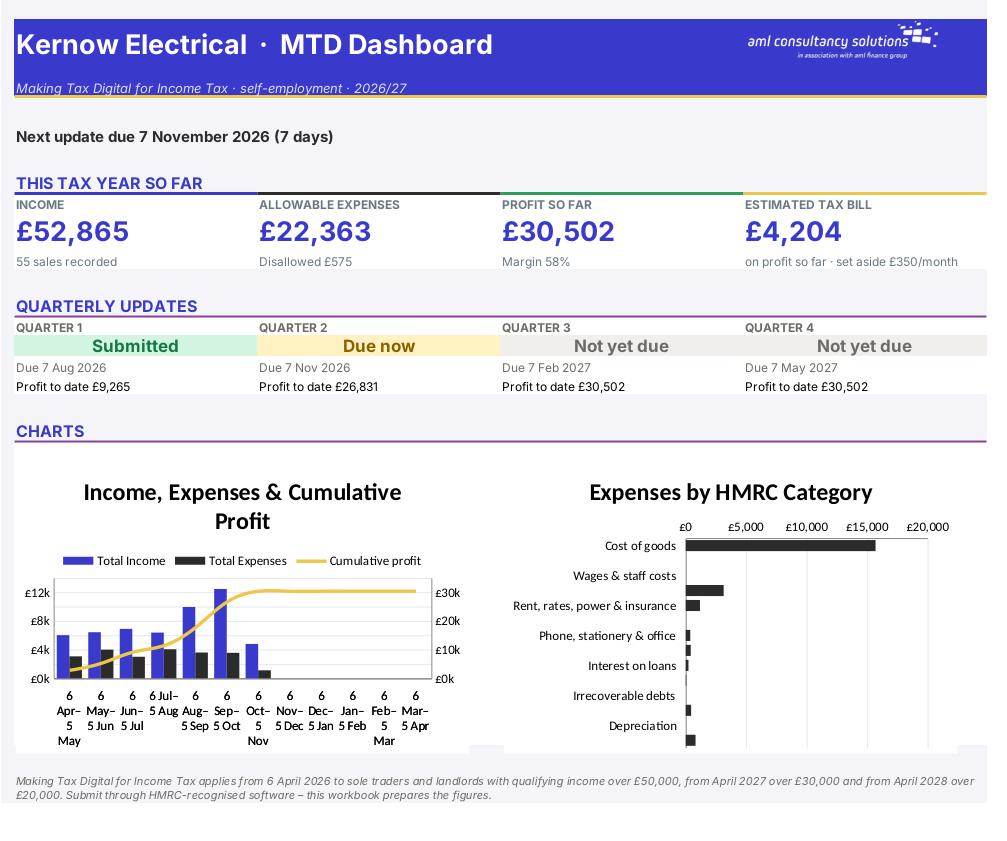
  5. Watch the Dashboard – See income, expenses, profit, the estimated tax bill and the status of all four quarters at a glance.
  6. Year end – On Year End & Tax add any adjustments, simplified expenses and capital purchases. Use the taxable profit for your final declaration and the tax estimate to plan payments.

Key features

  • Record income and expenses in HMRC's self-employment categories, with business-use % for anything partly personal.
  • Builds the cumulative figures for each of the four quarterly updates, with deadlines and a submission tracker (standard or calendar quarters).
  • Year-end adjustments, simplified expenses (55p mileage, use of home), capital allowances and an estimated tax and NI bill.
  • Dashboard with income, expenses, profit, estimated tax, quarter status and charts.

What’s included

  • Dashboard – Year so far, quarter status and charts
  • Settings – Your details, quarters and deadlines
  • Transactions – Every business payment and receipt
  • Quarterly Updates – The figures to submit each quarter
  • Monthly Summary – Income and expenses by month
  • Year End & Tax – Adjustments, taxable profit and tax estimate
  • Categories – HMRC categories explained
  • Tax Rates – Rates and allowances
  • Guide – How to use this workbook

How buying works

Your file is only released once payment has cleared.

1

Click Buy now

You are taken to our secure checkout.

2

Pay securely

Checkout takes a minute and you get a receipt by email.

3

Download your file

Your download link arrives as soon as payment clears.

Explore the range

Need it tailored to your business?

We can adapt any prebuilt solution or build something bespoke, with a lifetime bug-free guarantee.

Part of AML Finance Group

Need an accountant too?

Our sister firm, AML Accountancy Solutions, is an award-winning accountancy practice helping businesses and individuals across the UK with their accounts, tax, bookkeeping and payroll.

Visit AML Accountancy Solutions

