← All prebuilt solutions
Practice Tools

Payroll Year End Checklist

Every client, every year end task and every reconciliation – with deadlines that turn red before HMRC does

£20

Secure checkout. Your download link is sent as soon as payment clears.
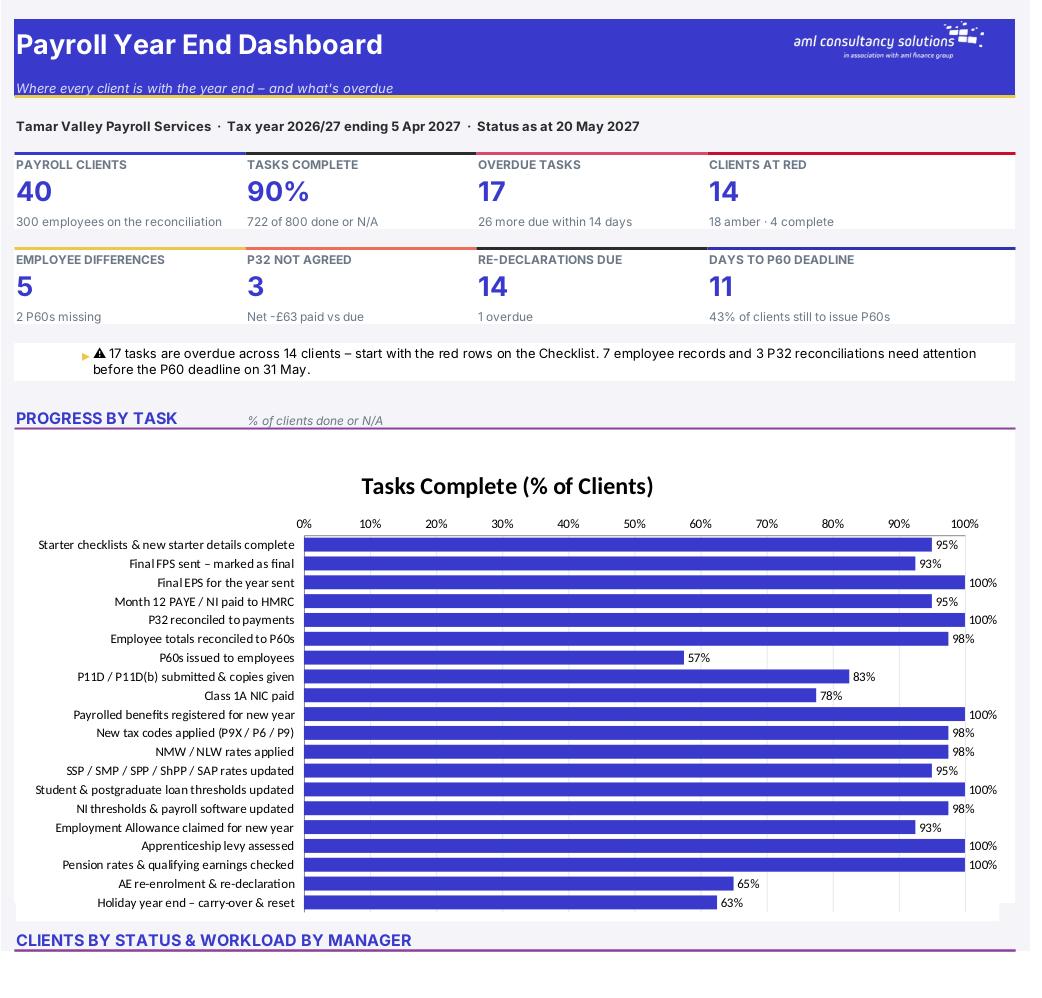
Payroll Year End Checklist

Overview

The payroll year end is a run of hard deadlines – final FPS, EPS, P60s, P11Ds, Class 1A – sitting right on top of the new-year changes to tax codes, minimum wage, statutory pay, student loans and pensions. For a bureau or a practice running dozens of payrolls, the risk is something slipping through for one client. This workbook lists 20 year end and new-year tasks for every client, works out each deadline from the tax year you're closing, and turns cells red or amber before HMRC's deadline passes. It also reconciles every employee's payroll totals to their P60 and every client's P32 to the payments made to HMRC.

Price
£20
Who it’s for
Practice Tools
Works with
Microsoft Excel for Windows and Mac
Buy now

See how it works

A walk through the main sheets

The sheets you will use most, in the order you will use them – shown with the sample data every workbook comes with.

Step 1

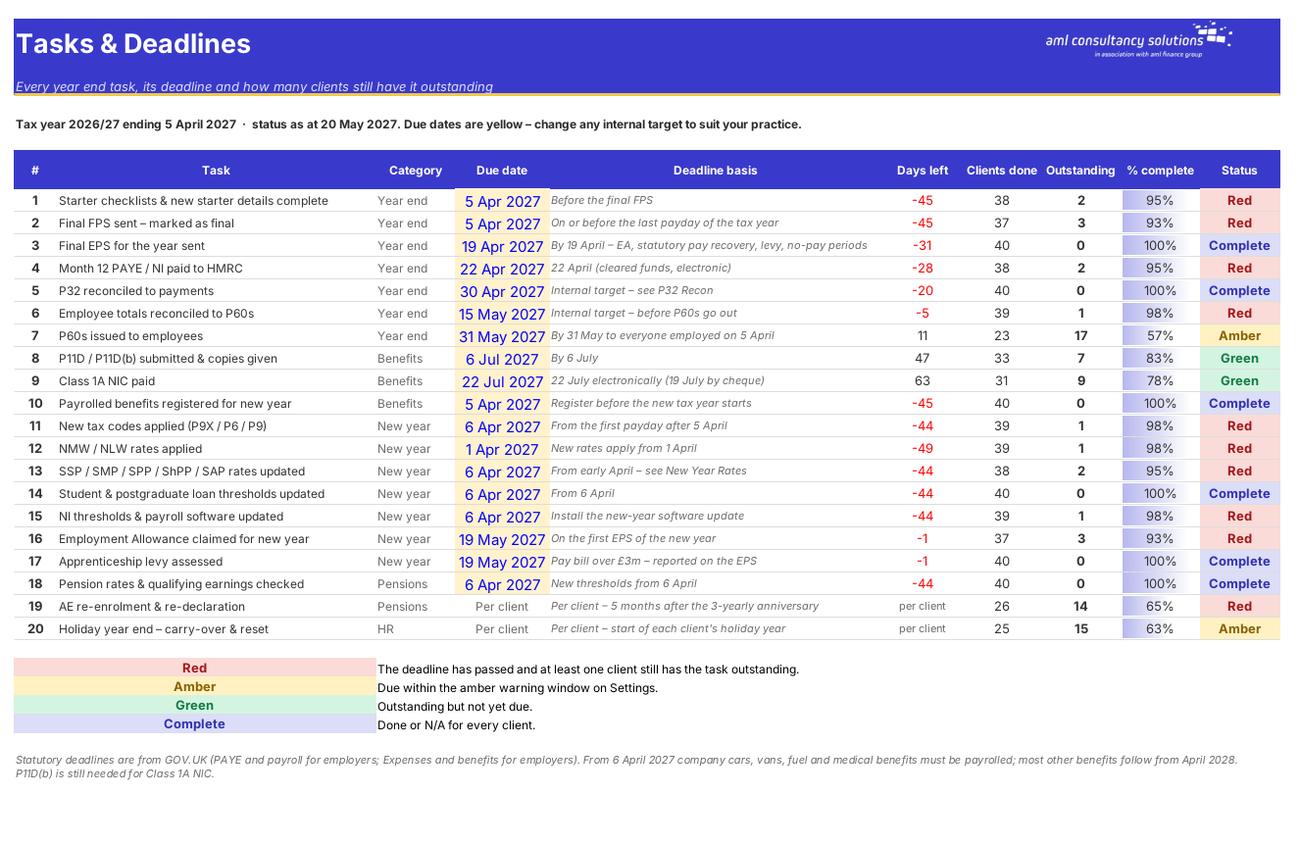
Tasks & Deadlines

The 20 tasks, their due dates, days left and how many clients are still outstanding. What you do: adjust internal target dates if you wish.
Tasks & Deadlines
Clients

Step 2

Clients

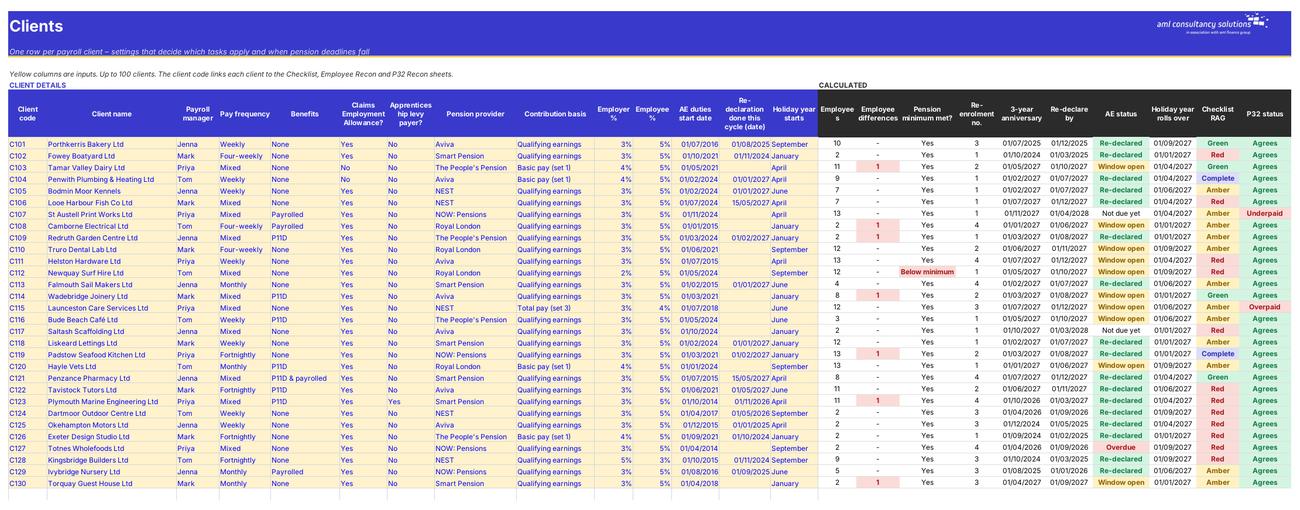
Client settings and calculated pension, holiday and status columns. What you do: one row per client.

Step 3

Checklist

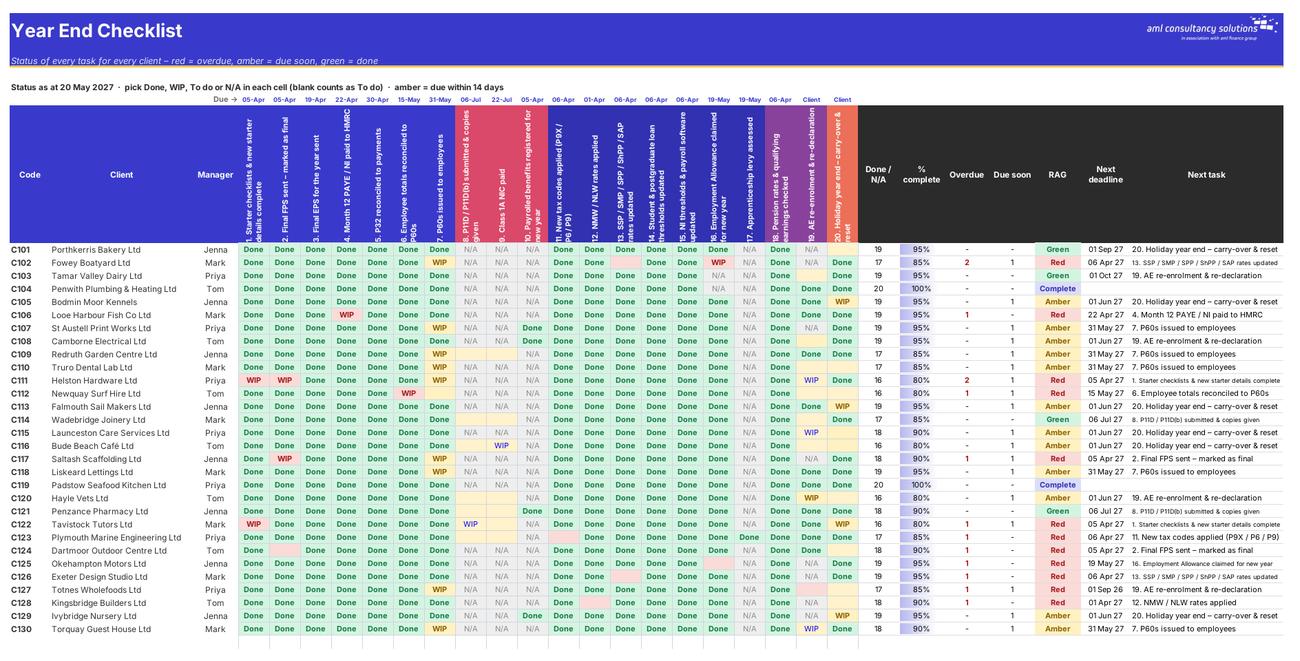
Task status for every client, with RAG, overdue count and next deadline. What you do: pick a status in each cell.
Checklist
Employee Recon

Step 4

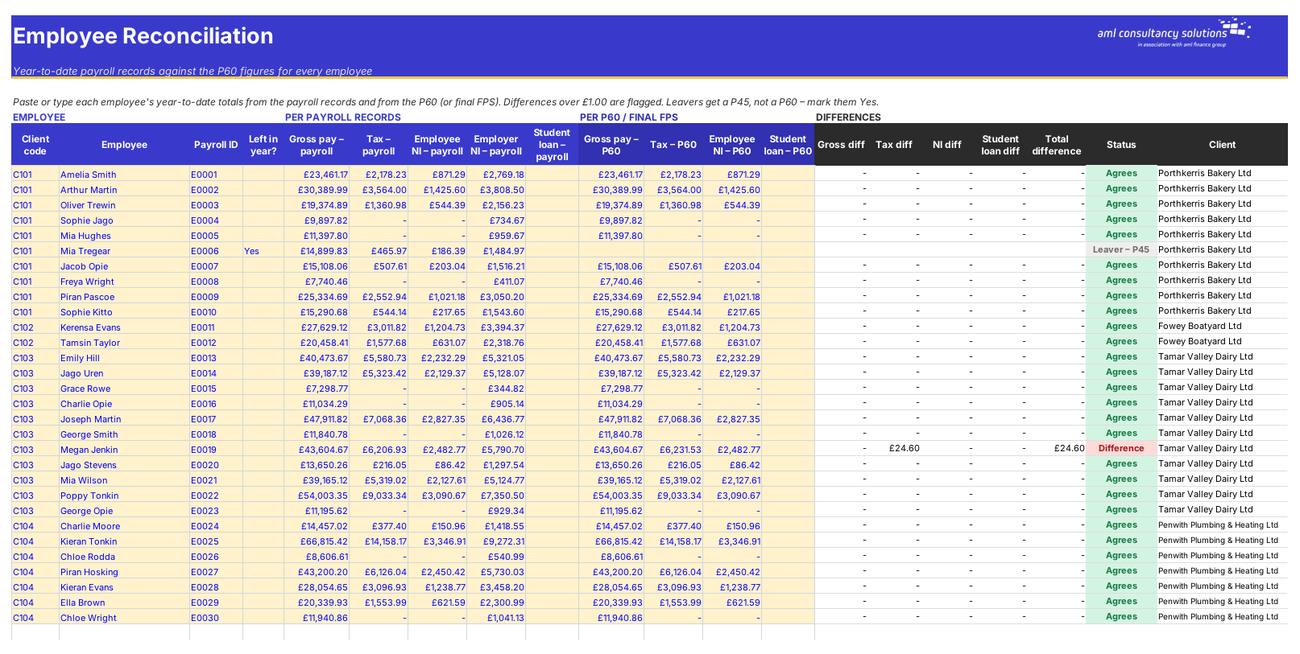
Employee Recon

Payroll records vs P60 for every employee. What you do: paste or type the totals.

Who it is for

Made for people like you

  • Example – text
  • Payroll bureaux – One view of every client's year end, with progress by task and by payroll manager.
  • Accountancy practices – A year end file for each payroll client that shows what's done, what's overdue and what's left.
  • Employers with several PAYE schemes – The same checks for each scheme or company in a group.
  • In-house payroll teams – A checklist and reconciliation pack to sign off before P60s go out.

Quick start

Up and running in minutes

  1. Example – text
  1. Settings – Enter your practice name, the tax year you're closing and the 'status as at' date. Leave the status date as =TODAY() once you're using it for real.
  2. Clients – Add one row per payroll client: code, name, manager, pay frequency, benefits, Employment Allowance, levy, pension details, auto-enrolment duties start date and holiday year start.
  3. Tasks & Deadlines – Check the due dates. Statutory deadlines are worked out automatically; the internal targets (P32 and employee reconciliations) can be changed to suit you.
  4. Checklist – As you work, pick Done, WIP, To do or N/A for each client and task. Overdue cells turn red; tasks due within the amber window turn amber.
  5. Employee Recon – Paste each employee's year-to-date payroll totals and their P60 figures. Anything that doesn't agree is flagged.
  6. P32 Recon – Enter each client's annual P32 totals and the payments made to HMRC for each tax month.
  7. Dashboard – See overdue tasks, red clients, unreconciled employees and P32 differences – and what's due next.

Key features

  • A 20-task year end checklist for up to 100 payroll clients, with statutory deadlines (final FPS, EPS, P60s, P11D, Class 1A) and red/amber/green status.
  • New year set-up tasks: tax codes, NMW/NLW, statutory pay, student loans, Employment Allowance, apprenticeship levy and pensions.
  • Auto-enrolment re-enrolment and re-declaration dates for every client, pension minimum checks and holiday year roll-overs.
  • Employee-level reconciliation of payroll records to P60s (500 rows) and a P32 annual reconciliation of amounts due against amounts paid.
  • A 2026/27 to 2027/28 rates table with placeholders flagged until announced, and a dashboard for the whole client book.

What’s included

  • Dashboard – The whole year end at a glance
  • Settings – Tax year, status date and tolerances
  • Tasks & Deadlines – Every task, its deadline and progress
  • Clients – Client settings, pensions and holiday years
  • Checklist – Task status for every client
  • Employee Recon – Payroll records vs P60s
  • P32 Recon – Due vs paid to HMRC
  • New Year Rates – Rates for the new tax year
  • Tax Rates – UK tax and NI rates
  • Guide – How to use this workbook

How buying works

Your file is only released once payment has cleared.

1

Click Buy now

You are taken to our secure checkout.

2

Pay securely

Checkout takes a minute and you get a receipt by email.

3

Download your file

Your download link arrives as soon as payment clears.

Explore the range

Need it tailored to your business?

We can adapt any prebuilt solution or build something bespoke, with a lifetime bug-free guarantee.

Part of AML Finance Group

Need an accountant too?

Our sister firm, AML Accountancy Solutions, is an award-winning accountancy practice helping businesses and individuals across the UK with their accounts, tax, bookkeeping and payroll.

Visit AML Accountancy Solutions

