← All prebuilt solutions
Planning & Finance

Sales Commission Calculator

Work out every rep's commission – tiers, targets, draws, clawbacks and overrides – with full workings

£20

Secure checkout. Your download link is sent as soon as payment clears.
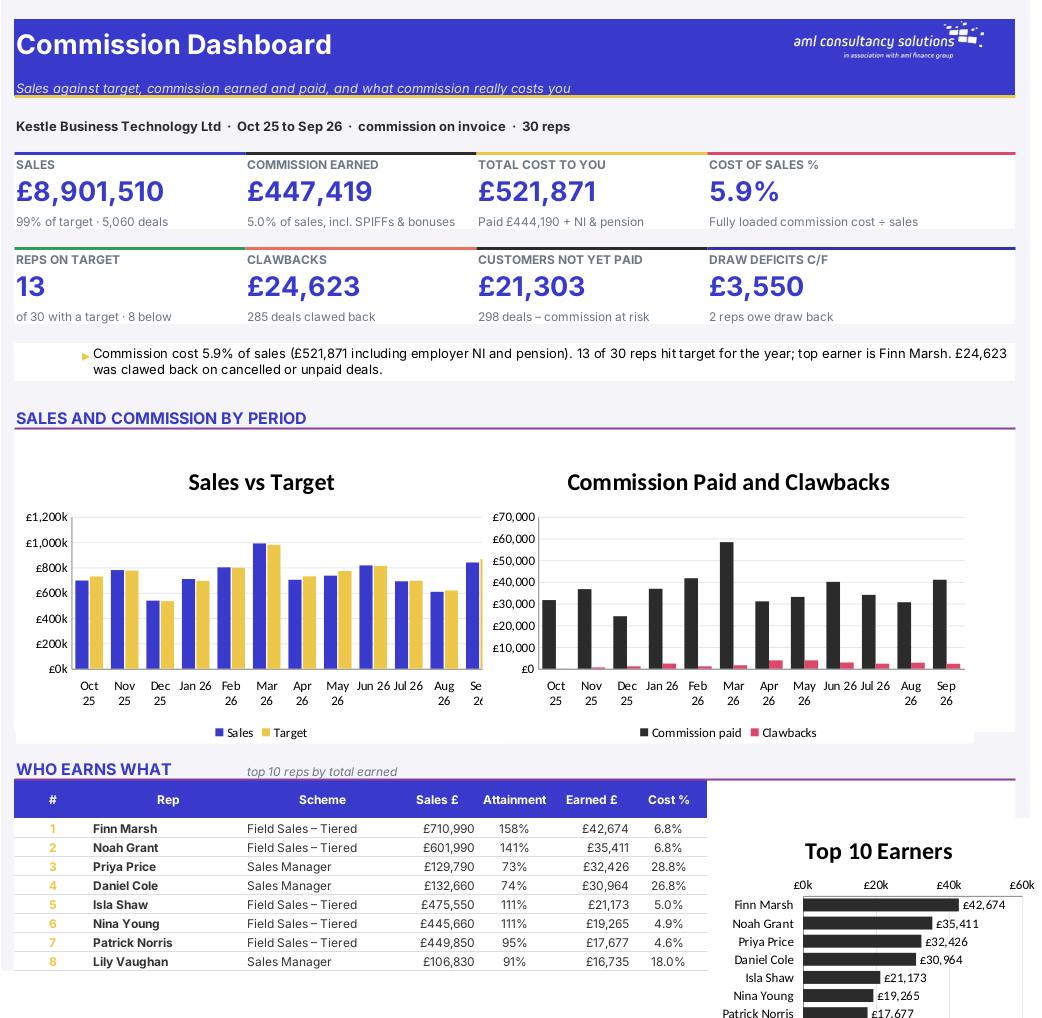
Sales Commission Calculator

Overview

Commission plans start simple and quickly get complicated: tiers, different rates for renewals and for certain products, accelerators for beating target, caps, guaranteed draws for new starters, clawbacks when a customer cancels or doesn't pay, overrides for managers and the odd sales competition. Most businesses end up with a spreadsheet nobody fully trusts. This workbook does all of it in one place, with the workings shown for every rep and every period, so you – and your sales team – can see exactly how each figure was reached. It also tells you what commission really costs the business once employer NI and pension are added, as a percentage of sales.

Price
£20
Who it’s for
Planning & Finance
Works with
Microsoft Excel for Windows and Mac
Buy now

See how it works

A walk through the main sheets

The sheets you will use most, in the order you will use them – shown with the sample data every workbook comes with.

Step 1

Schemes

Up to 10 schemes side by side, a 'try it' calculator and a grid of rates by product. What you do: set up each scheme; edit when your plan changes.
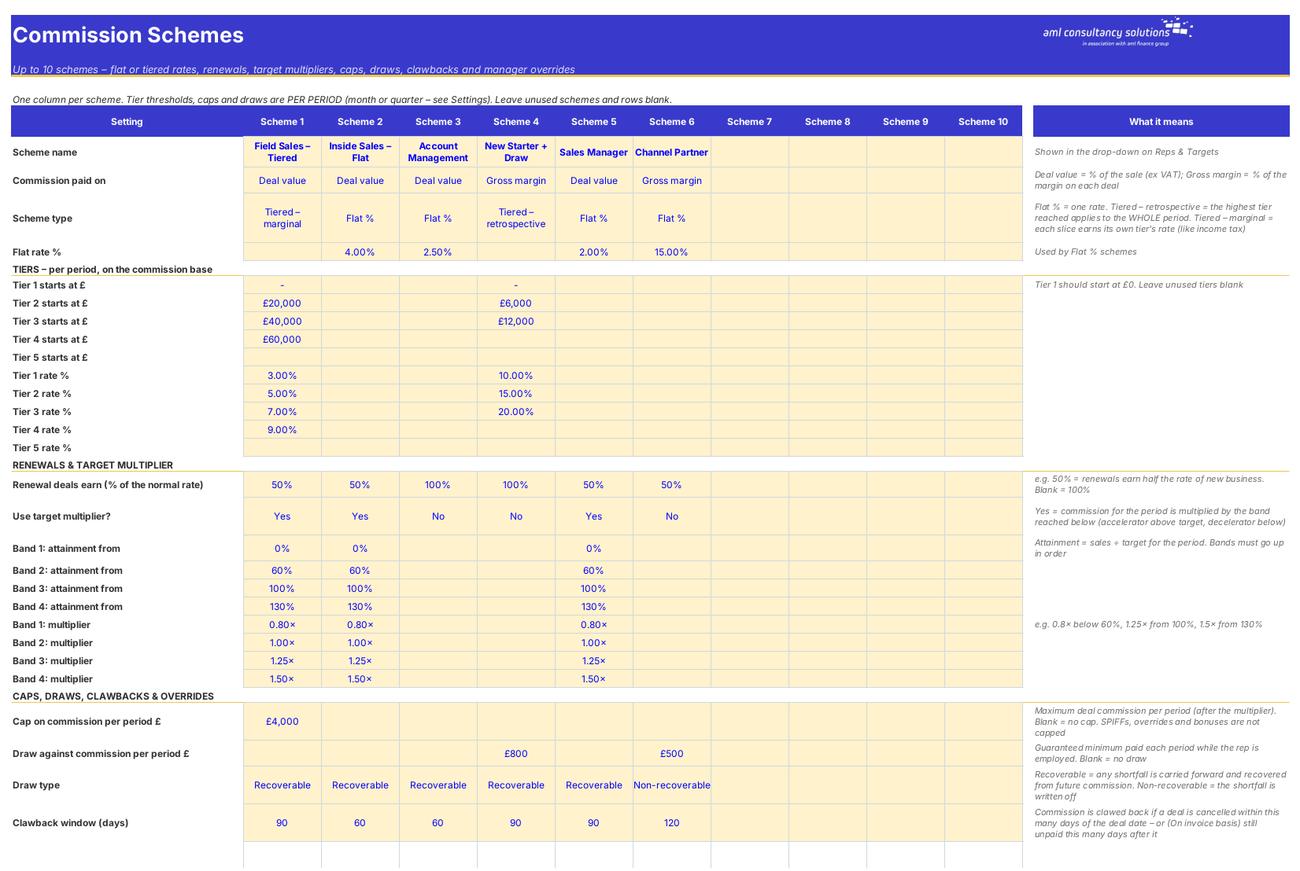
Schemes
Reps & Targets

Step 2

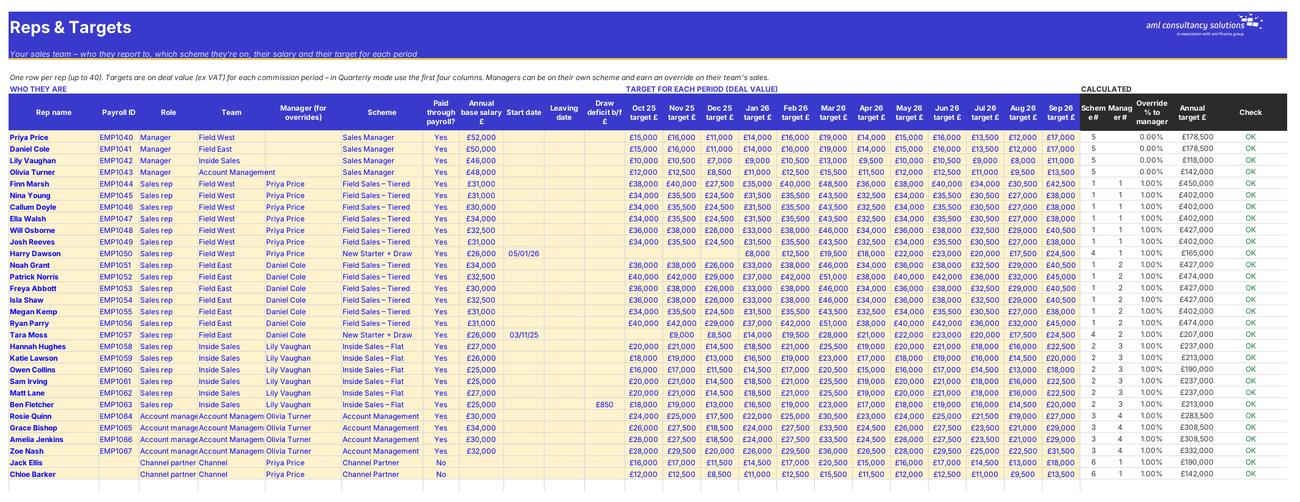
Reps & Targets

Your sales team, who reports to whom, schemes, salaries and targets per period. What you do: one row per rep.

Step 3

Sales Log

Every deal, with the full commission workings and status for each one. What you do: paste or type the yellow columns.

Sales Log
SPIFFs & Bonuses

Step 4

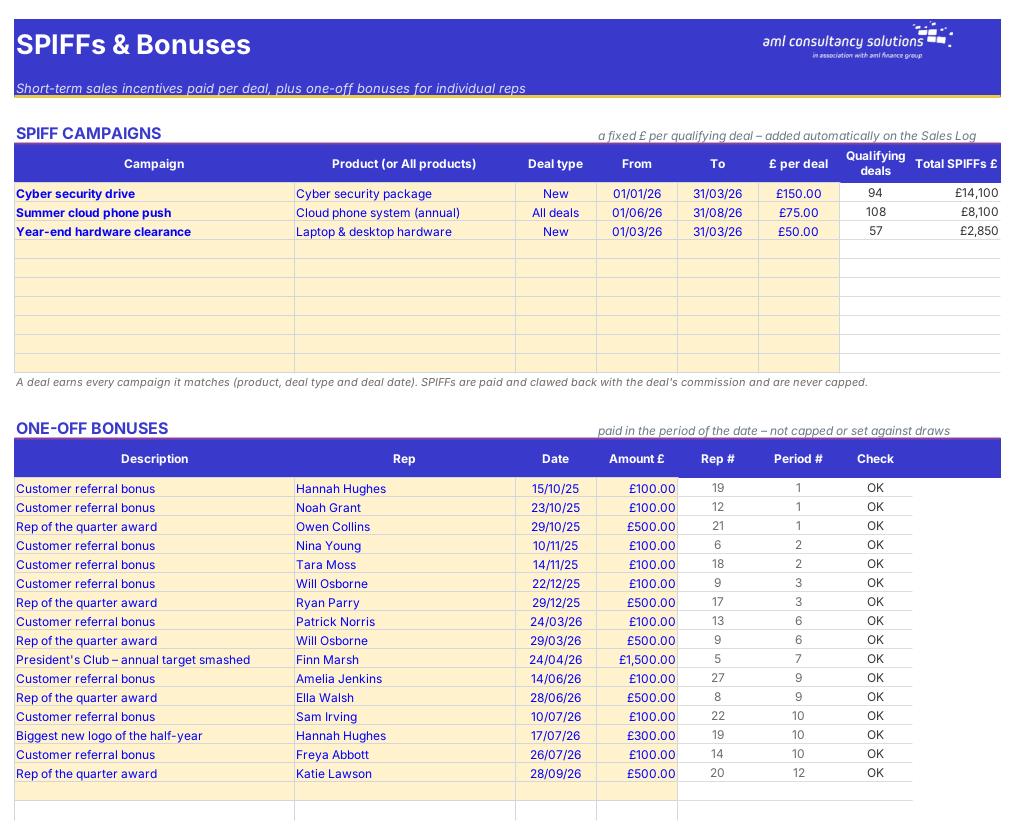
SPIFFs & Bonuses

SPIFF campaigns and one-off bonuses. What you do: optional.

Who it is for

Made for people like you

  • Example – text
  • Sales-led SMEs – Accurate monthly or quarterly commission for up to 40 reps without a payroll bureau spreadsheet.
  • Sales managers – Attainment, earnings and the cost of sales commission by rep, team, scheme and period.
  • Finance and payroll – A payroll export with commission, bonuses, employer NI and pension, plus a clear audit trail.
  • Business owners – A way to test a new commission plan before you roll it out – and to see what it would have cost last year.

Quick start

Up and running in minutes

  1. Example – text
  1. Settings – Enter your business name, the first day of your commission year, whether you pay monthly or quarterly, when commission becomes payable, the 'report as at' date, the tax year and your employer pension rate on commission. Then list your products and services.
  2. Schemes – Set up each commission scheme in its own column: what it's paid on, flat or tiered rates, renewal rate, target multiplier, cap, draw, clawback rules and any manager override. Add product-specific rates in the grid at the bottom if you need them.
  3. Reps & Targets – One row per rep: payroll ID, role, team, manager, scheme, whether they're paid through payroll, base salary, start and leaving dates, any draw deficit brought forward and a target for each period.
  4. SPIFFs & Bonuses – Add any SPIFF campaigns and one-off bonuses (optional).
  5. Sales Log – Paste your deals: deal ID, date, rep, customer, product, deal value, gross margin, new or renewal, and the dates the customer paid or cancelled.
  6. Check the Status column – Fix anything showing 'Unknown rep', 'Rep has no scheme', 'Add date' or 'Outside year', and any Check messages on Reps & Targets.
  7. Pay – Pick the period on Payroll Export and key the figures into payroll. Print a Statement for each rep.
  8. Review – Use the Dashboard, Rep Summary and By Period to see who's on target and what commission is costing you.

Key features

  • Up to 10 commission schemes: flat %, retrospective or marginal tiers, renewal rates, rates by product, target accelerators and decelerators, caps, draws, clawbacks and manager overrides.
  • Up to 40 reps with monthly or quarterly targets and a sales log for 6,000 deals – paste straight from your CRM or invoicing system.
  • Commission payable on invoice or when the customer pays, with automatic clawbacks for cancelled or unpaid deals, SPIFF campaigns and one-off bonuses.
  • Full workings for every rep and period, a printable statement per rep, a payroll export with employer NI and pension, cost of sales commission % and a dashboard.

What’s included

  • Dashboard – Sales, commission and cost at a glance
  • Settings – Year, period, payment basis, products
  • Schemes – Rates, tiers, multipliers, caps, draws
  • Reps & Targets – Your team, schemes and targets
  • Sales Log – Every deal and its commission
  • SPIFFs & Bonuses – Incentive campaigns and one-off bonuses
  • Workings – Full workings per rep and period
  • Rep Summary – The year for every rep
  • By Period – Period-by-period totals and by scheme
  • Statement – Printable statement for one rep
  • Payroll Export – Commission to add to pay
  • Tax Rates – Employer NI rates
  • Guide – How to use this workbook

How buying works

Your file is only released once payment has cleared.

1

Click Buy now

You are taken to our secure checkout.

2

Pay securely

Checkout takes a minute and you get a receipt by email.

3

Download your file

Your download link arrives as soon as payment clears.

Explore the range

Need it tailored to your business?

We can adapt any prebuilt solution or build something bespoke, with a lifetime bug-free guarantee.

Part of AML Finance Group

Need an accountant too?

Our sister firm, AML Accountancy Solutions, is an award-winning accountancy practice helping businesses and individuals across the UK with their accounts, tax, bookkeeping and payroll.

Visit AML Accountancy Solutions

