← All prebuilt solutions
Property

Service Charge Budget & Apportionment

Set the budget, split it fairly between units, raise on-account demands and work out year-end balancing charges

£20

Secure checkout. Your file is ready in your client portal as soon as payment clears.
Service Charge Budget & Apportionment

Overview

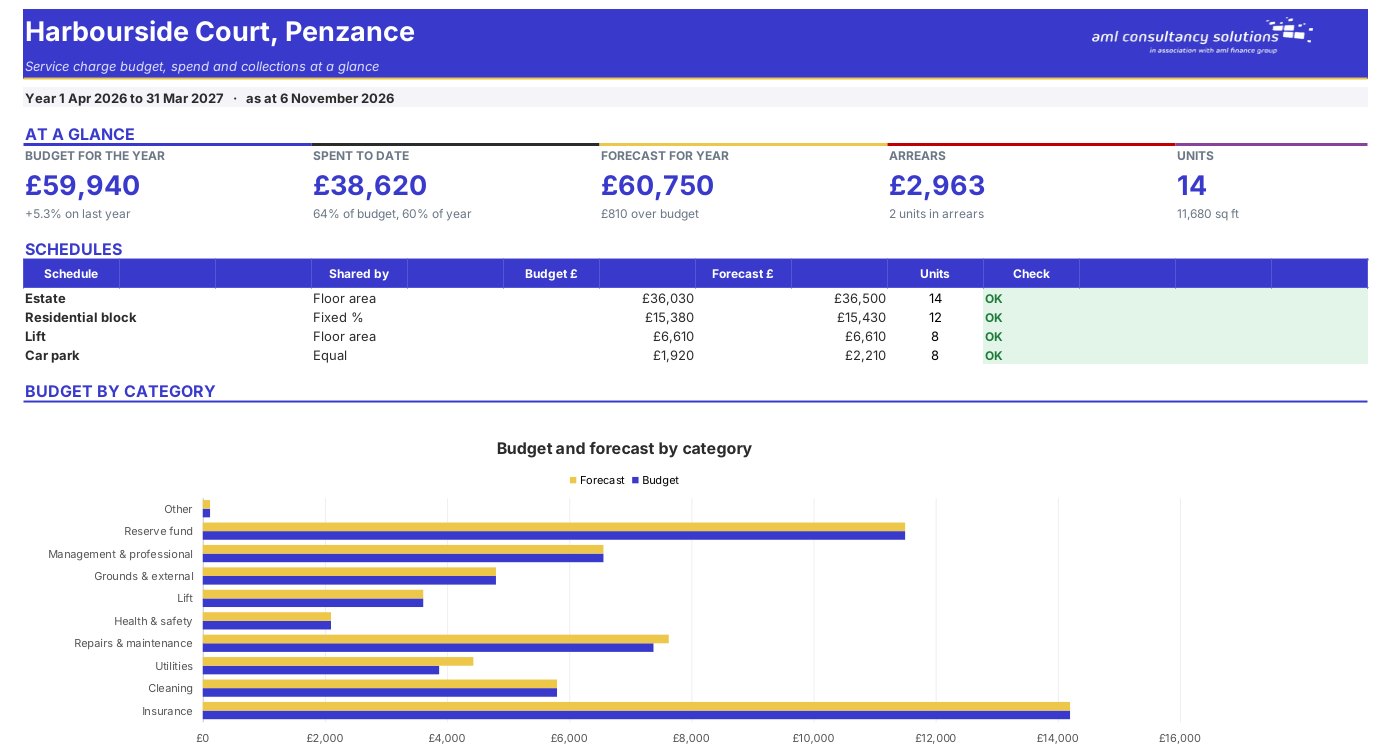
For residents' management and right to manage companies, freeholders, landlords of mixed-use buildings and managing agents. Build the budget line by line against last year, share up to four schedules of costs (for example estate, residential block, lift and car park) between the units that pay into each – by floor area, lease percentage or equally – and see each unit's on-account demand. Track what each unit has paid, spot arrears, compare spending with budget during the year, and work out the balancing charge or credit for each unit at the year end. A statement sheet prints the full breakdown for any unit.

Price
£20
Who it’s for
Property
Works with
Microsoft Excel for Windows and Mac
Buy now

See how it works

A walk through the main sheets

The sheets you will use most, in the order you will use them – shown with the sample data every workbook comes with.

Step 1

Budget

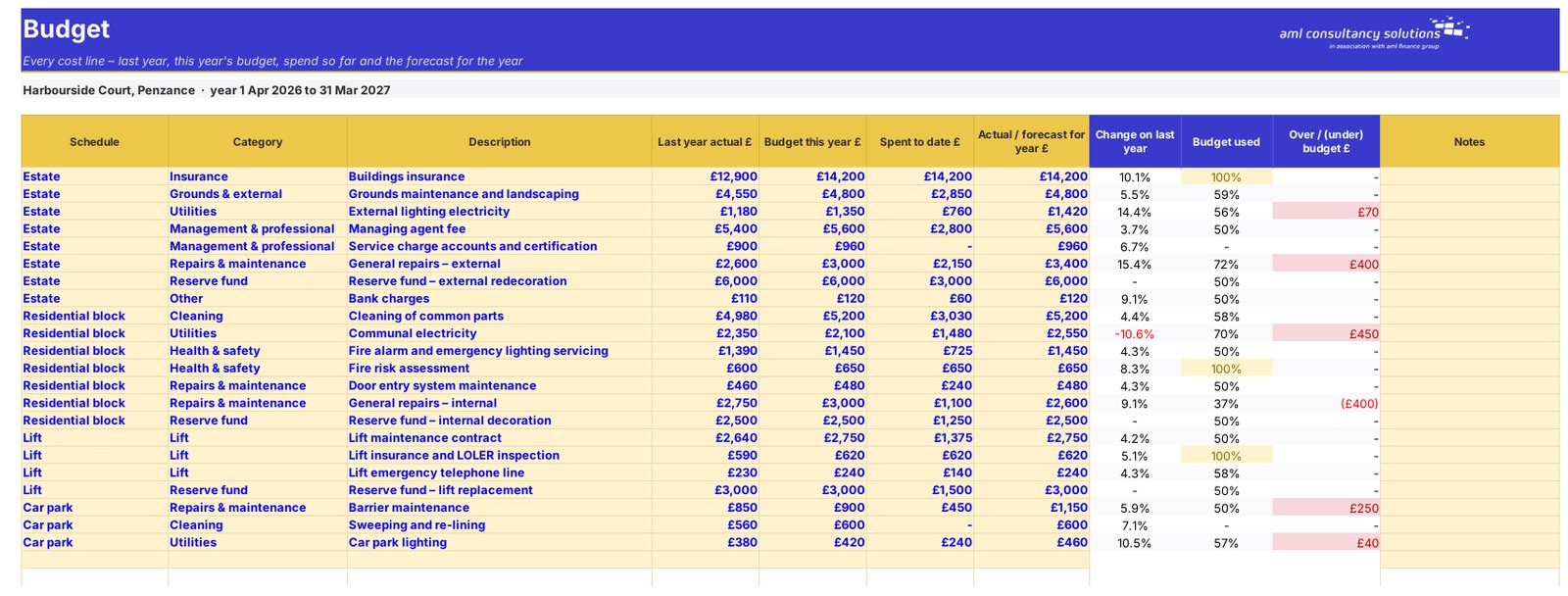
Every cost line against last year, spend to date and forecast. What you do: one row per cost line.
Budget
Apportionment

Step 2

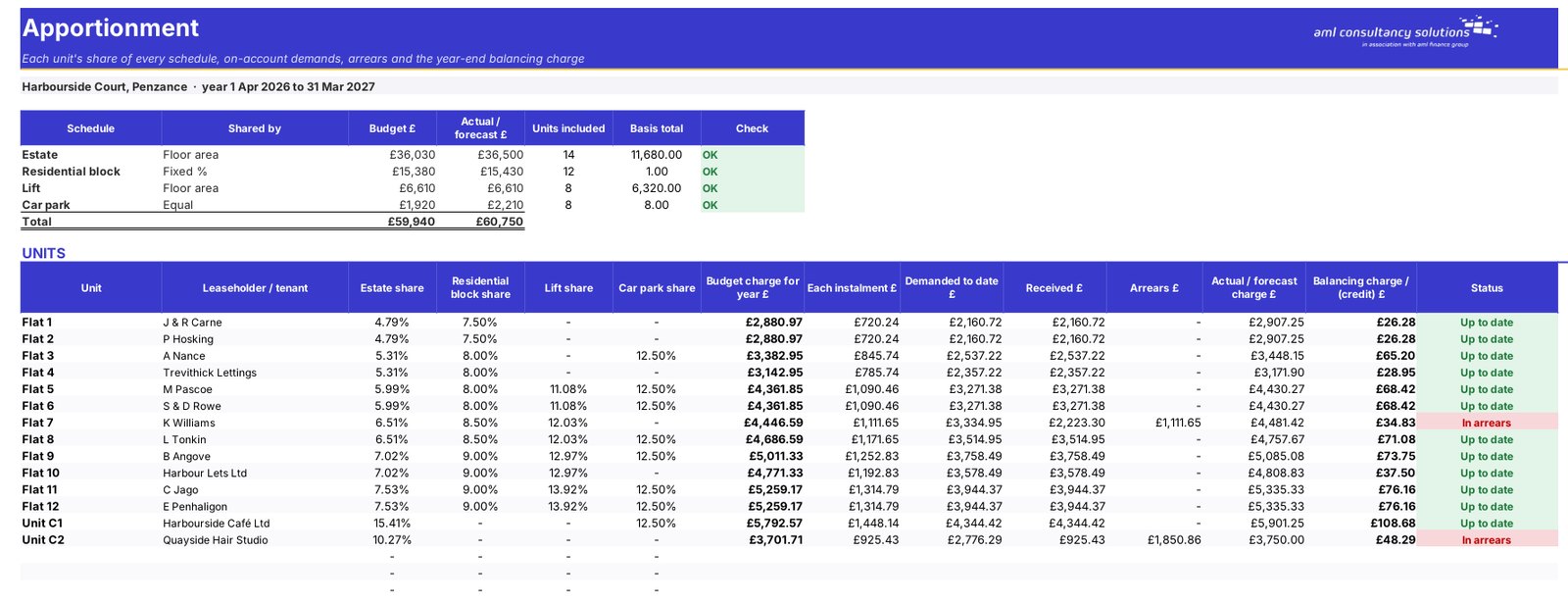
Apportionment

Each unit's share of every schedule, demands, arrears and balancing charge. What you do: nothing to enter.

Step 3

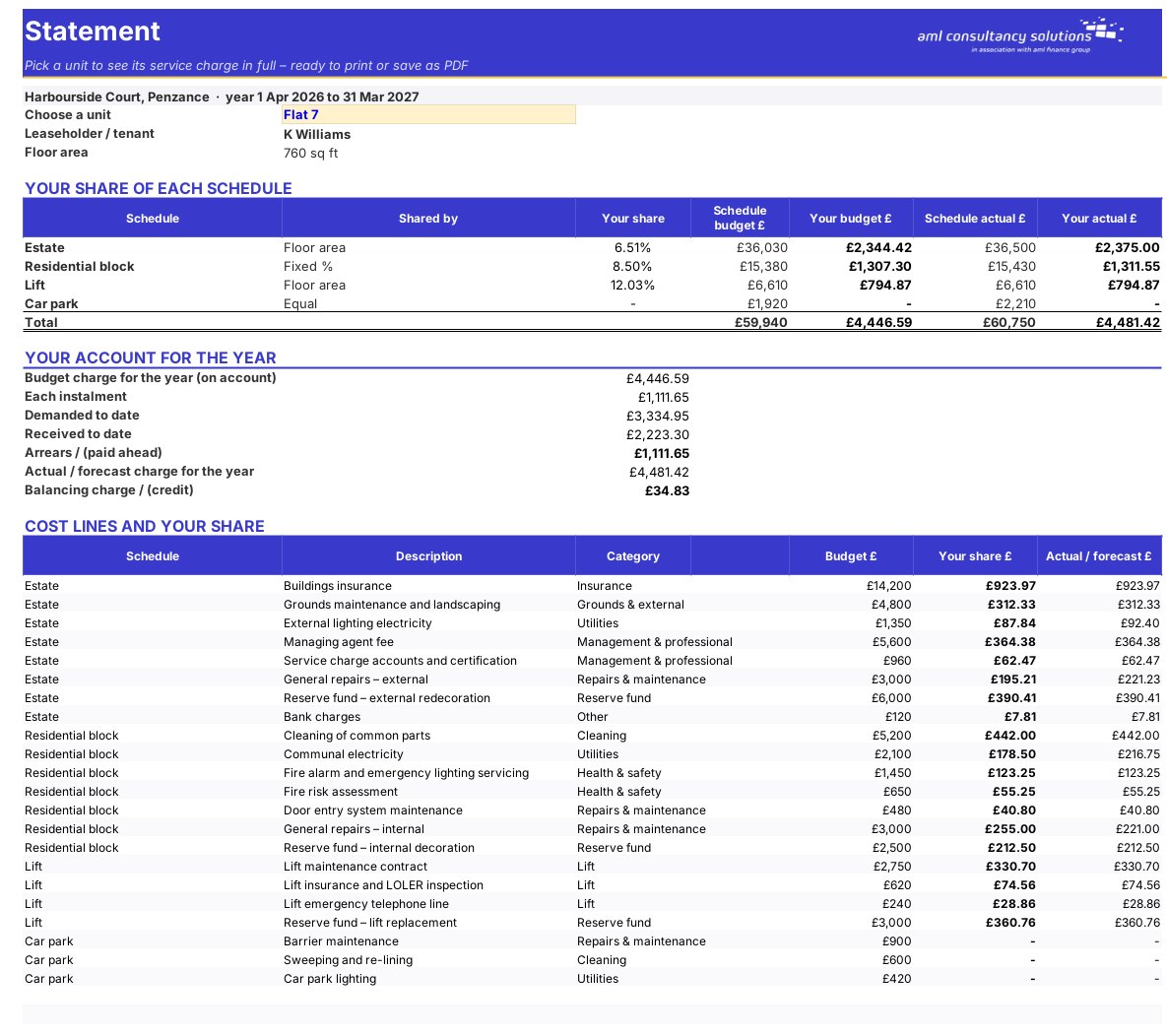
Statement

One unit's service charge in full. What you do: pick the unit.
Statement

Step 4

Who it is for

Made for people like you

  • Example – text
  • Residents' management and RTM companies – A clear, fair budget and apportionment for every leaseholder.
  • Freeholders and landlords – Mixed residential and commercial buildings handled properly.
  • Managing agents and accountants – Statements and year-end figures in one workbook per property.

Quick start

Up and running in minutes

  1. Example – text
  1. Settings – Property name, service charge year, instalments and the cost schedules.
  2. Units – Each unit, its floor area, the schedules it pays into and any lease percentage.
  3. Budget – Each cost line with its schedule, last year's actual and this year's budget.
  4. Apportionment – Check every schedule shows OK, then see each unit's charge and arrears.
  5. Statement – Pick a unit to print its breakdown.

Key features

  • Up to 60 units and 120 budget lines across four cost schedules.
  • Sharing by floor area, fixed lease percentage or equally, with a check that shares add up to 100%.
  • On-account instalments, demanded to date, received and arrears per unit.
  • Year-end balancing charges and credits, and a printable statement per unit.

What’s included

  • Dashboard – Budget, spend and arrears
  • Settings – Property, year and schedules
  • Units – Units, schedules and payments
  • Budget – Every cost line
  • Apportionment – Shares and charges per unit
  • Statement – One unit in full
  • Guide – How to use this workbook

How buying works

Your file is only released to your client portal once payment has cleared.

1

Click Buy now

You are taken to our secure checkout.

2

Pay securely

Checkout takes a minute and you get a receipt by email.

3

Download your file

Your file is ready in your client portal as soon as payment clears, and we email you your invoice with a link to the portal.

Explore the range

Need it tailored to your business?

We can adapt any prebuilt solution or build something bespoke, with a lifetime bug-free guarantee.

Part of AML Finance Group

Need an accountant too?

Our sister firm, AML Accountancy Solutions, is an award-winning accountancy practice helping businesses and individuals across the UK with their accounts, tax, bookkeeping and payroll.

Visit AML Accountancy Solutions