← All prebuilt solutions
Management Accounts & Reporting

Shopify & Amazon Sales Dashboard

Paste your order exports from Shopify, Amazon, eBay, Etsy and TikTok Shop – sales, fees, margins and best sellers in one place

£20

Secure checkout. Your file is ready in your client portal as soon as payment clears.
Shopify & Amazon Sales Dashboard

Overview

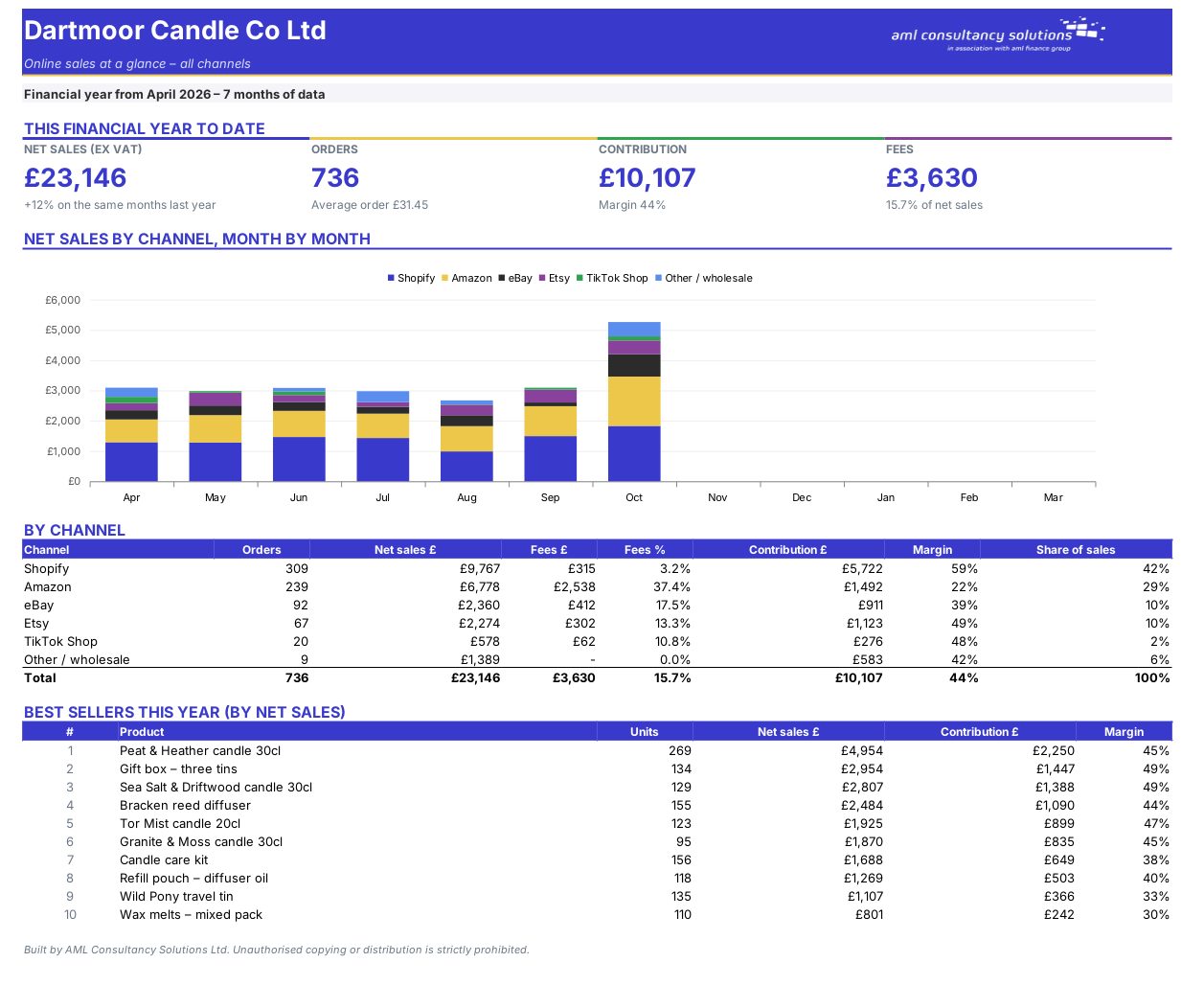
Each marketplace reports sales its own way, and none of them tells you what you actually made after fees, stock and postage. Paste your order exports into one sheet and this workbook does the rest.

Price
£20
Who it’s for
Management Accounts & Reporting
Works with
Microsoft Excel for Windows and Mac
Buy now

See how it works

A walk through the main sheets

The sheets you will use most, in the order you will use them – shown with the sample data every workbook comes with.

Step 1

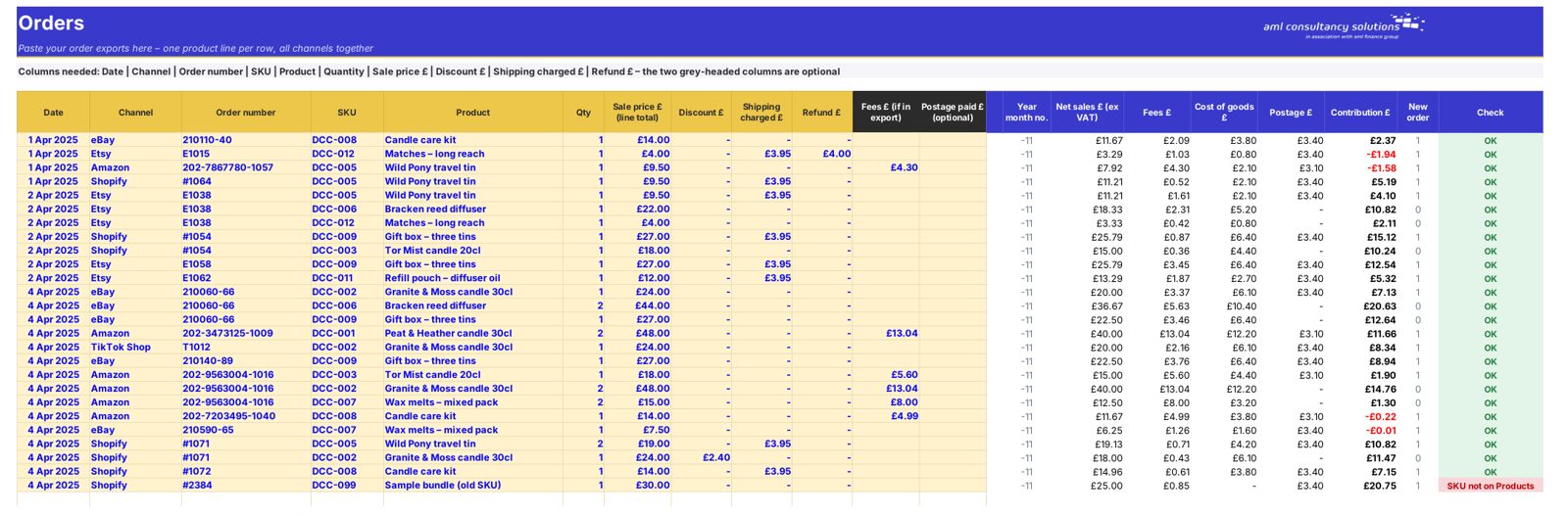
Orders

Your pasted order exports from every channel. What you do: paste each export.
Orders
Products

Step 2

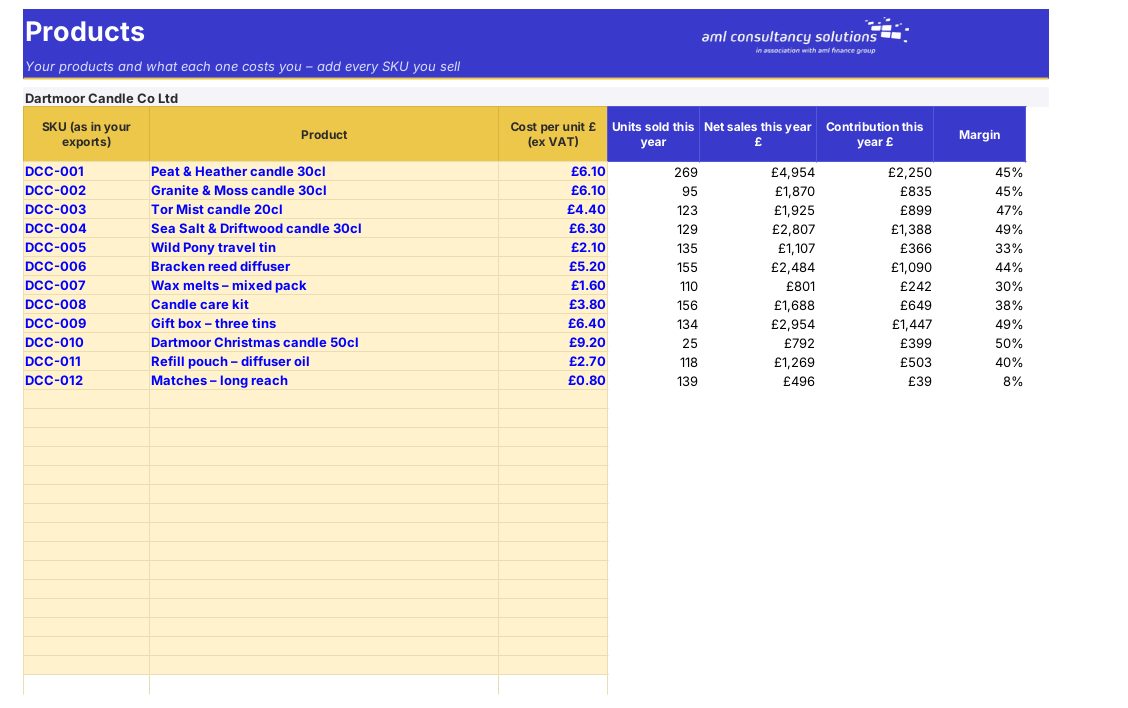
Products

Cost and margin by product. What you do: enter product costs.

Step 3

Channels

Sales, fees and margin by channel. What you do: nothing to enter.
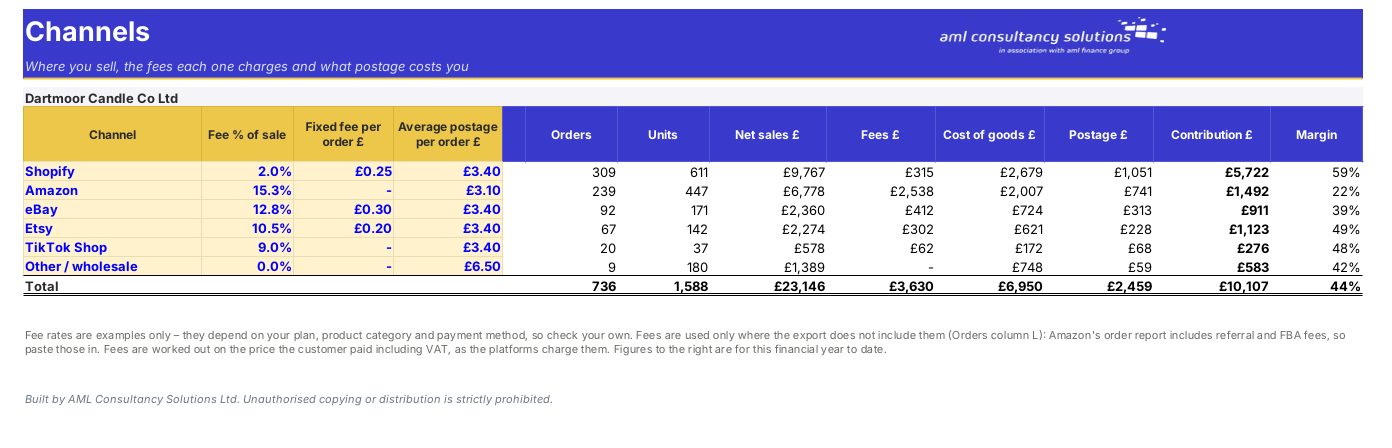
Channels

Step 4

Who it is for

Made for people like you

  • Example – text
  • Online sellers – See profit after fees across every channel.
  • Brands selling on marketplaces – Compare channels and products.
  • E-commerce accountants – Reconcile marketplace sales quickly.

Quick start

Up and running in minutes

  1. Example – text
  1. Settings – Business name, first month of your financial year and whether the exports include VAT.
  2. Products – Every SKU you sell with what one unit costs you (ex VAT). The SKU must match the one in your exports exactly.
  3. Channels – Check the fee rates and average postage for each channel you use.
  4. Orders – Paste each export's columns into the matching yellow columns (Paste Special → Values) and type the channel name on each line. Shopify: Orders → Export (one row per line item). Amazon: Reports → Payments → Date Range Reports, or the All Orders report. eBay: Orders → Download report. Etsy: Settings → Options → Download data → Orders.
  5. Dashboard – Your results. Fix any lines flagged in the Check column.

Key features

  • Brings your Shopify, Amazon, eBay, Etsy and TikTok Shop orders together – paste the exports into one sheet and see sales by channel, month by month.
  • Works out what you really keep on each sale: net sales after VAT, discounts and refunds, less platform fees, cost of goods and postage.
  • Best sellers, margin by product and channel, average order value and a year-on-year comparison.

What’s included

  • Dashboard – Your sales at a glance
  • Monthly – Month by month
  • Orders – Paste your exports here
  • Products – SKUs and unit costs
  • Channels – Fees and postage by channel
  • Settings – VAT and year start
  • Guide – How to use this workbook

How buying works

Your file is only released to your client portal once payment has cleared.

1

Click Buy now

You are taken to our secure checkout.

2

Pay securely

Checkout takes a minute and you get a receipt by email.

3

Download your file

Your file is ready in your client portal as soon as payment clears, and we email you your invoice with a link to the portal.

Explore the range

Need it tailored to your business?

We can adapt any prebuilt solution or build something bespoke, with a lifetime bug-free guarantee.

Part of AML Finance Group

Need an accountant too?

Our sister firm, AML Accountancy Solutions, is an award-winning accountancy practice helping businesses and individuals across the UK with their accounts, tax, bookkeeping and payroll.

Visit AML Accountancy Solutions