← All prebuilt solutions
Payroll & HR

Staff Rota Planner

Plan cover, hours and labour cost – and stay within the working time rules

£20

Secure checkout. Your download link is sent as soon as payment clears.
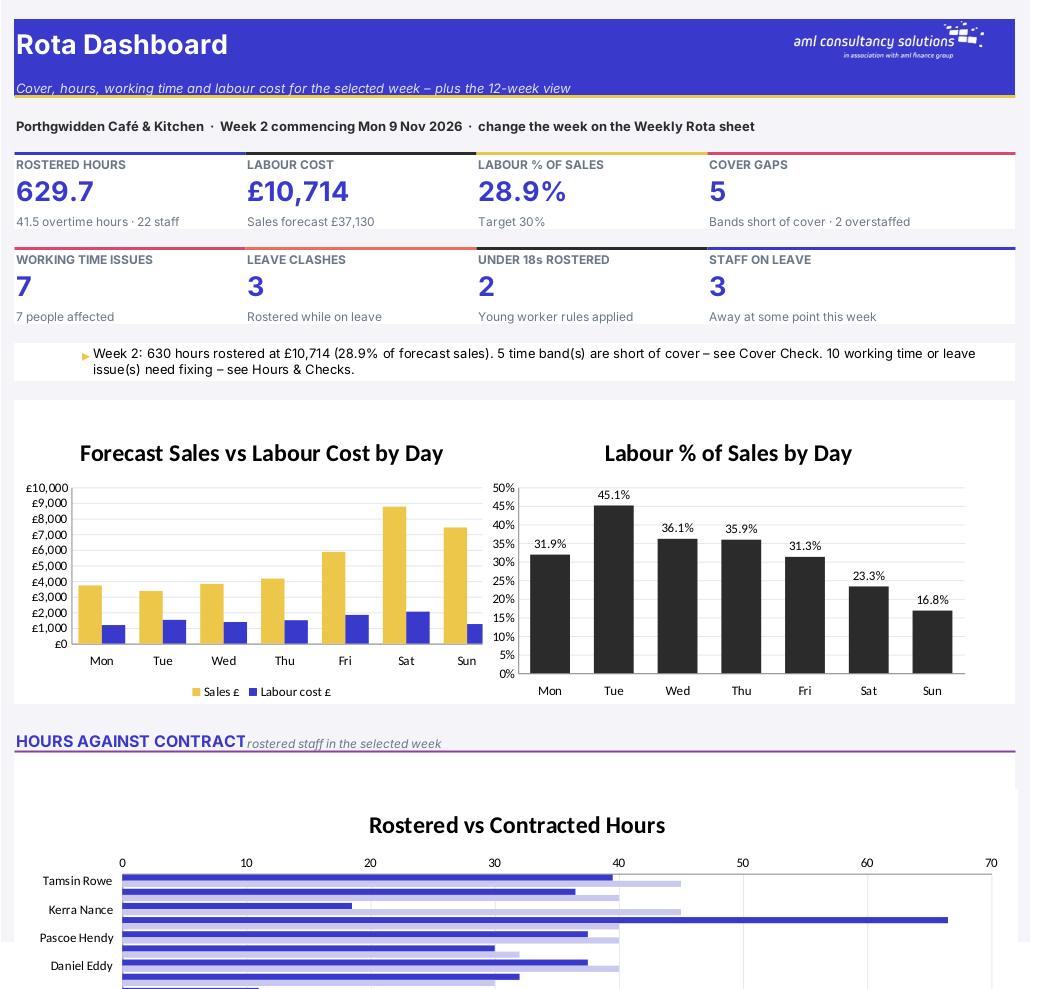
Staff Rota Planner

Overview

A rota is more than a list of shifts. It decides whether you have enough people on at the busy times, whether anyone is working too many hours or not getting enough rest, whether someone has been rostered while they're on holiday – and how much of your takings goes on wages. This planner lets you type the rota quickly using shift codes, keeps 12 weeks of rotas in one place, and checks every week automatically: cover against what you need, hours against contract, overtime, the Working Time Regulations (including the extra rules for under 18s), leave clashes and labour cost as a % of sales. When it's right, print a clean one-page rota for the staff room.

Price
£20
Who it’s for
Payroll & HR
Works with
Microsoft Excel for Windows and Mac
Buy now

See how it works

A walk through the main sheets

The sheets you will use most, in the order you will use them – shown with the sample data every workbook comes with.

Step 1

Staff

Up to 40 people with contracts and pay rates. What you do: keep up to date as people join and leave.
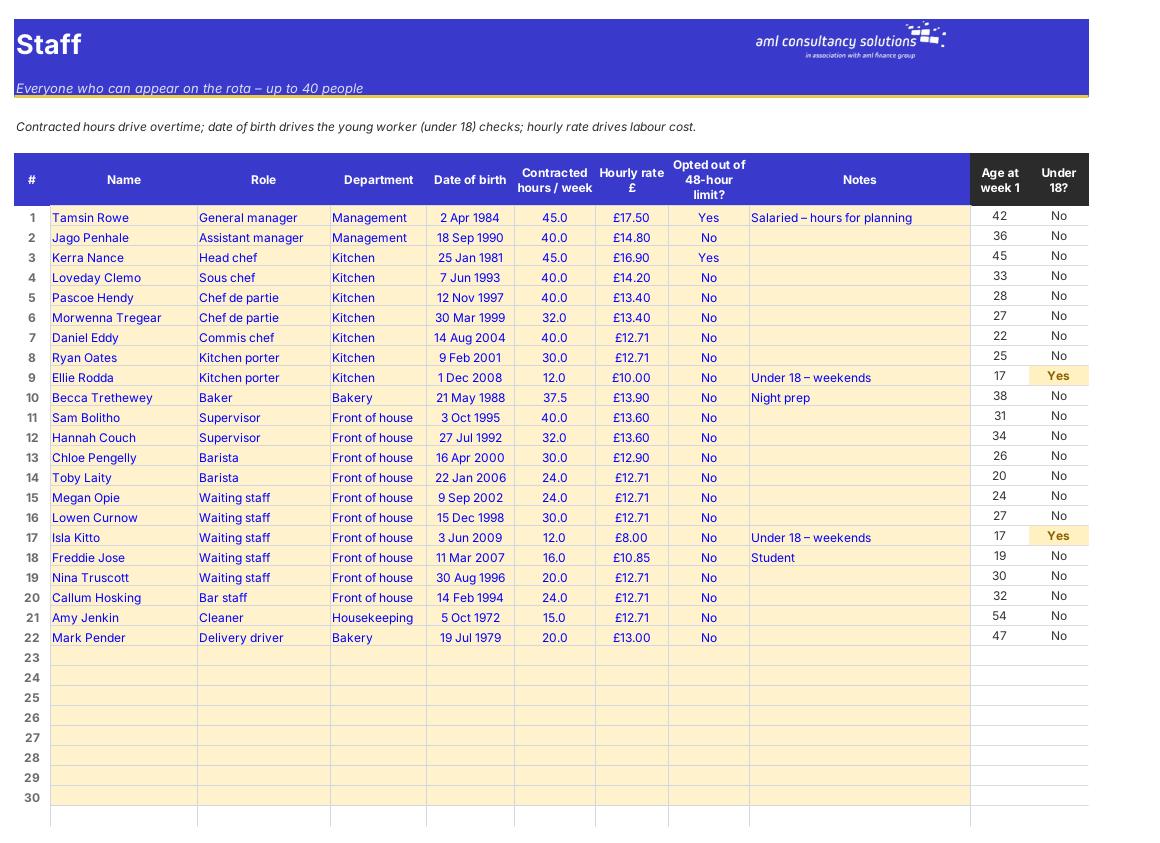
Staff
Leave

Step 2

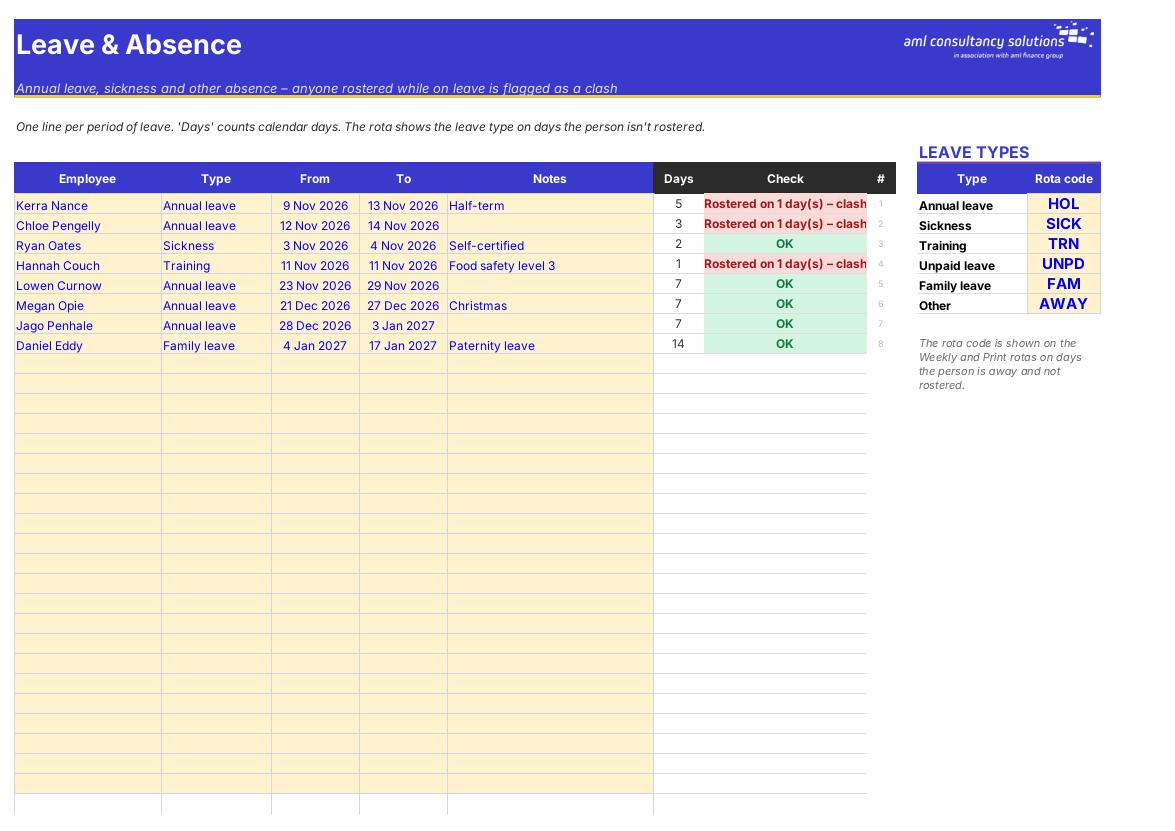
Leave

Up to 150 periods of leave or absence, plus the rota code shown for each leave type. What you do: add leave as it's booked.

Step 3

Rota Log

12 weeks × 40 staff × 7 days × 2 shifts – where the rota is typed. What you do: type shift codes.
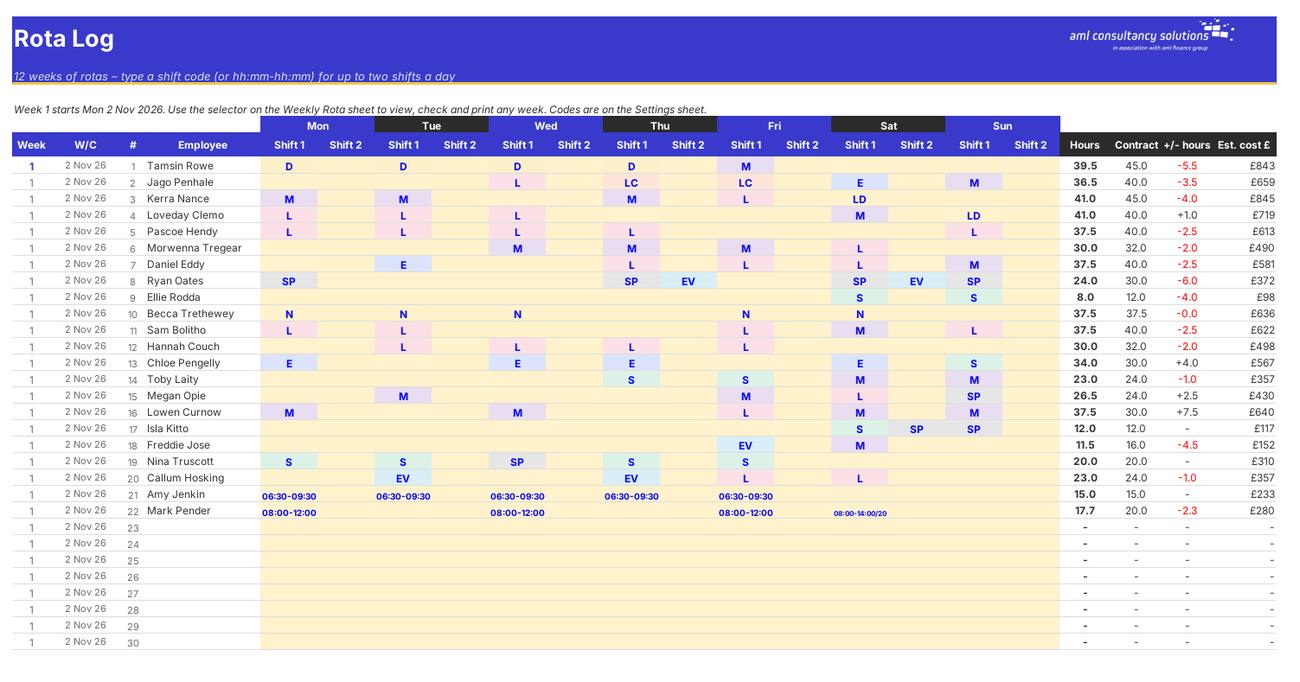
Rota Log
Weekly Rota

Step 4

Weekly Rota

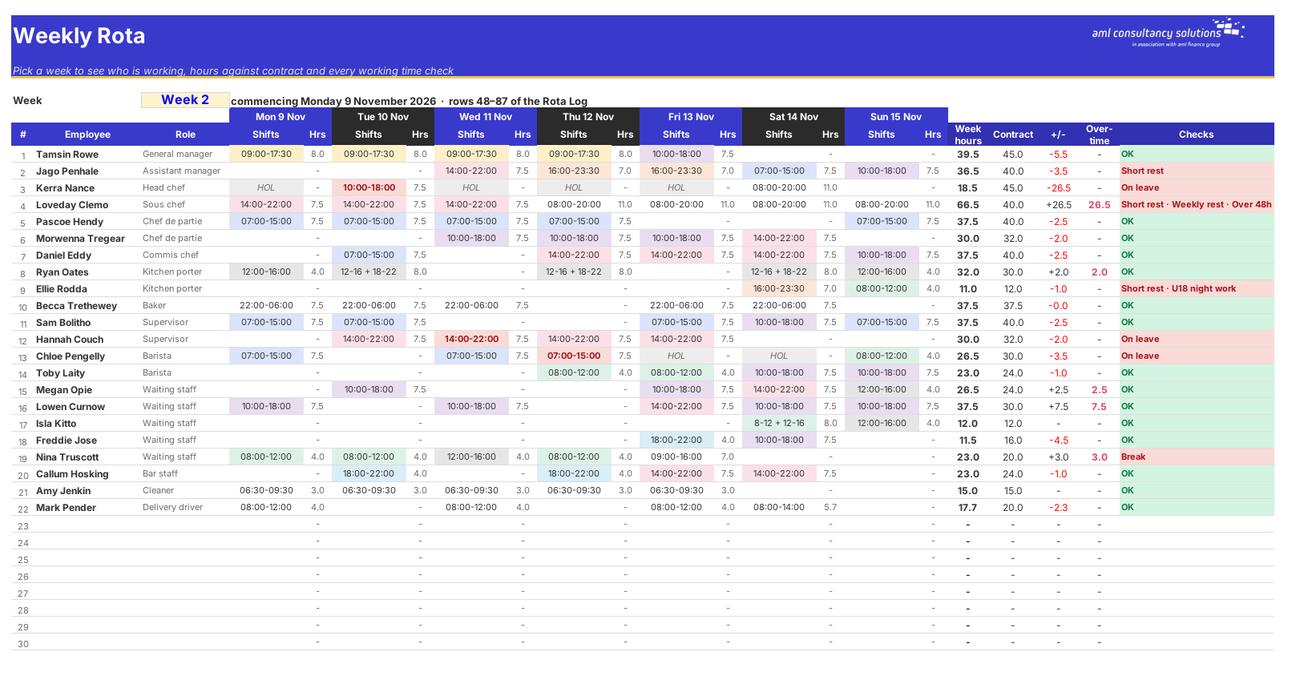
The week selector and the selected week's rota with times, hours, overtime and checks. What you do: change the week number.

Who it is for

Made for people like you

  • Example – text
  • Cafés, restaurants, pubs & hotels – Shift codes for earlies, lates and splits, cover by time band and labour % of sales every day.
  • Shops & retail – Cover against opening hours and footfall, part-timers and Saturday staff with young worker checks.
  • Care, cleaning & services – Hours against contract, overtime, rest and the 48-hour limit for every member of staff.
  • Any business with shift workers – A 12-week rota log, leave clash checks and a printable rota.

Quick start

Up and running in minutes

  1. Example – text
  1. Settings – Enter your business name, the Monday that week 1 starts, overtime rate, employer on-costs and target labour %. Check the working time rules and set up your shift codes.
  2. Staff – List everyone who can work: name, role, department, date of birth, contracted hours a week, hourly rate and whether they've opted out of the 48-hour limit.
  3. Leave – Add booked holidays, sickness, training and other absence.
  4. Rota Log – For each week, type a shift code in Shift 1 (and Shift 2 for a split shift) for each person and day. Leave the cell blank for a day off.
  5. Weekly Rota – Pick the week number in the yellow box at the top. Check the Checks column and the totals.
  6. Cover Check – Enter the cover you need for each day and time band (once), then look for red cells.
  7. Sales & Labour – Enter your sales forecast for each day of the 12 weeks and check labour %.
  8. Print Rota – Print the selected week on one sheet of A4 for the staff room.

Key features

  • Rota for up to 40 staff over 7 days with up to two shifts a day, using shift codes (e.g. E = 07:00–15:00) or one-off times, kept in a 12-week rota log with a week selector.
  • Cover check heat map for every day and time band – rostered staff against the cover you need, with gaps and overstaffing flagged.
  • Hours against contract, overtime, daily and weekly rest, 48-hour limit, breaks, young worker (under 18) rules and annual leave or absence clashes.
  • Labour cost per day against your sales forecast, a one-page printable rota for the staff room and a dashboard.

What’s included

  • Dashboard – The selected week at a glance
  • Settings – Rules, pay settings and shift codes
  • Staff – Up to 40 people
  • Leave – Annual leave and absence
  • Rota Log – 12 weeks of shifts – enter here
  • Weekly Rota – Week selector and the week's rota
  • Cover Check – Cover heat map
  • Hours & Checks – Hours, overtime and working time
  • Sales & Labour – Labour cost vs sales
  • Print Rota – One-page rota for the staff room
  • Engine – Workings
  • Guide – How to use this workbook

How buying works

Your file is only released once payment has cleared.

1

Click Buy now

You are taken to our secure checkout.

2

Pay securely

Checkout takes a minute and you get a receipt by email.

3

Download your file

Your download link arrives as soon as payment clears.

Explore the range

Need it tailored to your business?

We can adapt any prebuilt solution or build something bespoke, with a lifetime bug-free guarantee.

Part of AML Finance Group

Need an accountant too?

Our sister firm, AML Accountancy Solutions, is an award-winning accountancy practice helping businesses and individuals across the UK with their accounts, tax, bookkeeping and payroll.

Visit AML Accountancy Solutions

