← All prebuilt solutions
Payroll & HR

Timesheet & Overtime

Weekly timesheets, overtime and pay – with minimum wage and working time checks built in

£20

Secure checkout. Your download link is sent as soon as payment clears.
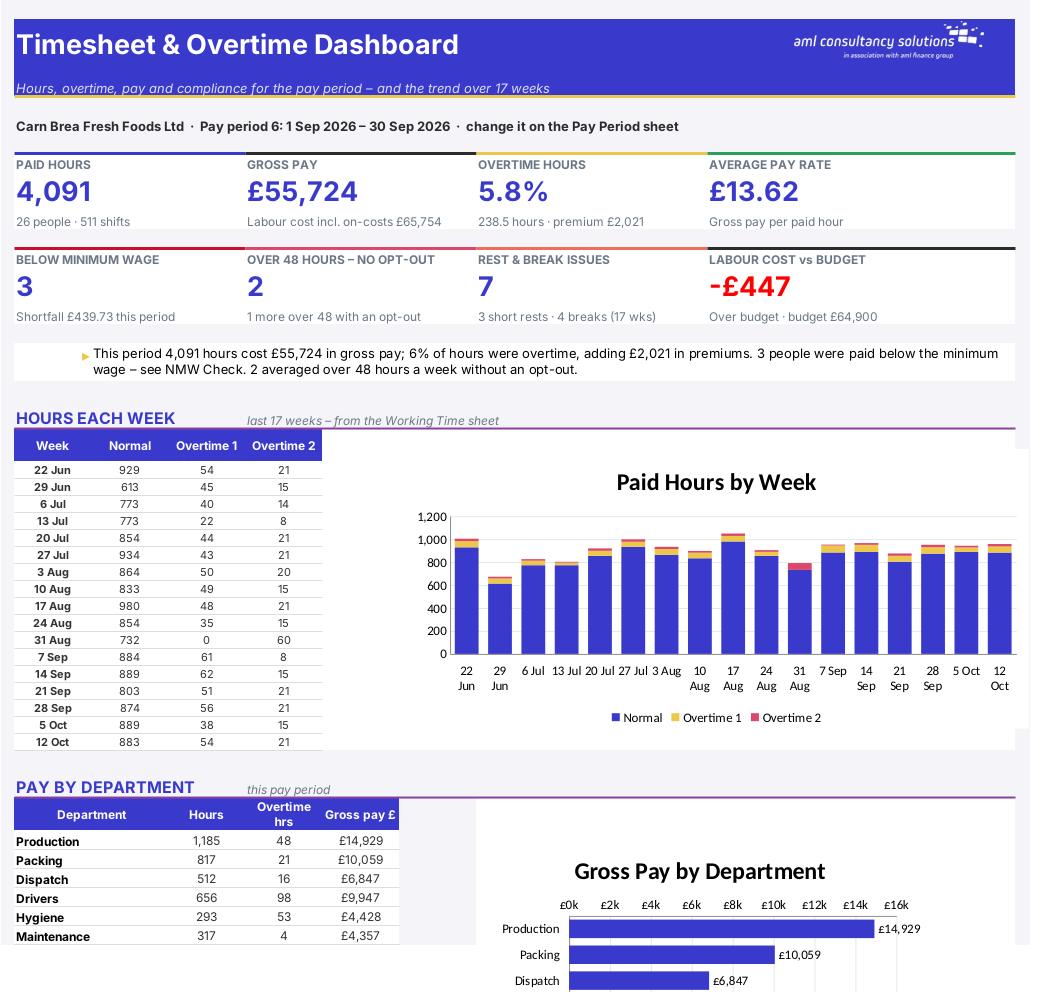
Timesheet & Overtime

Overview

Paying hourly staff correctly means getting a lot of small things right: unpaid breaks, shifts that run past midnight, overtime that only starts after 40 hours in the week, double time on Sundays and bank holidays, and making sure no one slips below the minimum wage for their age or works too many hours. This workbook takes one row per shift and does the rest – paid hours, the overtime split, pay and labour cost for every shift, weekly summaries, a printable timesheet for signing, a pay period summary for payroll, a minimum wage check, Working Time Regulations checks and labour cost by job.

Price
£20
Who it’s for
Payroll & HR
Works with
Microsoft Excel for Windows and Mac
Buy now

See how it works

A walk through the main sheets

The sheets you will use most, in the order you will use them – shown with the sample data every workbook comes with.

Step 1

Minimum Wage

NLW and NMW rates by age band and the date each rate starts. What you do: add new rates each April.
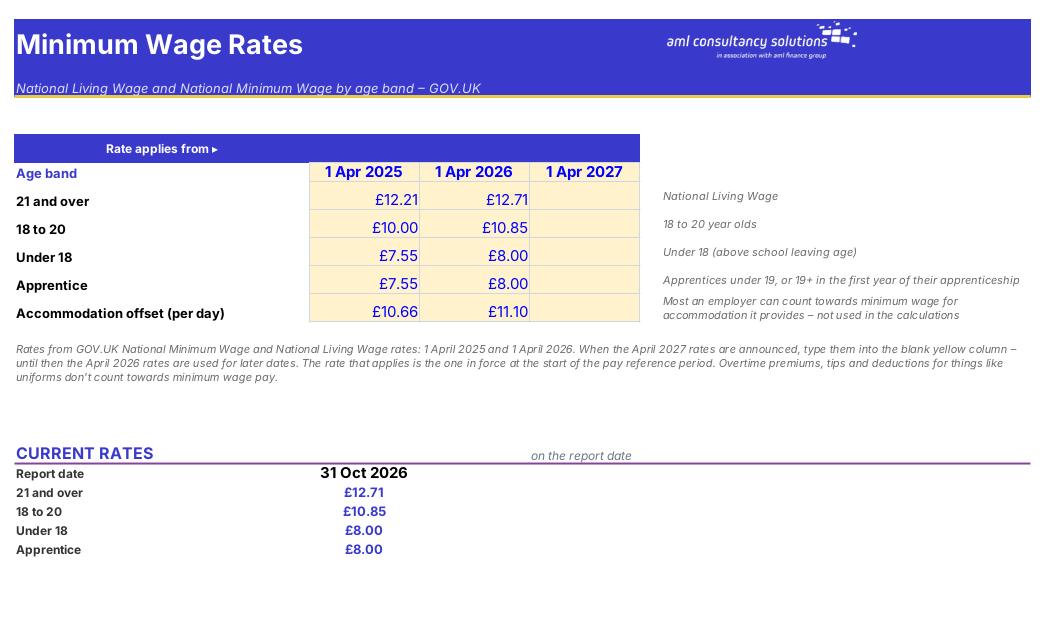
Minimum Wage
Staff

Step 2

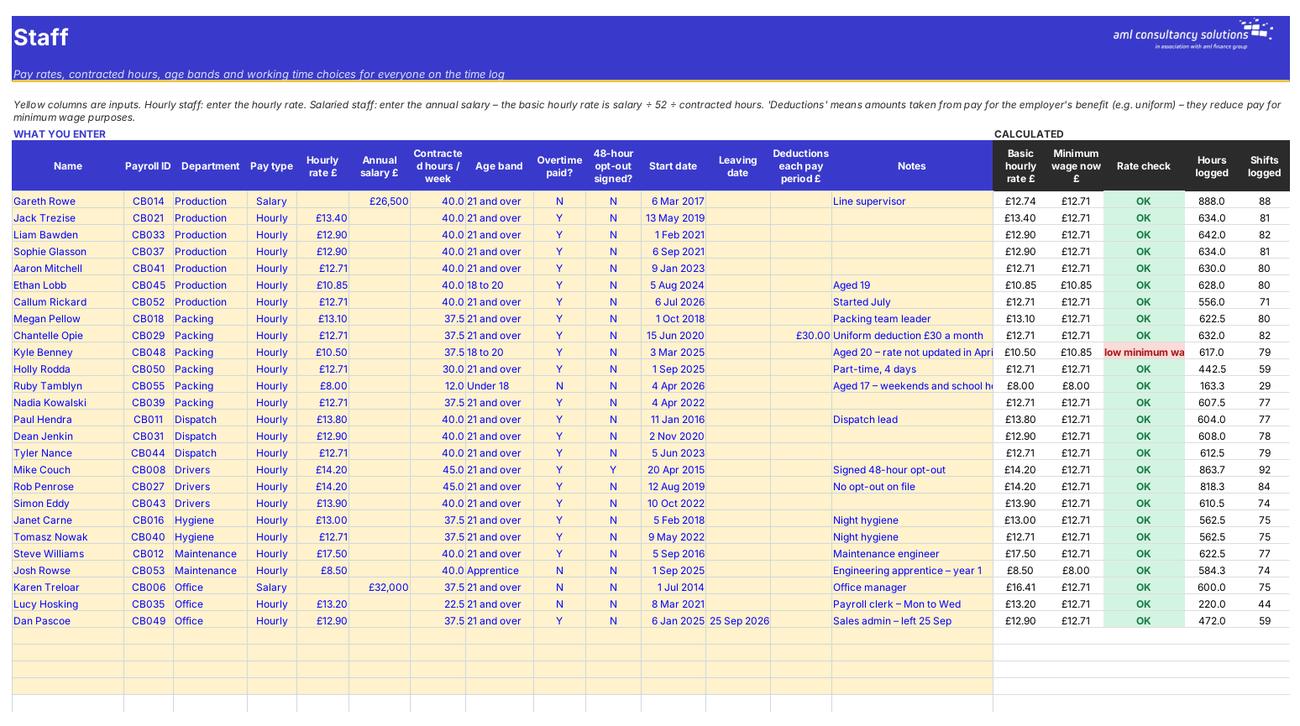
Staff

Pay rate, contracted hours, age band, overtime, opt-out, dates and deductions for each person, with a rate check. What you do: add or update staff.

Step 3

Time Log

Every shift, with paid hours, overtime split, pay, labour cost and checks. What you do: add one row per shift.
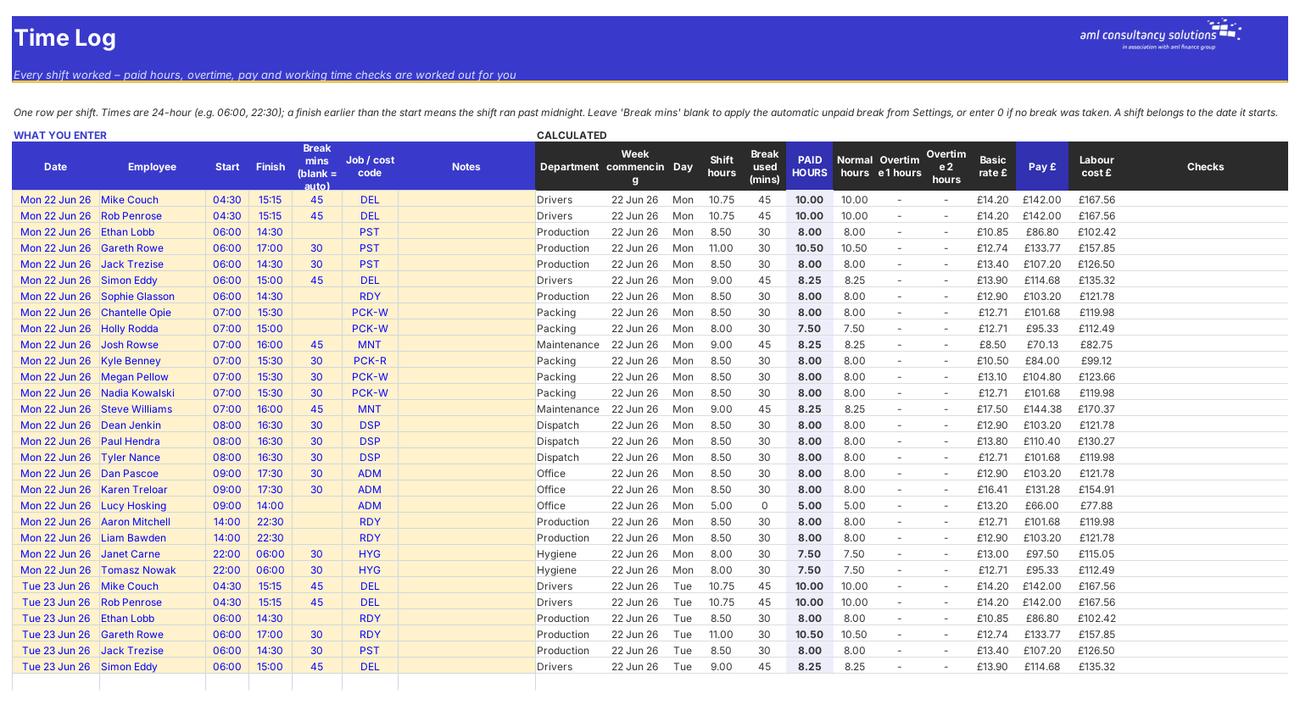
Time Log
Weekly Summary

Step 4

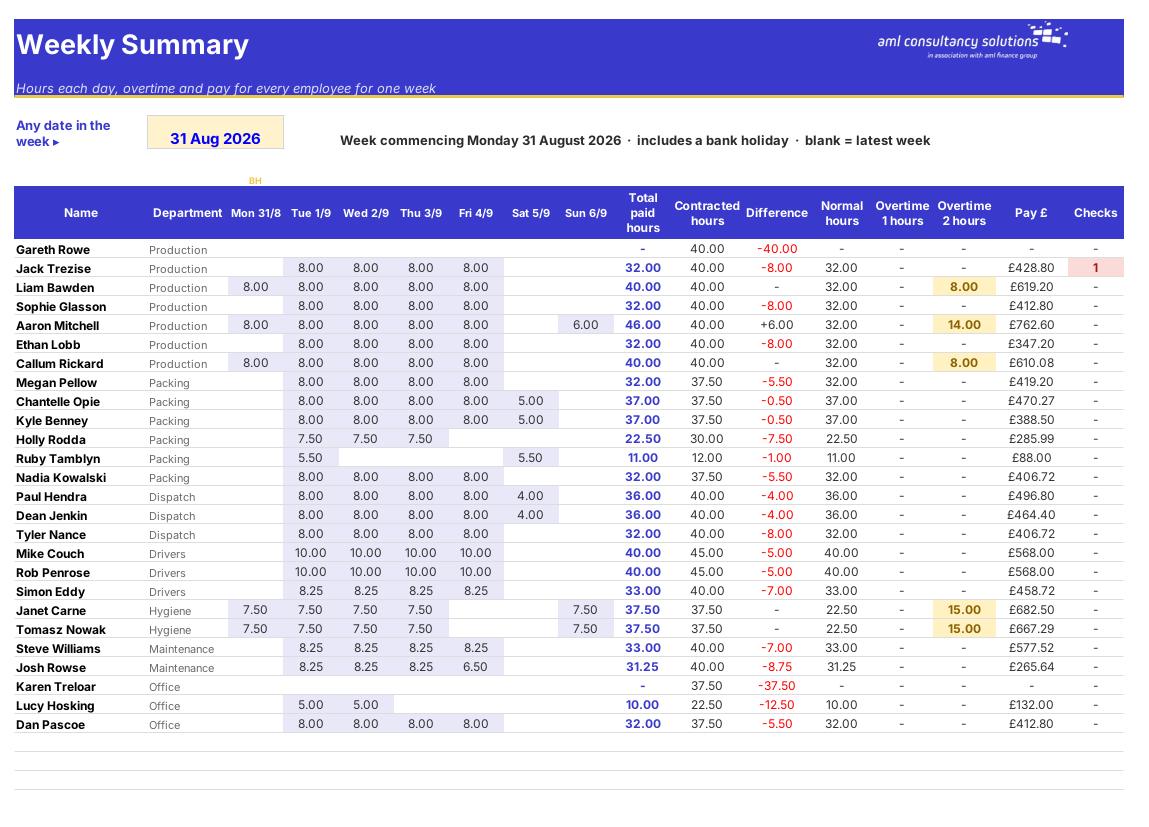
Weekly Summary

Hours each day, overtime and pay for everyone for one week. What you do: type any date in the week.

Who it is for

Made for people like you

  • Example – text
  • Small employers with hourly or shift staff – Hours, overtime and gross pay worked out the same way every time, ready for payroll.
  • Managers and supervisors – A weekly summary for the whole team and a one-page timesheet per person to check and sign.
  • Payroll and bookkeepers – A pay period table with normal, overtime 1 and overtime 2 hours and pay for each employee.
  • Owners watching costs and compliance – Minimum wage and working time warnings, overtime trends and labour cost against budget by job.

Quick start

Up and running in minutes

  1. Example – text
  1. Settings – Enter your company name, pay frequency, the date pay period 1 starts and the day your week starts. Set your overtime rules, the automatic unpaid break, employer on-costs and which bank holidays apply. List your departments.
  2. Minimum Wage – Check the rates. When the April 2027 rates are announced, type them into the blank column.
  3. Staff – Add each person: payroll ID, department, hourly rate or annual salary, contracted hours, age band, whether overtime is paid, whether they've signed a 48-hour opt-out, start date and any deductions for the employer's benefit.
  4. Job Costing – List your job or cost codes (and a budget if you want to compare).
  5. Time Log – Add one row per shift: date, employee, start, finish, break minutes (or leave blank for the automatic break), job code and notes.
  6. Check – Look at the Checks column on the Time Log, then the Weekly Summary. Print a Timesheet for each person to sign.
  7. Pay – On Pay Period choose the period number and copy the figures into payroll. Look at NMW Check and Working Time before you run payroll.

Key features

  • A time log for up to 2,500 shifts: paid hours after breaks, weekly overtime at rate 1, Sundays and bank holidays at rate 2, pay and labour cost for every shift.
  • Weekly summary for everyone, a printable weekly timesheet for sign-off, and a pay period summary ready for payroll.
  • Minimum wage check by age band using 2025/26 and 2026/27 rates, and Working Time checks: 48-hour average over 17 weeks, 11-hour daily rest, breaks and under-18 limits.
  • Labour cost by job or cost code against budget, plus a dashboard with eight headline figures and three charts.

What’s included

  • Dashboard – Hours, overtime, pay and compliance
  • Settings – Pay, overtime, breaks, bank holidays
  • Minimum Wage – NLW / NMW rates by age
  • Staff – Rates, hours, age bands, opt-outs
  • Time Log – Every shift worked
  • Weekly Summary – Everyone, one week
  • Timesheet – Print for sign-off
  • Pay Period – Payroll summary
  • NMW Check – Minimum wage compliance
  • Working Time – 48 hours, rest and breaks
  • Job Costing – Labour cost by job
  • Guide – How to use this workbook

How buying works

Your file is only released once payment has cleared.

1

Click Buy now

You are taken to our secure checkout.

2

Pay securely

Checkout takes a minute and you get a receipt by email.

3

Download your file

Your download link arrives as soon as payment clears.

Explore the range

Need it tailored to your business?

We can adapt any prebuilt solution or build something bespoke, with a lifetime bug-free guarantee.

Part of AML Finance Group

Need an accountant too?

Our sister firm, AML Accountancy Solutions, is an award-winning accountancy practice helping businesses and individuals across the UK with their accounts, tax, bookkeeping and payroll.

Visit AML Accountancy Solutions

