← All prebuilt solutions
Bookkeeping & Compliance

VAT Return Checker

Rebuild the 9 boxes from the transactions, find the differences and review the return before it's filed

£20

Secure checkout. Your download link is sent as soon as payment clears.
VAT Return Checker

Overview

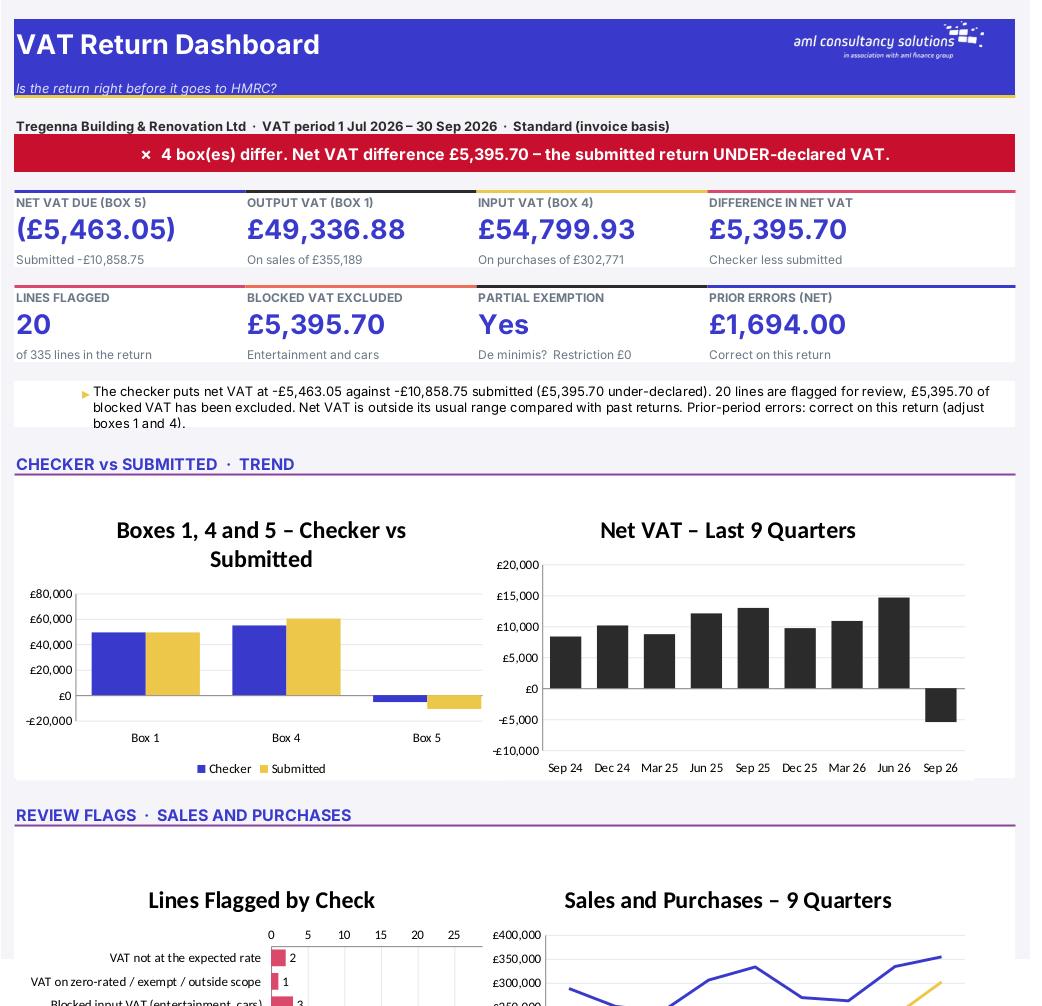
Accounting software builds the VAT return from the VAT codes on each transaction – so one wrong code, a blocked item claimed, or a reverse charge set up incorrectly goes straight onto the return. This workbook rebuilds boxes 1 to 9 independently from a transaction listing, using HMRC's box rules for each VAT code (VAT Notice 700/12), compares the result with the figures submitted (or about to be submitted) and tells you which code explains each difference. It then runs an analytical review of every line, checks partial exemption, works out whether earlier errors can be corrected on the return, compares the period with the last eight returns and produces a one-page review sheet for sign-off.

Price
£20
Who it’s for
Bookkeeping & Compliance
Works with
Microsoft Excel for Windows and Mac
Buy now

See how it works

A walk through the main sheets

The sheets you will use most, in the order you will use them – shown with the sample data every workbook comes with.

Step 1

Transactions

The period's sales and purchases and where each one goes on the return. What you do: paste your listing (up to 3,000 lines).
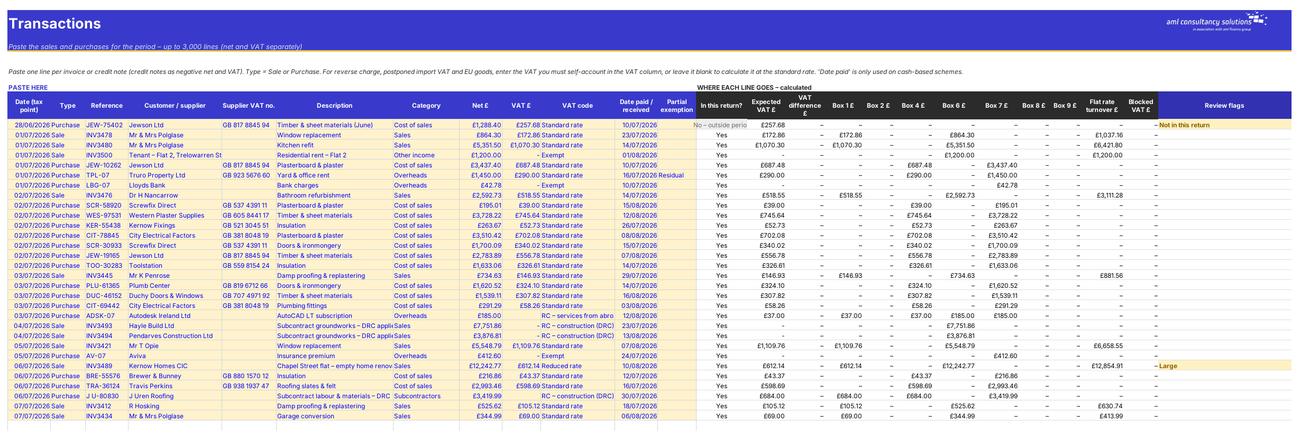
Transactions
VAT Return

Step 2

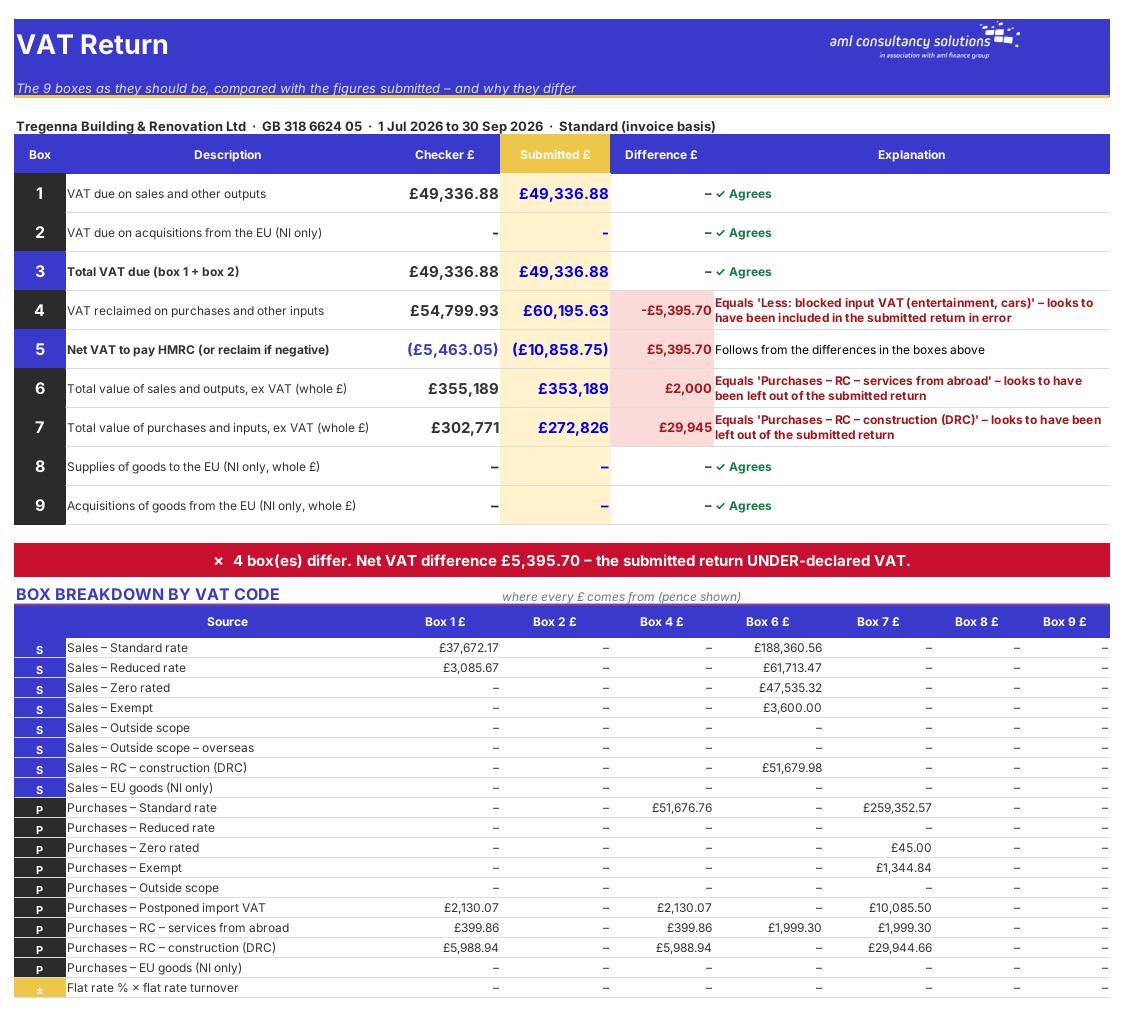
VAT Return

Checker v submitted for all 9 boxes, explanations, and a breakdown of every box by VAT code. What you do: enter the submitted figures.

Step 3

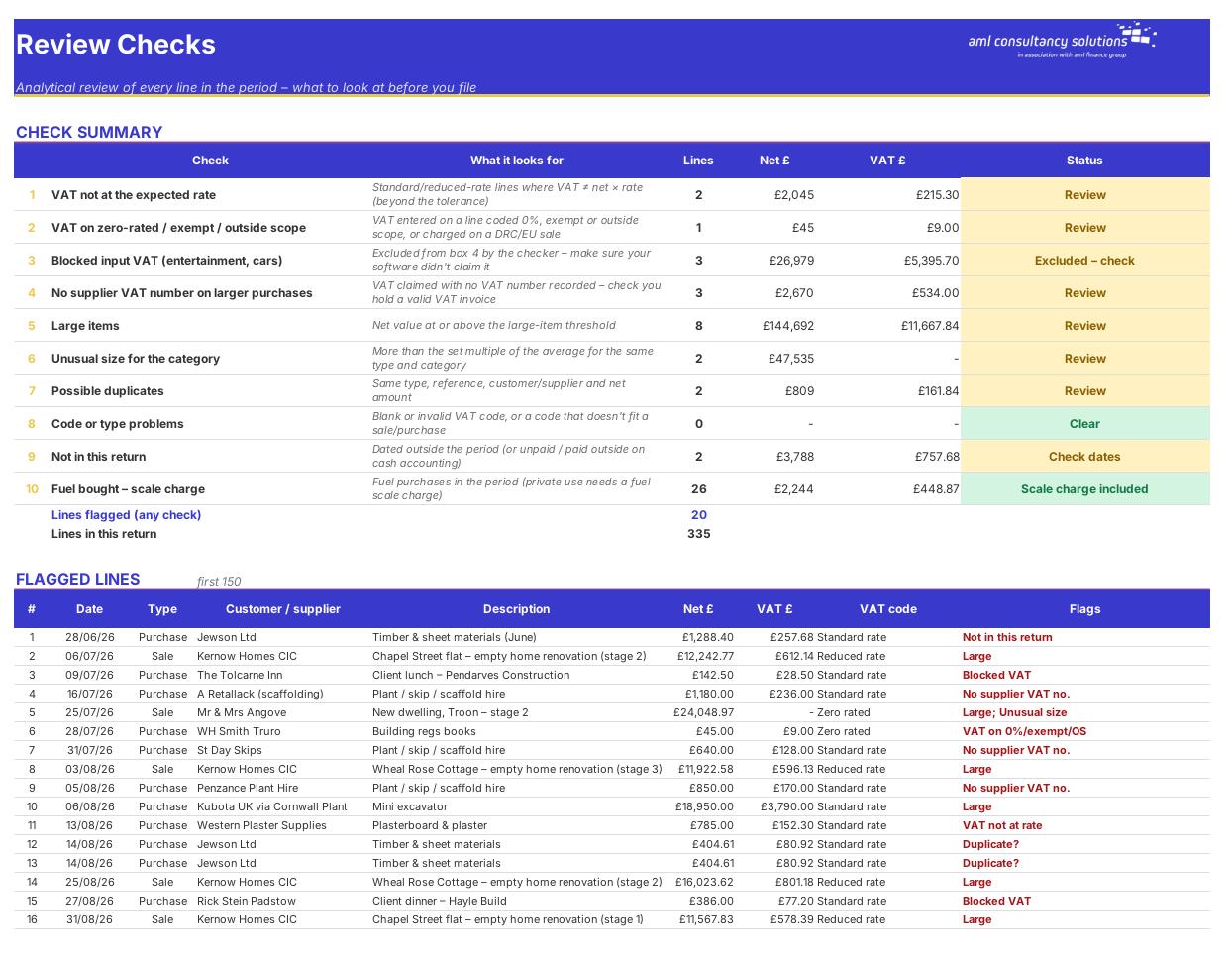
Review Checks

Ten analytical review checks and up to 150 flagged lines. What you do: investigate every flag.
Review Checks
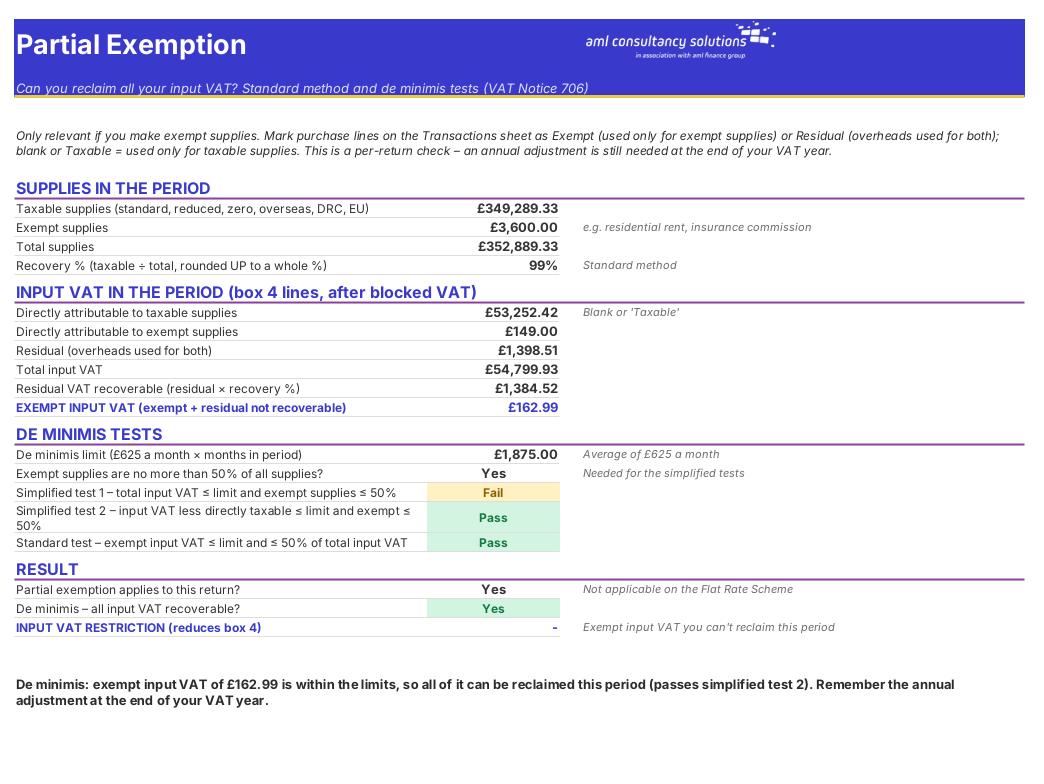
Partial Exemption

Step 4

Partial Exemption

Recovery % and the three de minimis tests. What you do: nothing – mark purchase lines Exempt/Residual on Transactions.

Who it is for

Made for people like you

  • Example – text
  • Bookkeepers & accountants – A consistent pre-submission review for every client return, with a signed working paper.
  • Business owners – Confidence that the return your software produced is right before you press submit.
  • Reviewers & managers – A quick way to see why a return differs from expectation, and which lines need questions.
  • Anyone correcting errors – A clear answer on whether an earlier error goes on this return or must be disclosed to HMRC.

Quick start

Up and running in minutes

  1. Example – text
  1. Settings – Enter the business, VAT number, period start and end dates and the VAT scheme. Check the review thresholds and whether private fuel is provided.
  2. Export the transactions – From your accounting software, run a VAT detail / VAT audit report for the period showing date, type (sale or purchase), reference, contact, net, VAT and VAT rate or tax code.
  3. Paste into Transactions – Paste into the yellow columns and map each line's tax code to one of the workbook's VAT codes (use Find & Replace on the code column). Add the category for entertainment, cars, fuel and capital items.
  4. Enter the submitted figures – On the VAT Return sheet, type the nine figures your software produced (or the figures already filed) in the Submitted column.
  5. Read the explanations – Each box shows ✓ Agrees, or the VAT code whose figure equals the difference.
  6. Work through the review – Clear the flagged lines on Review Checks, look at Partial Exemption, Error Correction and History, then print and sign the Review Sign-off sheet.

Key features

  • Paste up to 3,000 sales and purchase lines – the checker builds boxes 1 to 9 correctly for every VAT code, including reverse charges, postponed import VAT and the Flat Rate Scheme.
  • Compares the result with the figures submitted (or about to be submitted) and explains each difference by VAT code.
  • Analytical review of every line: wrong VAT rates, VAT on zero-rated items, blocked entertainment and car VAT, missing supplier VAT numbers, large, unusual and duplicate items, fuel scale charges.
  • Partial exemption de minimis tests, an error correction calculator (correct on the return or disclose to HMRC), an 8-quarter trend review and a printable reviewer sign-off sheet.

What’s included

  • Dashboard – Is the return right?
  • Settings – Period, scheme and thresholds
  • Transactions – Paste the period's sales and purchases
  • VAT Return – 9 boxes – checker v submitted
  • Review Checks – Analytical review and flagged lines
  • Partial Exemption – De minimis tests
  • Error Correction – Correct on the return or disclose?
  • History – 8-quarter trend
  • Review Sign-off – Printable sign-off
  • VAT Codes – Rates and where each code goes
  • Guide – How to use this workbook

How buying works

Your file is only released once payment has cleared.

1

Click Buy now

You are taken to our secure checkout.

2

Pay securely

Checkout takes a minute and you get a receipt by email.

3

Download your file

Your download link arrives as soon as payment clears.

Explore the range

Need it tailored to your business?

We can adapt any prebuilt solution or build something bespoke, with a lifetime bug-free guarantee.

Part of AML Finance Group

Need an accountant too?

Our sister firm, AML Accountancy Solutions, is an award-winning accountancy practice helping businesses and individuals across the UK with their accounts, tax, bookkeeping and payroll.

Visit AML Accountancy Solutions